








Latest Posts Page 784
Optimizing Tile Layouts in Revit for Interior Design
Tile Layout in Revit Interior Design Revit Texture Editor offers a “Repeat” command with options for “Horizontal” and “V...

A Step-by-Step Guide to Adding Skylights to Roofs in Revit
How to Create Skylights on Roofs in Revit In Revit, window families are typically placed on walls and cannot be position...
Mastering the Use of Associated Parameters in Revit Families
Revit skillfully utilizes associated parameters within families Revit achieves component visibility in a family by overl...
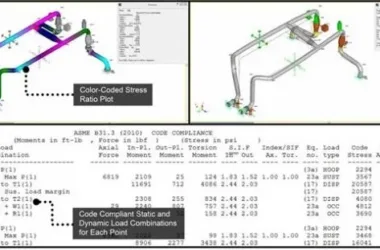
Bentley AutoPIPE V8i SELECTseries 5 Chemical Pipeline Design Software - Official Chinese Version 09.06
Bentley AutoPIPE enables users to quickly and easily create, modify, and inspect pipeline and structural models along wi...
How to Create Hollow Bricks Using Revit
Method for Creating Hollow Bricks in Revit (No size requirements in this example) Revit offers several ways to create ho...
Efficiently Placing Door and Window Tags in Revit
Quickly Placing Door and Window Tags in Revit When working with Revit, it’s often necessary to label doors and windows s...
Henan Province Accelerates Prefabricated Building Growth with Mandatory BIM Technology Integration
Summary: In 2017, various provinces and cities across the country began issuing policies to promote prefabricated buildi...
How to Create a Drawing List in Revit
Creating a Revit Drawing List 1. Go to the View tab, then from the dropdown menu select List of Drawings. 2. In the Draw...
How to Create Custom Pipe Sizes in Revit
How to Create New Pipe Sizes in Revit When working on mechanical and electrical water supply and drainage drawings, you ...
Effective Multi-View Modeling Techniques in Revit
Techniques for Multi-View Modeling in Revit When working with Revit project models, it’s often necessary to switch...
How to Draw a Vertical Y-Shaped Tee in Revit Air Duct Systems
How to Draw a Vertical Y-Shaped Tee for Revit Air Ducts Vertical Y-shaped tees are common in many real-world projects. H...
Comprehensive Guide to Cable Tray Output in Revit
Creating a Detailed Cable Tray Schedule in Revit After completing your project in Revit, you can generate a detailed qua...
How to Use Filter Settings in Revit: A Guide with Mechanical Templates
Filter Settings in Revit (Using Mechanical Templates as an Example) When working on Revit projects, it’s often nec...
How to Accurately Measure Conduit Lengths in Revit
How to Measure the Length of Conduit in Revit 1. For wire conduits without accessories, you can use the Type Drawn Condu...
How to Create Stairs with Varying Thickness Between Treads and Landing Surfaces in Revit
How to create stairs with different thicknesses between the stair run and platform surface layer in Revit We are discuss...
How to Easily Insert CAD Drawings into Microsoft Word
How to Insert CAD Drawings into Word 1) A simple solution is to use BetterWMF software, which allows you to copy and pas...
What's New in Navisworks 2017
Navisworks 2017 New Features Navisworks® 2017 products—including Navisworks® Simulate, Navisworks® Manage, a...
A Comprehensive Method for Synthesizing Construction Dates in Navisworks
BIM Software Tip: Naviswork Construction Date Synthesis Method If you’ve used Naviswork, you might have encountere...
How to Render Images in Revit: A Step-by-Step Guide
BIM Software Tip: Rendering Images in Revit 1. Use the camera tool to capture an image of your model from the desired an...
Mastering Wall Connections in Revit: A Comprehensive Guide
BIM Software Tip: How Revit Controls Wall Connections Have you ever experienced difficulty when drawing walls in Revit? ...