








Latest Posts Page 232
Adding Camera Animations in Navisworks: A Step-by-Step Guide
How to Add Camera Animations in Navisworks In Navisworks, you can create camera animations by capturing changes in camer...

How to Save Externally Loaded Revit Families Individually
How to Save Externally Loaded Revit Families Separately During the learning process, we often come across numerous Revit...
Quickly Dimension Mechanical and Electrical Pipelines in Revit: A Step-by-Step Guide
How to Quickly Dimension Mechanical and Electrical Pipelines in Revit In the MEP comprehensive management model of a pro...
Understanding Graphic Element Fixation in Navisworks
Explanation of Navisworks Graphic Element Fixation Navisworks offers a feature that allows you to preserve the state of ...
How to Apply Floor Color Patterns in Revit Section Drawings
How to Apply Floor Color Patterns in Revit Sectional Drawings Whether working with CAD drawings or Revit models, it is c...
Enhancing Pipeline-to-Equipment Connection Efficiency with Revit
How Revit Enhances Connection Efficiency Between Pipelines and Equipment When drawing pipelines, connecting bathroom fix...
Using Filters and Choosing Filtering Criteria in Revit
Applying Filters and Selecting Filtering Conditions in Revit When modeling mechanical and electrical systems in Revit, y...
A Complete Guide to Using Navisworks File Reader
How to Use the Navisworks File Reader Navisworks offers various import settings, such as unit configuration, to better m...
Transferring Project Standards in Revit: A Step-by-Step Guide
How to Transfer Project Standards in Revit Project standards in Revit include system family types (excluding loadable fa...
Applying Revit Staging Effectively in Your Projects
How to Apply Revit Staging in Projects In Revit, the “Staged” feature allows you to simulate the phased cons...
How to Configure Revit Settings to Minimize Computer Load
How to Configure Revit Settings to Reduce Computer Load When working on large projects in Revit, it’s common for m...
Overview of Tools for Placing Prefabricated Components in Revit
Functions of Tools for Placing Prefabricated Components in Revit In the MEP Fabric Components tab, when you select prefa...
Using Direct Manipulation Controls to Edit Stair Components in Revit
How to Use Direct Manipulation Controls to Modify Stair Components in Revit After selecting the stairs you want to edit ...
How to Adjust Room Heights in Revit
Adjusting Room Height in RevitRevit calculates room volume based on room height, which can be set in the following ways:...

Baoye BIM Toolkit: Advanced BIM Solutions for Large Central Enterprises
Most BIM plugins on the market are developed by software technology companies, which can present technical challenges wh...
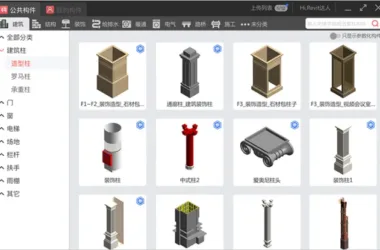
Download the Free BIM Family Library Plugin for Revit
Real-Time Online Updates for the Cloud Family Library Component Dock is a platform—both a plugin and a website—that offe...

Comprehensive 12-Day BIM Training: Advanced Revit Video Course and Exam Preparation by Industry Experts
BIM high-definition training video tutorial featuring the latest version of Revit Chinese video course, designed to enha...
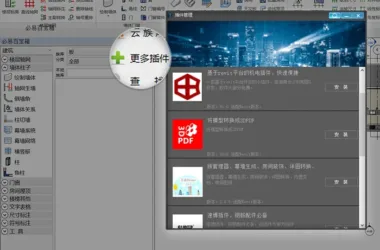
Download BiYi BIM Water Supply and Drainage V6.0 Revit Quick Modeling Plugin
Software Name: BiYi BIM R2019 Software Category: Including BiYi BIM Building, BiYi BIM Electrical, BiYi BIM HVAC, BiYi B...
Download BiYi BIM HVAC V6.0: Revit Quick Modeling Plugin
Software Name: BiYi BIM R2019 Software Categories: BiYi BIM Building, BiYi BIM Electrical, BiYi BIM HVAC, BiYi BIM Plumb...
BiYi BIM Electrical V6.0: Fast Modeling Plugin for Revit Download
Software Name: BiYi BIM R2019 Software Category: BiYi BIM including Building, Electrical, HVAC, Plumbing and Drainage Ve...