
Most BIM plugins on the market are developed by software technology companies, which can present technical challenges when applied in real projects. The Baoye BIM Toolset addresses these issues effectively. Developed by Shanghai Baoye BIM, one of China’s leading BIM technology teams, this plugin is built on extensive practical experience from over a hundred projects. It not only fulfills the functional requirements of real-world projects but also significantly accelerates modeling speed.
The Shanghai Baoye BIM Application Toolset is a secondary development plugin written in C# based on the Revit platform. It primarily offers fast batch modeling of commonly used structural components and seamless Revit type data interaction. This expands Revit’s core modeling capabilities, making it easier for users to perform large-scale batch modeling.
This toolset plays a crucial role in optimizing construction organization design, enhancing communication efficiency between clients, designers, and construction teams, and integrating construction and maintenance phases.
About Baoye
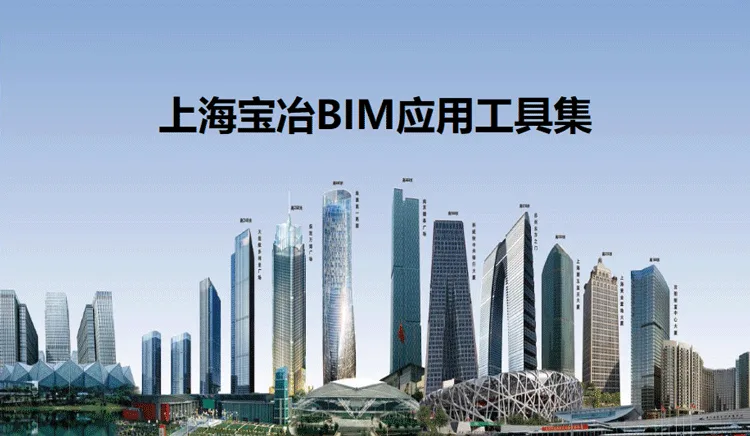
Shanghai Baoye Group is a large state-owned enterprise under China Metallurgical Group Corporation (MCC), a Fortune 500 company. Their notable projects include the Xiamen International Convention and Exhibition Center, Shenzhen Universiade Center Main Gymnasium, Shanghai Disneyland, Zhuhai Cross Gate Central Business District, Xiamen Tianma Microelectronics, Shenzhen Liantang Port, Hainan Huadao International Convention Center, Zhuhai Center (330 meters tall), Changchun International Financial Center (214 meters), Wuhan Metro Line 7 super high-rise tower (221 meters), Asia’s tallest single building under construction—the Nanjing Jinying Tiandi Plaza (368 meters), Dubai Racecourse in the UAE, Gateway Tower in the Philippines, Central Bank of Kuwait Building, Hejingtai Plastic and Steel Factory in Vietnam, Zhengyang Paper Mill, Uzbekistan Spinning Mill, and the Sky Villa in Phnom Penh, Cambodia. Other projects include apartment buildings, Bali Waterfront Resort in Phnom Penh, and Qibin Glass Factory in Malaysia.
Functional Overview
The Shanghai Baoye BIM Application Toolset consists of four main modules, each offering key functions:
- Baoye Universal Module
Core features include view management, grid settings, and element filtering.
- Baoye Rapid Construction
Main functions cover common drawing flipping and parameterized management of common component types.
- Baoye Civil Engineering
Includes frequently used construction techniques and decoration, with a focus on steel reinforcement engineering modeling.
- Baoye Electromechanical
Main functions include pipeline collision detection, avoidance, and management.
Baoye BIM Toolset – Feature List
| Serial Number | Primary Module | Secondary Module | Level 3 | Function |
|---|---|---|---|---|
| 1 | General Tools | General Tools | (3D Local) Local View | Quickly create local cut boxes, supporting both 2D and 3D views. |
| 2 | (View Association) View Management | Switch between views and viewports across various views and drawings. | ||
| 3 | (Interference Check) Collision Analysis | Detect interference between different component categories. | ||
| 4 | (Node Merge) Node Integration | Quickly merge nodes between analysis models. | ||
| 5 | (Family Browser) Project Component Quick Search | Rapidly browse family types within the project. | ||
| 6 | (Measurement Tool) Measurement Statistics | Measure length, area, and other dimensions. | ||
| 7 | (Clearance Analysis) Space Management | Perform clearance analysis on structural and electromechanical pipeline models; supports hierarchical and regional analysis with color-coded results. | ||
| 8 | (3D Axis) 3D Grid | Create axis lines in three-dimensional space. | ||
| 9 | (Area Measurement) Area Statistics | Measure areas and assign numbers with statistics. | ||
| 10 | Quick Creation of Grid | Create straight and curved axis grids rapidly. | ||
| 11 | Component Naming | Batch naming for all instance types within the project. | ||
| 12 | Element Filtering | Filter components deeply by category, family, type, and more. | ||
| 13 | Project Template | Create projects directly using server templates. | ||
| 14 | Design Model Rapid Construction | Building Structure | (Type Quick Copy) Table Modeling | Quickly copy types via Excel, adding custom attributes such as materials during copying. |
| 15 | Drawing Pile – Pile | Generate piles quickly from CAD drawings. | ||
| 16 | Drawing Production Column – Column | Rapidly create columns from CAD drawings. | ||
| 17 | Drawing Production Beam – Beam | Generate beams swiftly based on CAD drawings. | ||
| 18 | Quick Creation of Floor Slabs – Slabs | Create floor slabs rapidly within the topology area of beams, columns, and walls. | ||
| 19 | Drawing Wall – Wall | Generate wall components quickly from CAD drawings. | ||
| 20 | Drawing for Doors and Windows | Create door and window components efficiently from CAD drawings. | ||
| 21 | Wall Flat Beam Slab Bottom and Top | Adjust walls to align with the top or bottom of beams or slabs. | ||
| 22 | Bottom and Top of Beam Attachment Plate | Adjust beams to the bottom or top of slabs accordingly. | ||
| 23 | Column Numbering | Number columns according to predefined rules. | ||
| 24 | Creation of Irregular Foundations, Columns, and Beams | Quickly create irregular columns and beams based on drawings. | ||
| 25 | Stair Creation | Create stairs according to specifications and parameters, including: | ||
|
||||
| 26 | Electromechanical | Creation of Insulation Layer | Define insulation types for pipes and ducts, including relationships between pipe diameter and thickness, to quickly generate insulation layers. | |
| 27 | Quick Creation of Sprinkler System | Create sprinkler systems from CAD drawings automatically, including pipe diameters, nozzles, valves, and variable diameter connections. | ||
| 28 | Busway | Create busways based on custom and manufacturer standards, using parameters like current (substituted by cable trays where applicable). | ||
| 29 | Deepening of Architectural Structure | Secondary Structure | Quickly create construction columns, beams, and ring beams according to rules. | |
| 30 | One-Click Deduction | Perform quick deductions between walls, beams, slabs, and columns. | ||
| 31 | Construction Division | Select and customize post-pouring strips (floor slabs, walls, beams). Quickly segment boards based on selected points and methods, and divide walls horizontally by elevation rules. | ||
| 32 | Decoration and Renovation | Generate floor slabs, ceilings, and plastering based on room boundaries. | ||
| 33 | Decoration and Renovation | Create floor tiles and suspended ceilings quickly using set parameters such as length, width, and material. | ||
| 34 | Masonry Works | Create wall blocks based on size parameters, supporting base and top universal blocks. | ||
| 35 | Decoration and Renovation | Create wall plaster layers quickly on selected wall surfaces, including room naming and overall decorative layers. | ||
| 36 | Decoration and Renovation | Divide wall surfaces and create layers based on tile size parameters; includes roof tiling. | ||
| 37 | Reinforcement Engineering | Beam Flat Method Steel Bar Creation | Quickly create beam models and steel bars using flat method from annotated drawing data; supports in-situ and centralized annotation, conforming to the 11G1101-1 atlas specification. | |
| 38 | Column Flat Method Steel Bar Creation | Quickly create column models and steel bars using flat method from annotated drawings; supports in-situ and centralized annotation per 11G1101-1 specification. | ||
| 39 | Plate Steel Bars | Rapidly create plate steel bars following 11G1101-1 atlas specifications and relevant settings. | ||
| 40 | Wall Reinforcement | Quickly create wall reinforcement according to 11G1101-1 standards and parameters. | ||
| 41 | Construction Column Reinforcement | Create column reinforcement based on preset rules. | ||
| 42 | Reinforcing Bars for Ring Beams and Lintels | Create reinforcement bars for ring beams and lintels as per set rules. | ||
| 43 | Reinforcement of Beam-Column Nodes | Supports reinforcement for various common beam-column node configurations. | ||
| 44 | Mechanical and Electrical Deepening | Pipeline Integration | Pipeline annotation: quickly label various pipelines according to designated marking types. | |
| 45 | Pipeline Integration | Pipeline management: centralized control of pipeline types within the project. | ||
| 46 | Prefabricated | Pipeline segmentation: automatically segment pipelines following set rules, adding connectors post-segmentation. | ||
| 47 | Pipeline Integration | Pipeline spacing control: analyze and check distances between pipelines, considering insulation layers. | ||
| 48 | Prefabricated | Insulation layer area statistics: includes insulation area, thickness, material, and other details. | ||
| 49 | Reserved Hole | (Wall Opening) Automatically determine geometric relationships among pipelines, air ducts, cable trays, and walls to create openings and sleeves. Supports linking pipeline models, selecting casing diameters by grade, water stop ring consideration, casing numbering with detailed lists, and multi-pipe openings (larger holes when pipes are close). | ||
| 50 | Pipeline Integration | Pipeline avoidance: supports single-sided and middle avoidance for pipelines and air ducts, and automatic avoidance for cable trays. | ||
| 51 | Integrated Support Hanger | Manual and automated placement of supports and hangers based on pipeline size. Supports custom brackets, integrated support for multiple pipe rows, sizing based on spacing and weight, fixed parts, fasteners, and calculation considerations referencing MagicCAD standards. Includes encrypted bends and attachments during automatic placement, typically spaced at 250mm. | ||
| 52 | Material Statistics | Material Statistics | Statistics by Floor and Selected Area | |
| 53 | Output Excel Report | |||
| 54 | Decoration and Renovation: Area and Quantity Statistics | |||
| 55 | Conventional Civil Engineering Area and Volume Statistics | |||
| 56 | Mechanical and Electrical Statistics | Includes pipeline statistics accounting for elbows and direct pipeline lengths. | ||
| 57 | Surface Area of Air Duct Fittings | Statistics for tees, elbows, and other fittings. | ||
| 58 | Site Statistics | Counts temporary facilities on site. |












Must log in before commenting!
Sign Up