
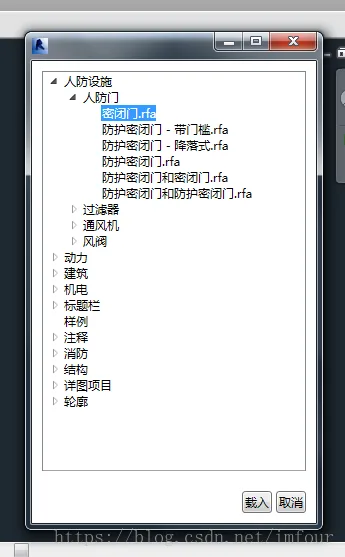
Advanced Revit Customization Using WPF Integration
If you want to capture user input in Revit, besides using WinForms, you can also utilize WPF. Below is a simple example ...
If you want to capture user input in Revit, besides using WinForms, you can also utilize WPF. Below is a simple example ...
When using the SaveAs function to save a family document with a different file extension, I found that the resulting fil...
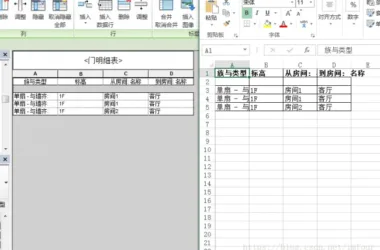
Occasionally, it becomes necessary to extract information from Revit models into Excel for further processing or record-...
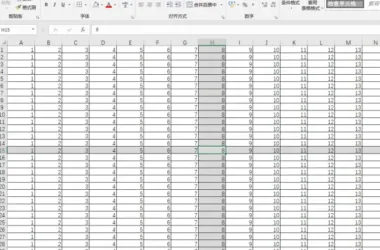
WPS offers a useful feature called crosshairs, which highlights the rows and columns of selected cells. This is particul...
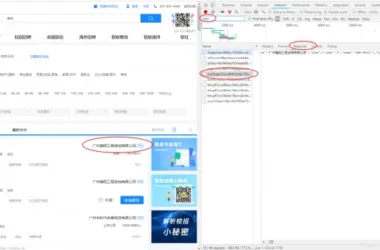
I developed a simple web crawler to collect all BIM-related job listings in first-tier and emerging first-tier cities fo...
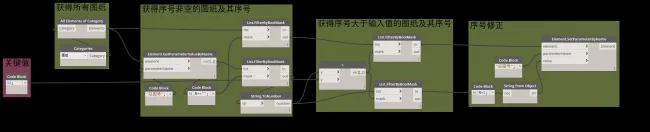
Recently, I took over a BIM project and used Revit for drafting. It was necessary to add new drawings alongside the orig...
The macro functionality in Revit is incredibly powerful, offering two key advantages. First, macros can be saved directl...

I’ve been busy with various projects recently, and after taking a break during the Chinese New Year, I felt a bit ...
When rushing to meet project deadlines, I found importing drawings and separating models to be overly complicated. Handl...
There are several ways to create specific elements in the Revit API, such as Wall.Create or Document.NewFamilyInstance. ...
While most mainstream email services support sending emails on a scheduled basis, I decided to write a Python script to ...
In Revit, some element creation commands are designed to remain active after execution. This means the command will cont...
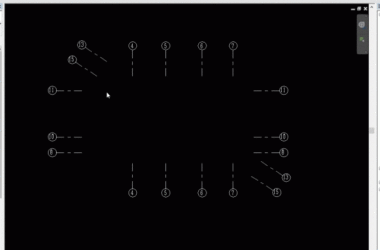
Implement rapid annotation of parallel grids through secondary development using Revit. The interactive process involves...

It’s been a while since I last used Dynamo, so let’s create a simple gadget. We’ll leverage DynamoR...
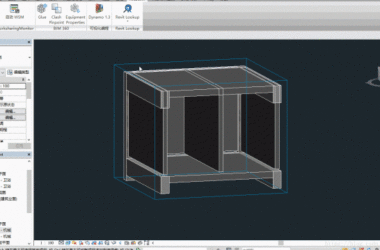
When working on projects, it’s common to encounter situations where architectural and structural disciplines model...
 Designing a Secluded Home with a 2.5-Meter Narrow Space and a Captivating Staircase Linking Diverse Lifestyles2025-04-29
 The Wabi Sabi Experience: Designing a Natural Villa Beneath an Inverted Roof in a Poetic Forest2025-04-29
 Layered Light and Shadow: A Slope-Side Vacation Home Inspiring Endless Imagination2025-04-28
 Embracing Tranquil Poetry and Natural Textures in a Dreamy Home Design2025-04-27
 A Villa Nestled in Urban Alleyways: A Timeless Home Filled with Family Love2025-04-26
 A Tranquil Vacation Home Nestled Amidst Lush Surroundings with Hidden Red Gemstones2025-04-25
 A Unique Blend of Concrete and Wood for a Serene Residential Retreat2025-04-24
 Vacation Home Designs Inspired by Natural Wells and Caves, Capturing Time Through Light and Shadow2025-04-24