
In the upper left corner of Revit, you’ll find the Quick Access Toolbar. This toolbar allows you to quickly operate some commonly used commands. If you have other frequently used commands, you can easily add them to this toolbar. Here’s how to do it:
1. Locate the command you want to add. Right-click on it, and a menu will appear. Select Add to Quick Access Toolbar.
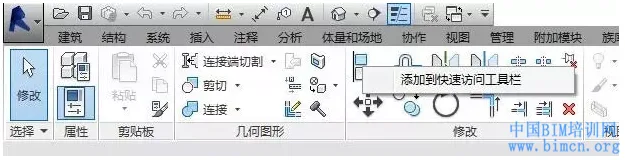
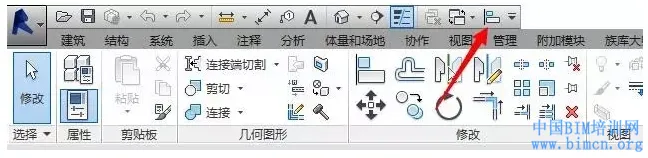
2. Once added, the command will appear on the Quick Access Toolbar for easy access.
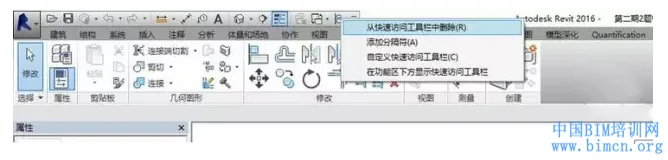
3. If you want to remove a command from the toolbar, right-click on it and choose Remove from Quick Access Toolbar.
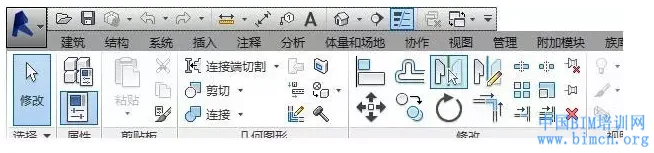
4. After completing this step, the command will be removed from the Quick Access Toolbar.

xuebim
Follow the latest BIM developments in the architecture industry, explore innovative building technologies, and discover cutting-edge industry insights.
← Scan with WeChat












Must log in before commenting!
Sign Up