
BIM Software Tip: The Impact of Project File Sharing Parameters on Shared Parameters in Families II
In Revit, shared parameters can be added either to a specific category of components through project parameters or directly to individual families during family customization. But what happens if families containing the same shared parameters are loaded into a project that already has those shared parameters added uniformly? Let’s explore this from several perspectives.
2. Grouping of Deleted Shared Parameters
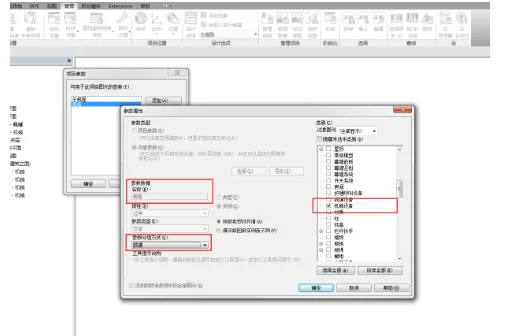
First, consider adding a shared parameter to the project file and grouping it under Data.
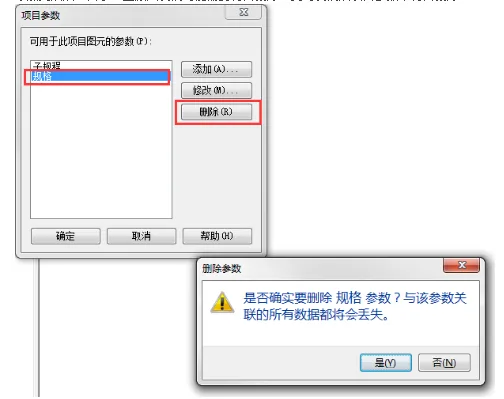
After adding the parameter, there might be a need to delete it for some reason. When this happens, the shared parameter is removed from the project parameters.
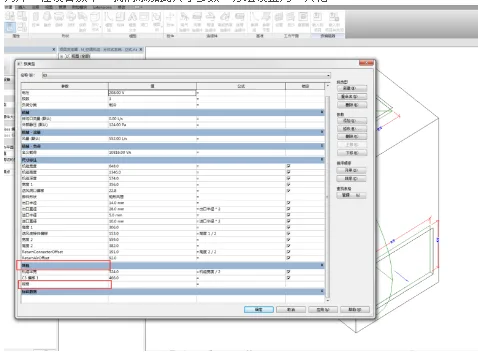
Meanwhile, within a device family, this shared parameter was added and grouped under Other.
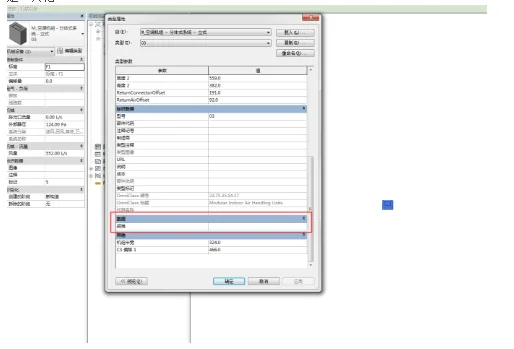
After loading this family into the project, you will notice that the parameter’s grouping follows the grouping that existed in the project before deletion — Data — rather than the family’s own grouping setting of Other.













Must log in before commenting!
Sign Up