BIM World
A Professional BIM Learning Platform


Revit 2017 New Features: Enhanced Flexibility in Annotation Marking

The 17th version of Revit has further refined the relationship between tags and their associated elements.

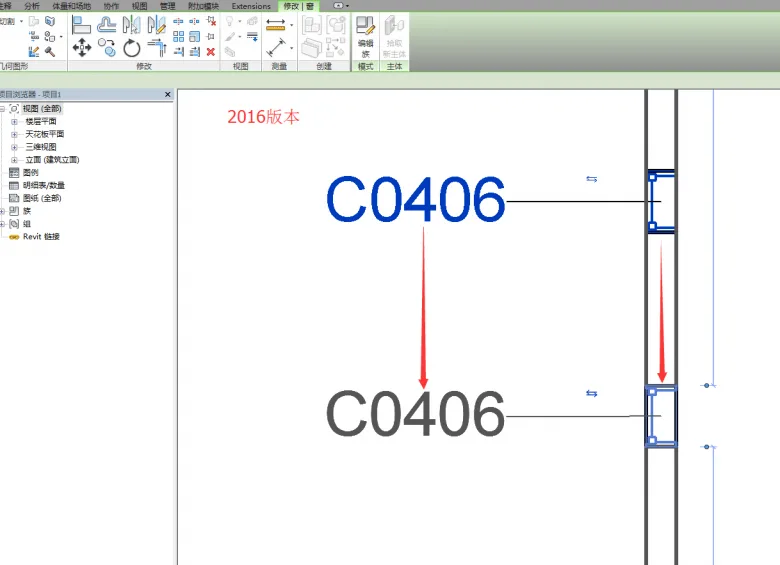
In the 2016 version, when we tagged a component like the window shown below,
Revit2017 New Feature Summary - More Flexible Annotation Marking

moving the window component would cause the tag family to move along with it, maintaining the connection to the main element.
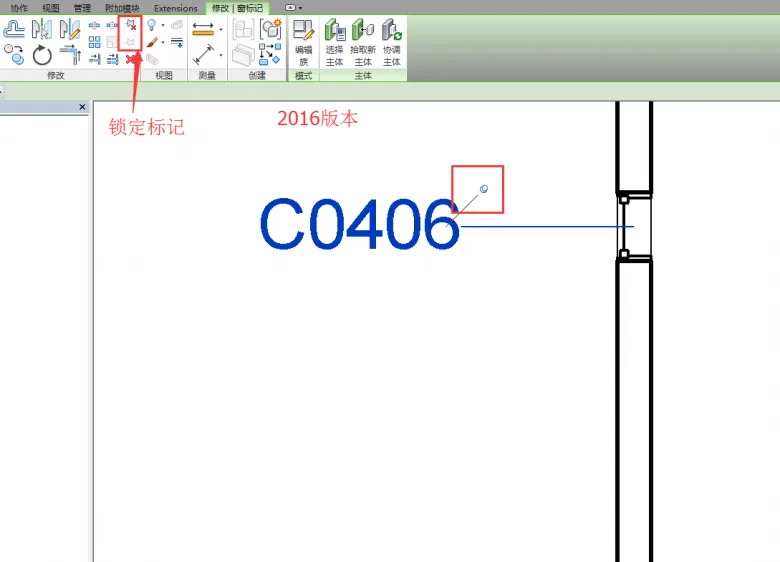
Revit2017 New Feature Summary - More Flexible Annotation Marking

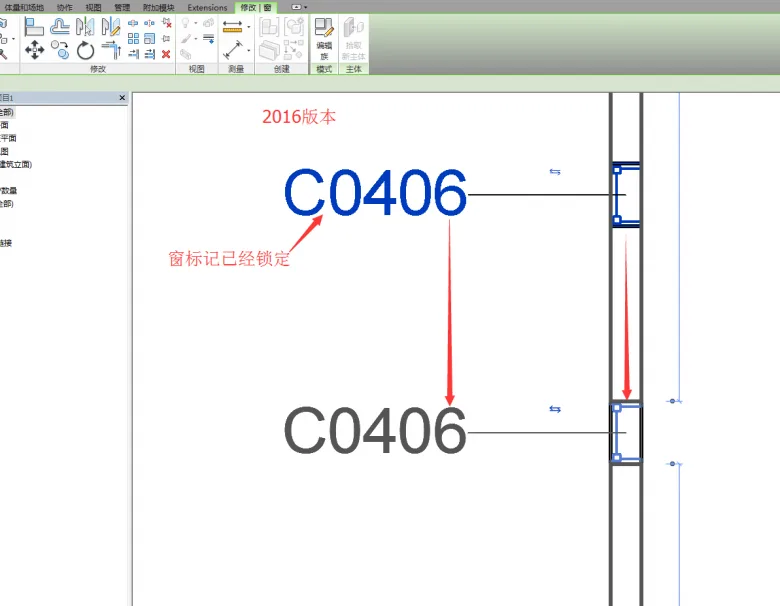
Even after locking the window marker, in version 16, the tag would still move together with the window.
Revit2017 New Feature Summary - More Flexible Annotation Marking

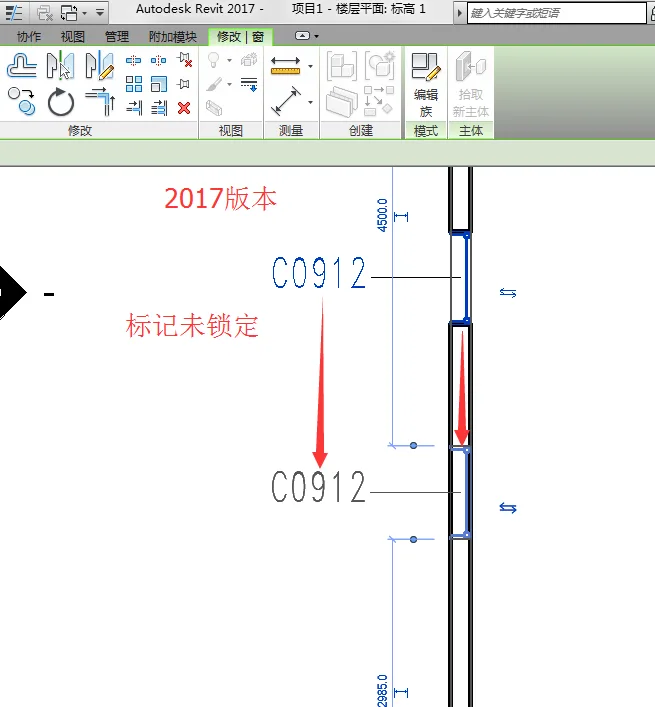
The key enhancement in the 2017 version is that once a tag is locked, the main element can be moved independently without the tag following it.

Specifically, when the tag is unlocked in version 17, it still moves with the main element, as shown below:
Revit2017 New Feature Summary - More Flexible Annotation Marking

However, after locking the tag in version 17,
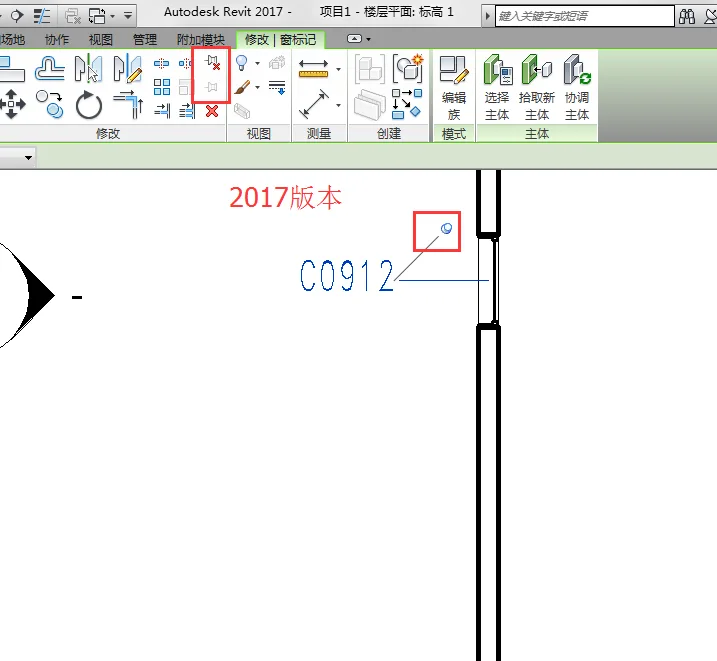
Revit2017 New Feature Summary - More Flexible Annotation Marking

moving the window will no longer affect the tag’s position, allowing the window marker to stay fixed independently.
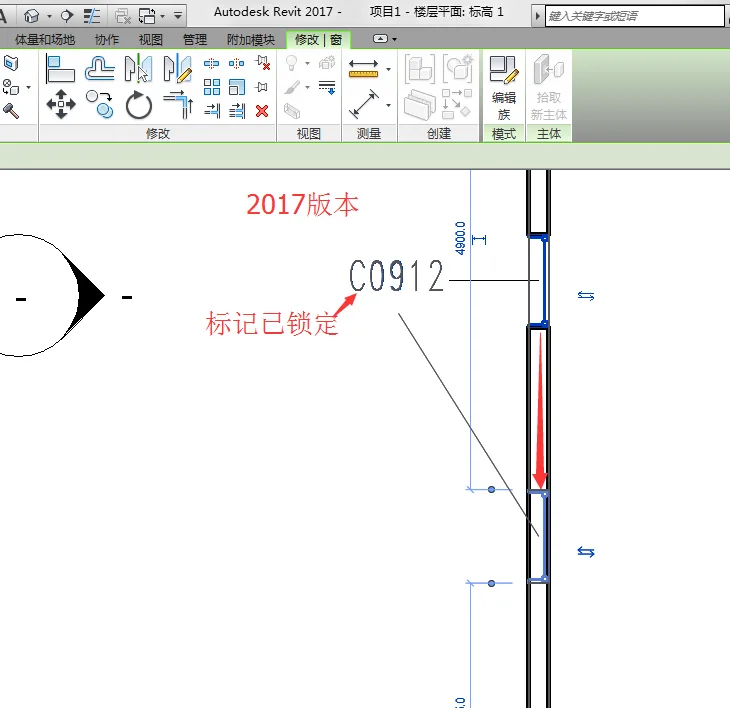

Revit2017 New Feature Summary - More Flexible Annotation Marking

xuebim
Follow the latest BIM developments in the architecture industry, explore innovative building technologies, and discover cutting-edge industry insights.
← Scan with WeChat
Like(0) 打赏
BIM WORLD » Revit 2017 New Features: Enhanced Flexibility in Annotation Marking

Comment Get first!

Must log in before commenting!


BIM World, A Professional BIM Learning Platform

Stay updated on the latest architecture trends and share new building technologies.

Contact UsAbout Us

觉得文章有用就打赏一下小编吧

非常感谢你的打赏,我们将继续提供更多优质内容,让我们一起创建更加美好的网络世界!

支付宝扫一扫

微信扫一扫

Account Login

By signing in, you agree toUser Agreement

Sign Up










