
1. First, create a sample section view.
1. Adjust the scale, detail level, regulations, sub-regulations, visibility settings, filters, linked files, and working sets of the sample section view to match the desired style.
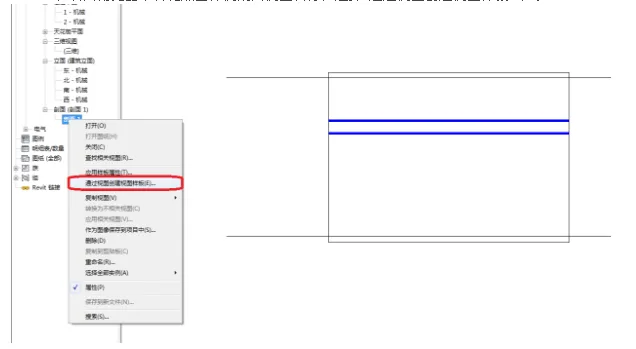
2. In the Project Browser, right-click the sample section view name and select Create View Templates from Views from the context menu.
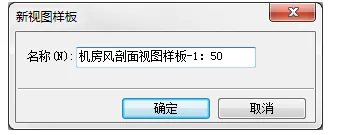
3. In the new View Template panel, enter a template name that reflects the view classification and scale applied. You can also add a date suffix if needed.
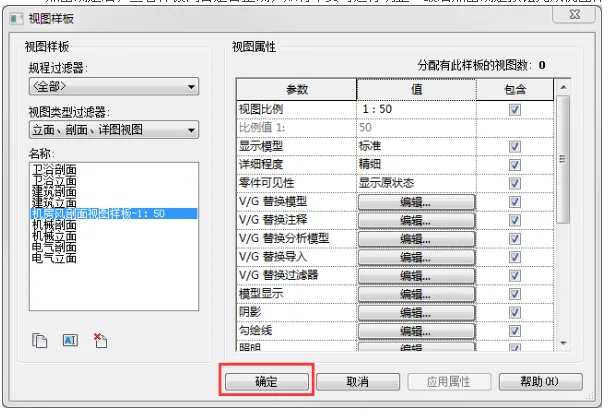
4. After clicking OK, review the template content to ensure it is correct. Make any necessary adjustments, then click OK again to finalize the creation of the view template.
2. Now, create a new section view using the section view template.
1. Click the Section View command. Before drawing the section line, click Edit Type in the Properties panel.
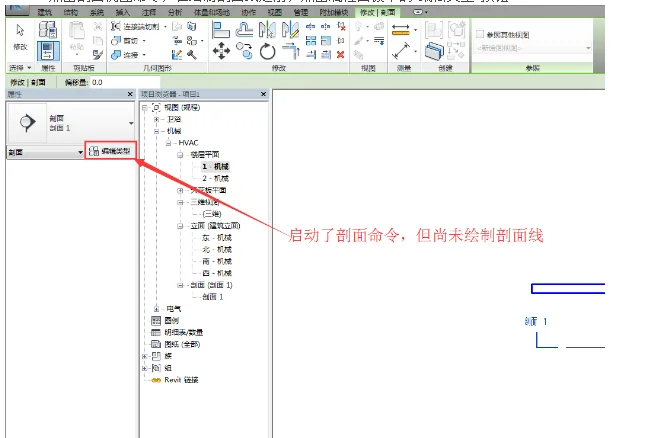
2. In the Type Properties dialog, find the parameter View Templates Applied to New Views and click the None button to open the Apply View Template panel. Select the view template you just created.
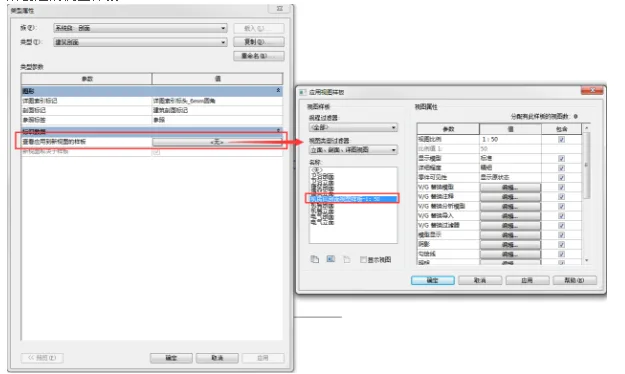
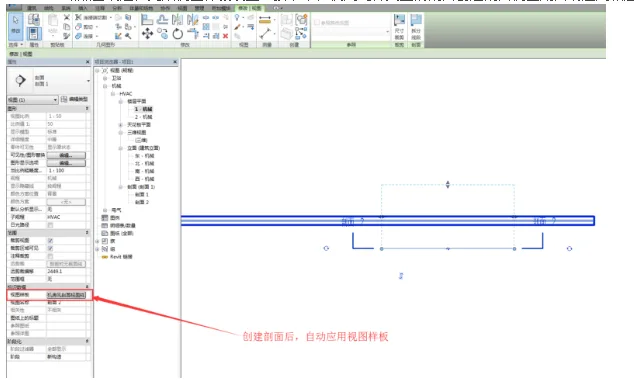
3. Click OK to confirm all settings. Now, when you create a section view using this type, the corresponding section view template will be applied automatically.













Must log in before commenting!
Sign Up