BIM World
A Professional BIM Learning Platform


Mastering Efficient Techniques for Rapidly Copying in Revit

1. Typically, we use the copy button or the shortcut key Ctrl + C to duplicate graphic elements, as illustrated below:
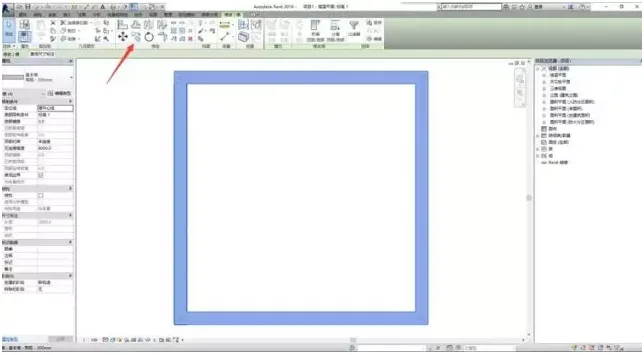
Proficient in quickly copying Revit methods

2. Here’s a quick copy technique:

① Select the graphic element you want to copy.
② Hold down the Ctrl key on your keyboard, then click and drag the selected element with the left mouse button to complete the copy.
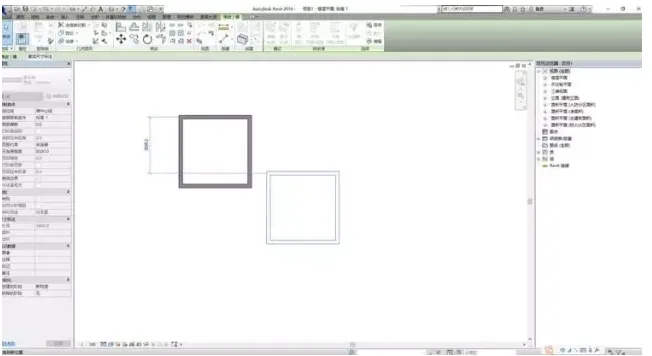
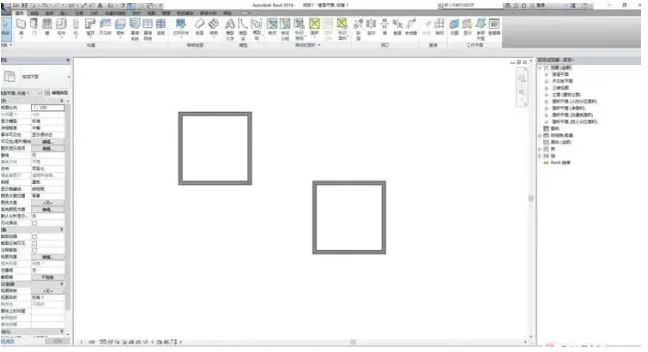
Proficient in quickly copying Revit methods

xuebim
Follow the latest BIM developments in the architecture industry, explore innovative building technologies, and discover cutting-edge industry insights.
← Scan with WeChat
Like(0) 打赏
BIM WORLD » Mastering Efficient Techniques for Rapidly Copying in Revit

Comment Get first!

Must log in before commenting!


BIM World, A Professional BIM Learning Platform

Stay updated on the latest architecture trends and share new building technologies.

Contact UsAbout Us

觉得文章有用就打赏一下小编吧

非常感谢你的打赏,我们将继续提供更多优质内容,让我们一起创建更加美好的网络世界!

支付宝扫一扫

微信扫一扫

Account Login

By signing in, you agree toUser Agreement

Sign Up











