
You can control the height and slope of lines drawn on a single railing.
For example, when working with a set of U-shaped stairs, you may want to set different heights for the inner and outer railings and handrails. By adjusting the slope, you can manage the relationship between the railing supports and the stair slope. In some areas, you might want the handrail section to be horizontal, while in others, an inclined handrail section may be preferable.
Start by opening the plan view where the railing is located.
Select the railing, then go to the Modify | Railings and Handrails tab

Mode panel

and click Edit Path.
Choose the hand-drawn lines for the railing handrails.
On the options bar, note the setting for Height Correction. Set it to By Type, which means the height adjustment is controlled by the railing type.
To customize, select Customize under Height Correction, then enter a value in the adjacent text box.
For the Slope option, choose one of the following:
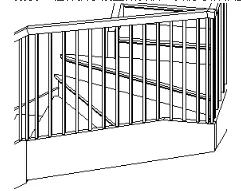
- According to the subject: The slope of the railing support matches its main body (such as stairs or ramps).
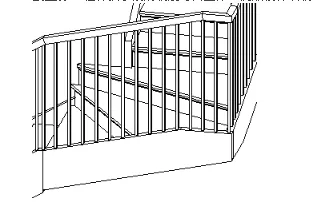
- Level: The railing section remains horizontal, even if the main body is inclined. For railings like the one shown below, height correction or editing railing connections may be necessary to properly connect at stair corners.
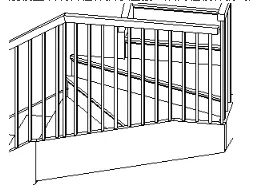
- Tilt: The handrail section is inclined for a seamless connection with adjacent railing handrails.













Must log in before commenting!
Sign Up