
When two walls intersect below, the structural layers automatically connect by default, creating a thin line at the intersection. However, this does not meet the drawing requirements.
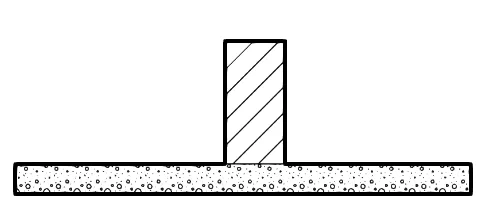
There are two solutions to address this issue:
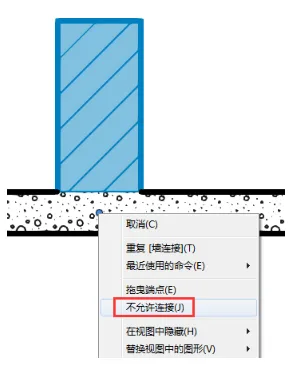
The first method involves using the command that disables wall end connections to prevent the layers from joining.
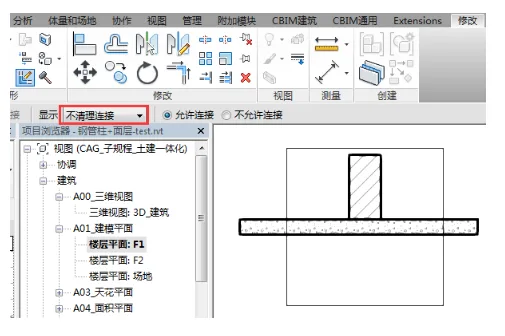
The second method uses the wall connection command, where you set the connection type to maintain the connection without clearing it. This results in a thick line at the intersection.

xuebim
Follow the latest BIM developments in the architecture industry, explore innovative building technologies, and discover cutting-edge industry insights.
← Scan with WeChat












Must log in before commenting!
Sign Up