
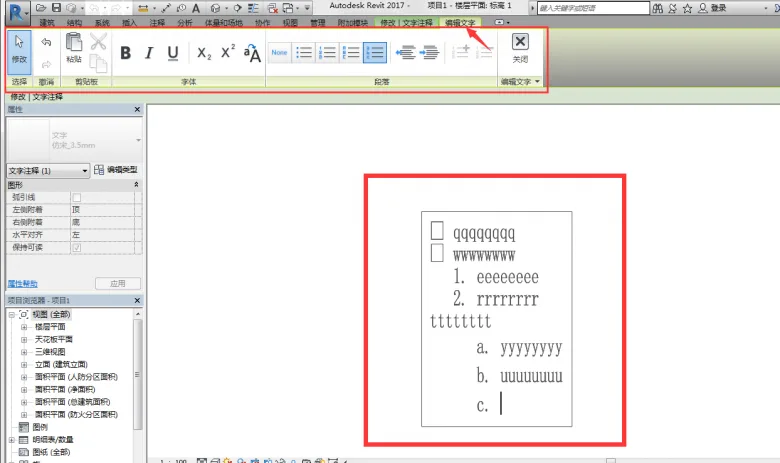
In version 17, text editing has finally achieved true WYSIWYG (What You See Is What You Get), eliminating the inconsistencies that were common in version 16 after completing text edits.
Additionally, a new Edit Text panel has been introduced. This panel includes essential editing commands such as copy, cut, paste, bold, italic, underline, subscript, superscript, and one-click capitalization. It also offers formatting options like bullet points, numbering, toggling between uppercase and lowercase letters, and commands to increase or decrease indentation.
While it still doesn’t support multiple fonts or extensive character formatting within a single text box, its overall usability has greatly improved compared to version 16.

xuebim
Follow the latest BIM developments in the architecture industry, explore innovative building technologies, and discover cutting-edge industry insights.
← Scan with WeChat












Must log in before commenting!
Sign Up