
In the 2017 version of Revit, schedule parameter columns now support merging. This means that in traditional detailed schedules, parameters like “Length × Width × Height” no longer require manual entry using shared parameters.
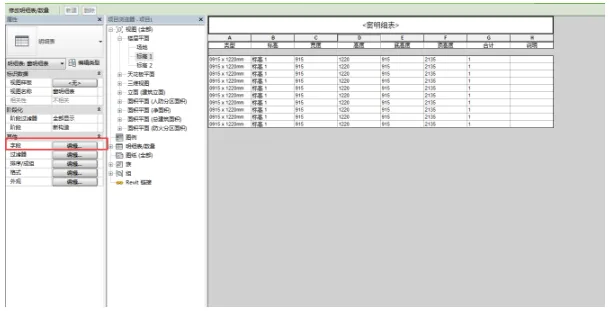
For example, in the window details schedule shown below, you can select the field parameters within the schedule properties.
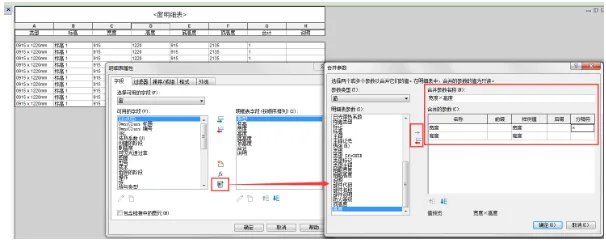
Next, click the “Merge Parameter” button on the opened field settings page. Here, you can set the merged parameter name and choose which parameters to combine. Be sure to specify the delimiter that will separate the merged values.
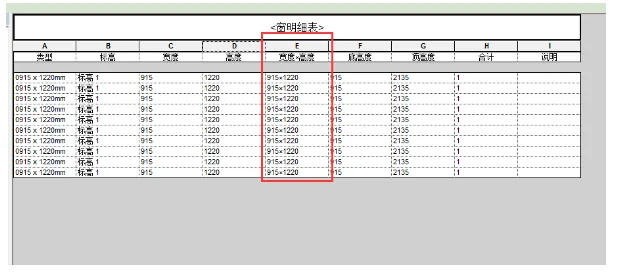
Once completed, the schedule will display the combined parameter column as needed.

xuebim
Follow the latest BIM developments in the architecture industry, explore innovative building technologies, and discover cutting-edge industry insights.
← Scan with WeChat












Must log in before commenting!
Sign Up