
When using Revit’s replication feature, there is no built-in constraint function. Below, we will explain how to quickly apply constraints during replication by using the Shift key.
1. First, draw a duct (as an example) and select the desired command in the Modify tab, such as Copy (CO).
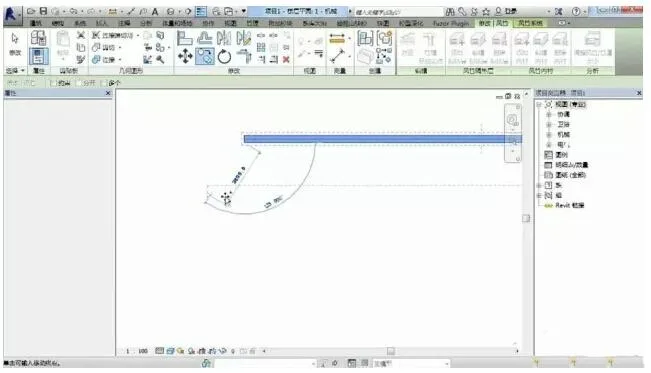
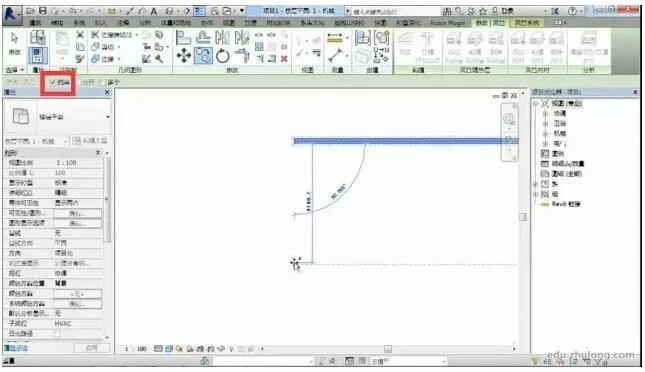
2. While performing the copy operation, you can either enable the constraint option or simply hold down the Shift key to quickly activate orthogonal mode.
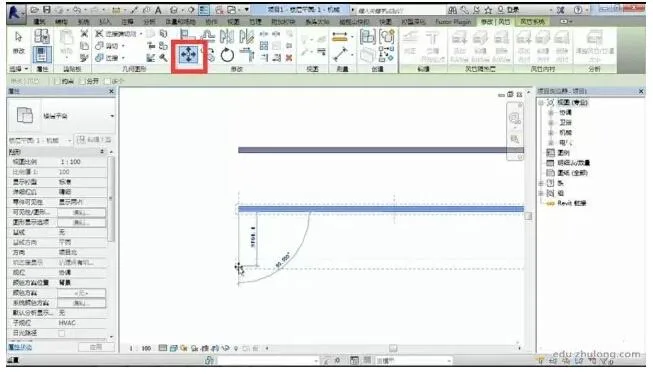
3. Besides copying, this constraint function can also be used when moving elements.

xuebim
Follow the latest BIM developments in the architecture industry, explore innovative building technologies, and discover cutting-edge industry insights.
← Scan with WeChat












Must log in before commenting!
Sign Up