
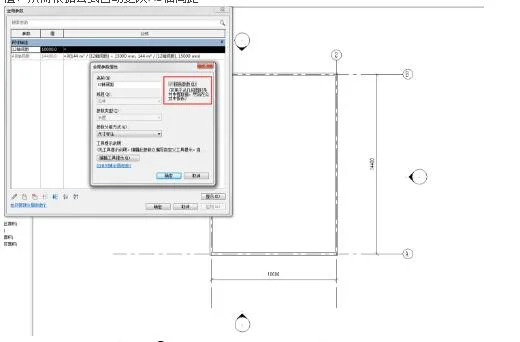
Global parameters can be adjusted not only through the global parameter panel but also by setting them as report parameters. This allows you to extract component parameters or control size spacing within the project. For instance, when creating global parameters, if the “Report Parameters” option is not selected, the parameter can only be modified by changing its numerical value directly.
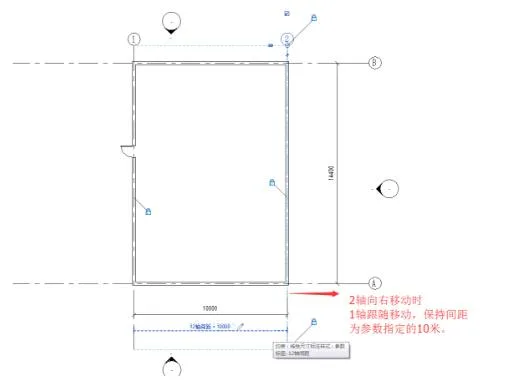
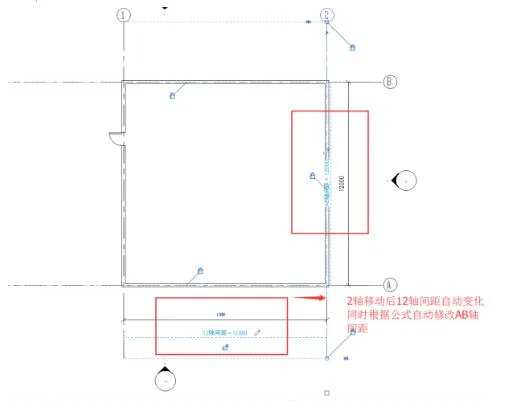
When a global parameter is configured as a report parameter, you can adjust the spacing of axis 12 by moving the axis line itself. Using the move command in this way updates the parameter value, which then automatically adjusts the spacing of the AB axis according to the defined formula.

xuebim
Follow the latest BIM developments in the architecture industry, explore innovative building technologies, and discover cutting-edge industry insights.
← Scan with WeChat












Must log in before commenting!
Sign Up