
BIM Q&A | How to Restore Revit Settings
How to Restore Revit Settings
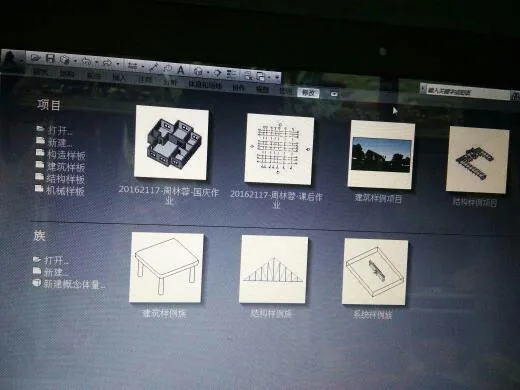
First, open the installed Revit software. When prompted to join the customer participation program, select No and confirm your choice.
Next, go to the project options and choose the type of template you want to use. The available templates mainly include:
- Construction template
- Structural template
- Mechanical template
- Architectural template
For this example, select the Mechanical template to enter the mechanical model.
The default background color is white. To make drawing easier on the eyes, you can change the background color to black. To do this, go to the big R menu on the start menu, then select Options.
In the Graphics tab, check the option to invert the background color, then click OK to apply the changes.
After these steps, the background color will change to black, as shown below:
On the left side of the Revit interface, you will find the Properties panel and the Project Browser.
The top toolbar includes tools for maintenance, 3D view switching, profile drawing, measurement, and more.
The middle section contains the toolbar with various drawing and graphic options.
One key difference between Revit and CAD shortcut keys is that you don’t need to press the spacebar to confirm commands. For example, when drawing ducts, simply type DT without pressing space.
















Must log in before commenting!
Sign Up