
BIM Q&A | How to Add an Elevation Header in Revit
The elevation header is part of the annotation family in Revit.
To edit it, click on Elevation and select Edit Type in the Type Properties panel. Then, choose Symbol.
You can rotate the elevation header either to the left or to the right.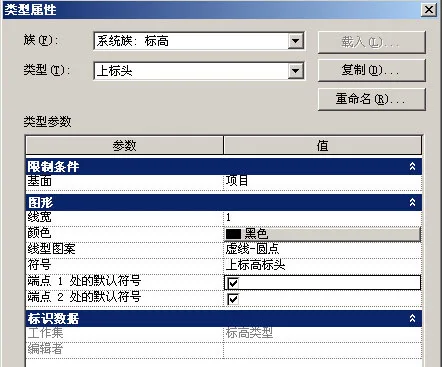

xuebim
Follow the latest BIM developments in the architecture industry, explore innovative building technologies, and discover cutting-edge industry insights.
← Scan with WeChat















Must log in before commenting!
Sign Up