
Autodesk Revit 2024 has been officially released and promoted worldwide. As the leading BIM software, each new version of Revit significantly influences BIM development. The 2024 edition introduces exciting features such as dark mode, carbon emission analysis, and machine learning—delivering on long-awaited expectations. These enhancements are definitely worth exploring.
Revit Installation Requirements
- Autodesk Revit 2024 supports both Windows 10 64-bit and Windows 11 64-bit operating systems.
- If your .NET framework is not updated before installing Revit 2024 on Windows 10, please ensure that .NET 4.8 is installed. After installation, restart your system to update the .NET version and ensure Revit 2024 runs smoothly.
- Most Revit 2024 content must be downloaded separately from your Autodesk account.
The new features of Revit 2024 offer enhanced performance, increased productivity based on user feedback, and smarter data processing—whether on desktop or cloud platforms.
Expanded and Refined Modeling and Documentation Tools
Following last year’s updates, Revit 2024 continues to improve daily design and documentation workflows. Familiar tools have been refined to deliver immediate benefits in your projects. For example, filtering by worksheet in the details table helps ensure accurate document data. Conditional formatting has been added to key schedules for families and types, enhancing schedule clarity as requested by the Revit community.
Additionally, new controls for displaying and labeling replacement elements improve the clarity of complex annotations. Revit 2024 also introduces more customizable view filters, expanded category options, and new 3D measurement tools—representing a comprehensive advancement from design through documentation.
Enhanced Analytical Modeling for Structural Engineers
Structural engineers will appreciate the faster performance, versatility, and quality control that Revit 2024 offers in analytical modeling workflows. Analytical models can be developed autonomously from the physical model or created first according to engineering requirements for buildings, roofs, pavilions, stairs, and more.
Improvements in steel rebar automation include adaptive placement, better visualization, and an expanded steel bar connection library. These updates provide structural engineers and detailers with a more complete and flexible toolset.
Time-Saving Electrical Load Analysis
Revit 2024 introduces a new electrical analysis workflow that leverages linked DWG, PDF, or Revit models for load calculations directly within Revit. This functionality allows for preliminary determination of building loads and major equipment load requirements early in the design process.
Seamless 3D Sketching Integration with FormIt Pro
The connection between FormIt Pro and Revit 3D sketching improves data fidelity from initial form creation through to document production. This workflow reduces modeling time and rework, enabling early analysis of design concepts and smooth transformation into finalized designs.
Autodesk is also gathering feedback on the new Spacemaker add-in for Revit, currently in beta for European users, which offers a trial version for early design optimization.
BIM Data Management with Revit 2024 and Autodesk Docs
Autodesk Docs introduces new features that enhance collaboration, interoperability, and automation by bringing Revit data to the forefront. Revit 2024 pioneers two new workflows: building-to-manufacturing integration between Revit and Inventor, and an upcoming connection to Microsoft Power Automate for integrating design data into business process automation.
These workflows, along with the Revit Parameter Service in technology preview, enable more efficient, timely, and secure management of data within AEC collections.
Updated Dynamo Player and Dynamo 2.13 Interface
The visual refresh of Dynamo Player enhances consistency between generative design and generator players, making the tool more accessible to both new and experienced designers. Improvements include sliders, numeric input boxes, more detailed menu descriptions, and easier access to help and support.
Dynamo 2.13 introduces numerous updates such as group management, improved scrolling for connections, and features to lock, observe, and organize nodes and shapes.
New Features in Revit 2024
Explore the latest Autodesk Revit release. For detailed technical information, please refer to the official release notes.
- Dynamo (2)
- Cloud (1)
- Analysis (4)
- Collaboration (1)
- Parameters/Attributes (7)
- Visibility/Graphics (6)
- Enhanced Features (30)
- Work Efficiency (9)
- Workflow (4)
- Modeling (14)
- Data Exchange (1)
- Document (10)
- User Interface (3)
- Community Ideas (18)
- Procedure MEP (7)
- Regulations – Civil Engineering (1)
- Regulations – Platform (21)
- Regulations – Architecture (8)
- Regulations – Structure (9)
- Video Available (2)
- Computational/Derivative Design (1)
- Prefabricated (2)
Revit 2024 Version Highlights
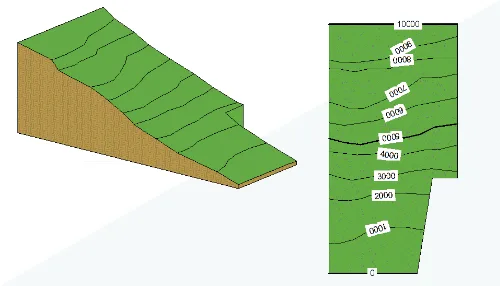
Terrain Entity
Community Ideas: Create terrain elements as solid geometric shapes.
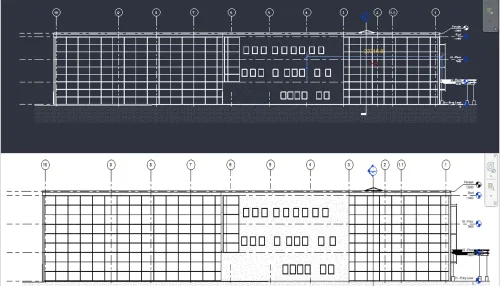
Revit 2024 Dark Theme
Community Ideas: Revit now supports a dark theme for the user interface, including the Properties palette, Project Browser, Options Bar, View Control Bar, and Status Bar. You can switch the drawing area (canvas) between “Dark” and “Light” modes from the ribbon or the Options dialog.
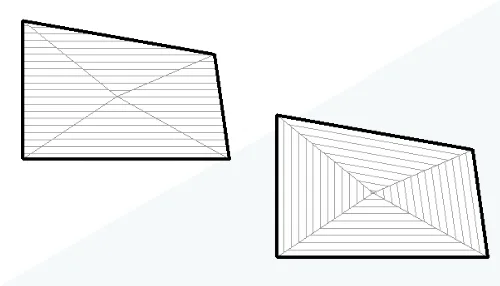
Align Surface Fill Patterns
Community Ideas: Use the ‘Align’ tool to align surface patterns on shape-edited elements. You can align the entire surface fill pattern or align individual triangulated surfaces separately.
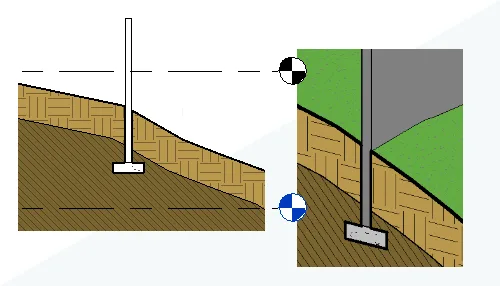
Enhanced Cutting Geometry
Community Ideas: Additional categories now support cutting within the project environment.
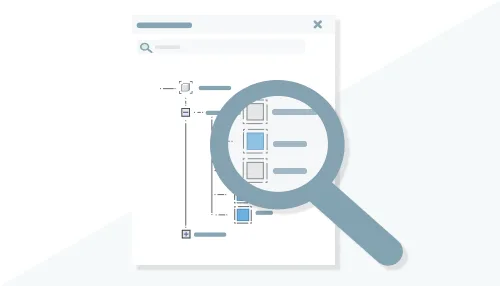
Search in Project Browser
Community Ideas: The ‘Search’ function is now located at the top of the Project Browser for easier navigation.
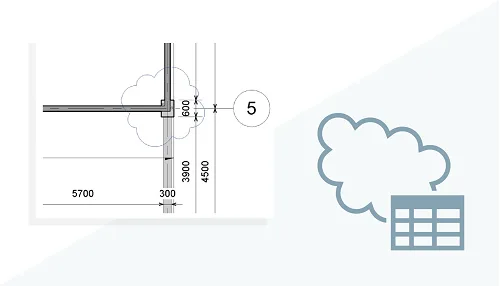
Revision Cloud Line Detail Table
Community Ideas: Quickly manage revision cloud line parameters using the new detail table.
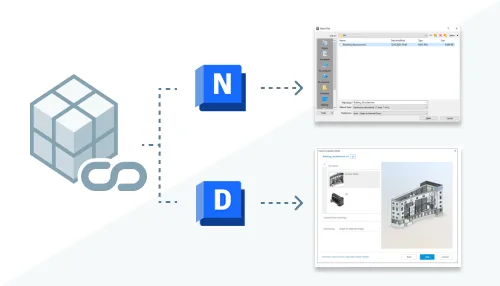
Link Coordination Model
Community Ideas: Visually cross-check models from different disciplines and project stages in 3D for improved coordination.
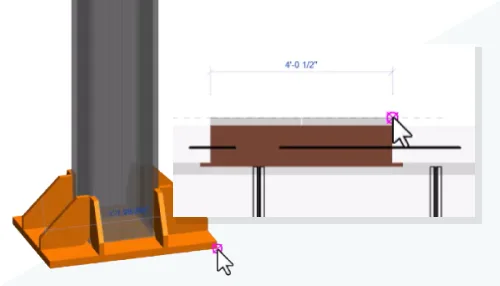
Capture Points for Coordination Models
Community Ideas: Use capture points to assist modeling in context, measure distances between reference objects, and better locate coordination models.
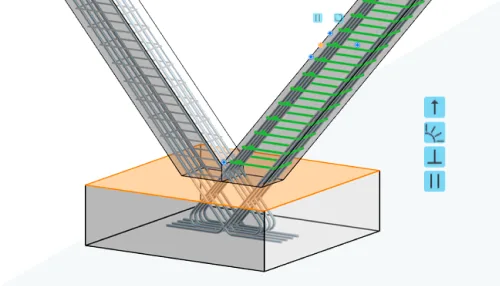
More Path Alignment Options for Free-Form Steel Bars
Choose how to align steel bars within a set and make them parallel to a selected plane using the “Align/Close” constraint.
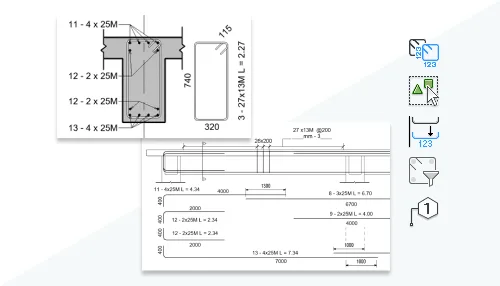
Detailed Rebar Bending Drawings
Community Ideas: Add precise bending diagrams to rebar drawings for accurate fabrication and installation instructions.
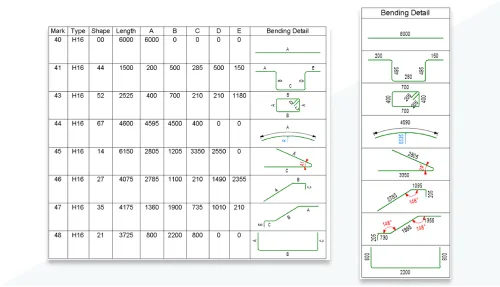
Rebar Bending Schedule in Detail Lists
Community Ideas: Create clear prefabrication instructions with rebar bending schedules that accurately represent the geometry of bent rebar.
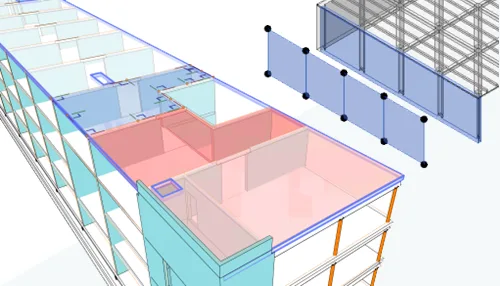
Custom Physics – Analyze Element Associations
Create multiple associations between graphic elements to better coordinate updates between physical and analytical models.
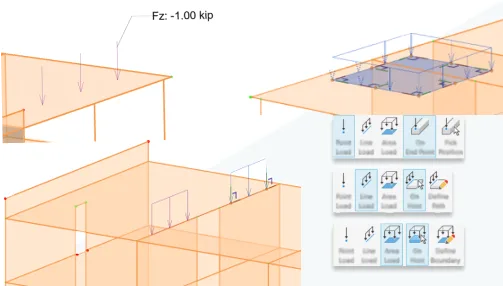
Enhanced Load Analysis
Apply structural loads to analyze components and panels within a defined area of the main object.
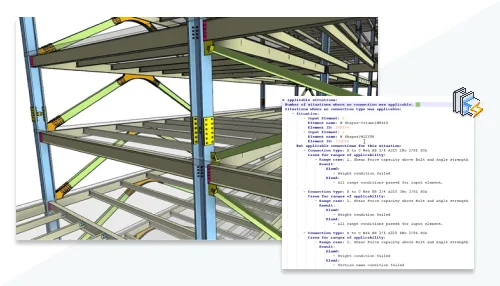
Detailed Report of Connection Automation Rules
This detailed report provides information to better manage steel structure connections.
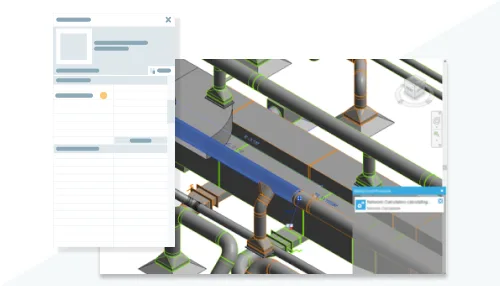
Flow and Pressure Calculations for MEP Prefabricated Components
Flow and pressure drop calculations have been added to straight sections of prefabricated components, supporting integrated design and prefabrication workflows. These calculations apply only to straight segments.
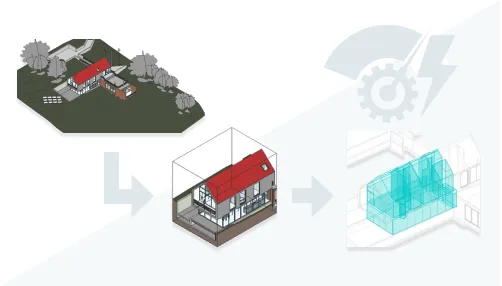
Energy Analysis Model Creation from 3D View Elements
Use section boxes, view filters, or the “visibility/graphic replacement” feature to include only selected elements in energy analysis models.
Additional Features

Insight: Technical Preview
From early design stages, ‘Insight – Technology Preview’ offers architects insights into implicit carbon impacts.
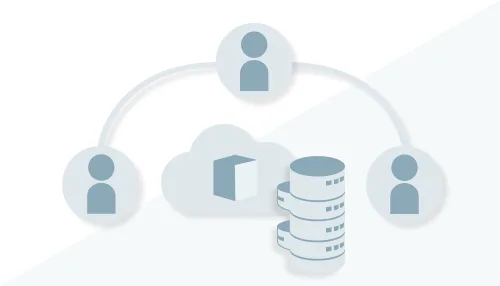
Cloud Model Collaborative Cache Management
Community Ideas: Manage cloud model caches more easily by specifying the folder path in the Options dialog.
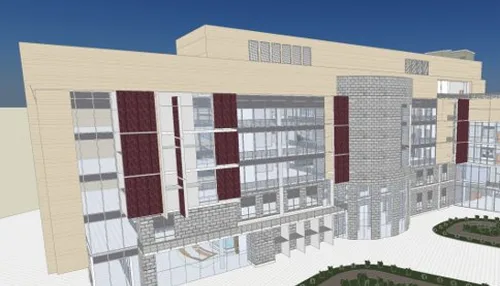
Texture Visual Style
The new “Texture” visual style allows rendering material textures without lighting effects.
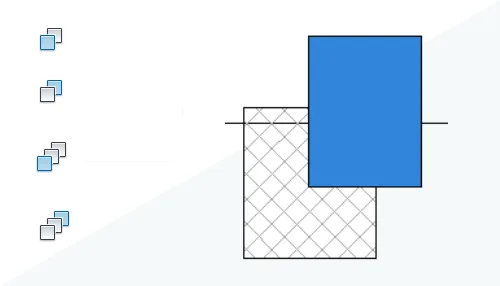
Improved Drawing Order
Community Ideas: The drawing order of 2D elements in families now appears consistently in the family editor, project views, and when exporting to PDF or printing.
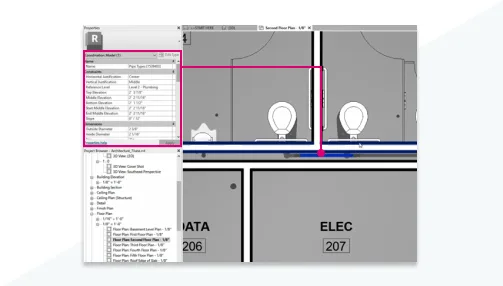
Access Coordination Model Object Properties
Select coordination objects individually to view and edit their properties.
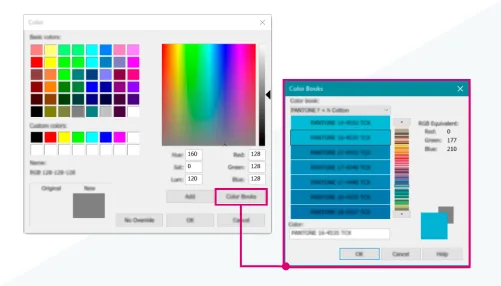
Color Matching System Dialog
Specify colors using third-party or user-defined color matching systems.
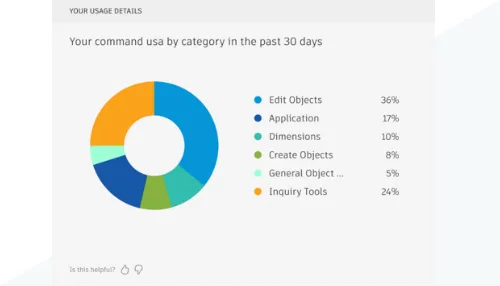
My Insights on the Revit Homepage
Receive personalized software usage insights and user experience suggestions directly on the Revit homepage.
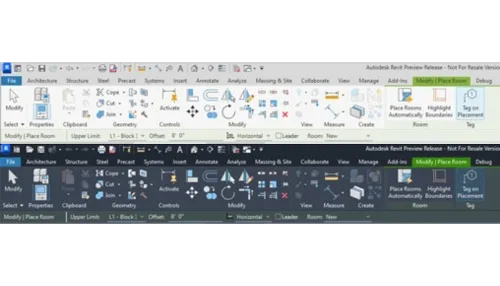
User Interface Modernization
Community Ideas: Over 2,000 icons have been replaced with modernized versions.

New Sample Model and Project Template
The sample model helps users understand functionality and workflows. The updated project template simplifies project startup and custom template creation.

Enhanced Revit to Twinmotion Features
The ‘Auto Sync’ option has been added to the Twinmotion dropdown menu for improved workflow.
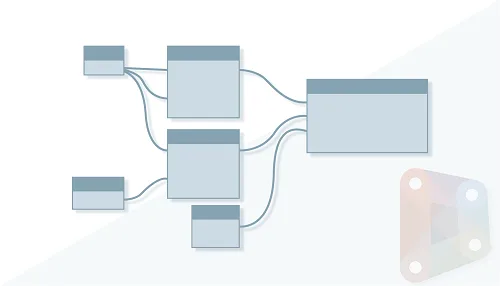
Dynamo Update 2.17
Dynamo 2.17 introduces machine learning-based node suggestions, import/export settings, and the ability to import graphics into the workspace.
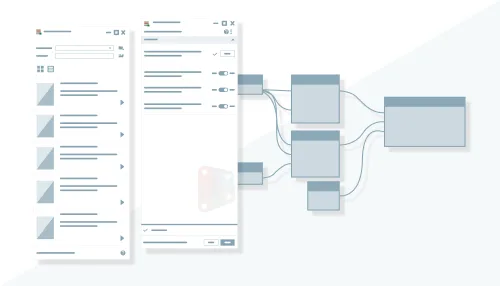
Dynamo Player Enhancements
View graphic issues and dependencies, add image outputs, and try new sample graphics in Revit 2024’s Dynamo Player.
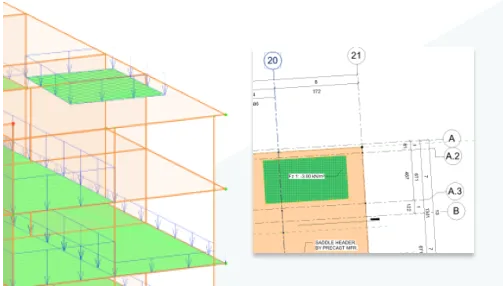
Fill Patterns and Colors for Structural Surface Loads
Record surface load patterns directly in plan views from analysis model data.
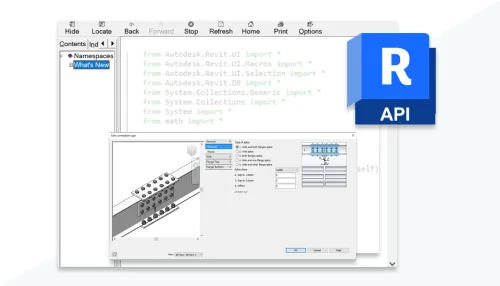
Improved SDK Documentation for Steel Structure Connections
The Revit API documentation now includes detailed guidelines and new samples for extending steel structure connection functionality.
Daylight Study in Seconds
Community Ideas: Solar studies can now be conducted using smaller time intervals measured in seconds.
Access Sun Settings from Ribbon
Community Ideas: The ‘Sun Settings’ dialog box is now accessible directly from the ribbon.
Sunlight Path in Perspective View
Community Ideas: Drag-and-drop editing of sunlight paths is now enabled in Perspective view.
Switch Hoop Reinforcement Direction for Free-Form Steel Bars
Press the spacebar to toggle the direction of stirrups for aligned and distributed free-form steel bars.
Adjust Row Sizes in Detail Tables
You can now resize all rows in detail tables placed on drawings to better fit text, images, or graphics.
Open Drawings Directly from Drawing Area
Drawings can be opened directly via the shortcut menu within the view drawing area.
Place Multiple Views and Detail Tables Simultaneously
Drag multiple views and schedules from the Project Browser or select multiple items from the Select View dialog to place them on a drawing at once.
Resizable Dialog Boxes
Twenty-one dialog boxes have been upgraded to support resizing for improved usability.
Sort Project Parameters Alphabetically
Project parameters in the Type and Instance Properties dialog are now sorted alphabetically for easier navigation.
Adjust Range Box Height
Set the height of range boxes after placement for greater control.
Demand Load and Coefficient for Electrical Analysis Components
Specify load classifications and apply demand factors to electrical analysis components.
Define Load Sets for Non-Overlapping Loads
Exclude non-overlapping loads from demand load calculations by adding load sets and setting the ‘standby quantity’.
MEP Prefabricated Duct System Stiffening Plates
Community Ideas: Detail designers can now add stiffeners to individual duct systems in prefabrication models.
Network-Based Duct System Design Computation
Flow and pressure drop calculations based on network analysis can be used to design duct systems, integrating design and prefabrication workflows.
Maintain Annotation Direction for Air Duct Terminals
Community Ideas: The ‘Maintain Annotation Direction’ family parameter allows air terminal categories to display annotation symbols consistently.














This file is missing during installation: AcTaskDialogs.resources.dll
The lack of this file in the system is not due to software reasons.
Installation keeps encountering error 1309, and changing the path to decompress did not solve the problem. Later, according to the error prompt, it was found that the zh-Rvit.2024.x64 folder was missing
The installation tutorial can be accompanied by an additional one
Why does Revit2024 need to be reactivated every time it is turned on
Your situation seems to be due to unsuccessful activation.
How was it installed
Is there a clan library inside
Revit2024 installation encountered error 1309, unable to install
If there is a problem with decompression, it is recommended to modify the path or decompression path.