
Nowadays, Building Information Modeling (BIM) is rapidly gaining traction in both policy frameworks and practical applications. Several trends have emerged in BIM adoption:
First, BIM use is evolving from isolated, single-point applications toward more comprehensive integration.
Second, the focus is shifting from superficial visualization to more practical, functional uses.
Third, BIM adoption is expanding from a few specialized users to widespread application among all employees within enterprises.
So, how can companies enable everyone to easily start using BIM, reduce implementation costs, and effectively guide BIM integration in construction to unlock BIM’s true value?
In summary, BIM software must be systematic, comprehensive, easy to learn, universally accessible, and able to deliver maximum output with minimal investment.
The next product to introduce is BIMMAKE, a software solution designed precisely to meet these needs.
BIMMAKE offers zero capital investment and can generate BIM models in as little as 2 hours, enabling over 10 deepening BIM applications. Every BIM engineer, technician, or business professional who needs to view or use drawings can benefit from it!
Download the software here: https://bimii.com/294782.html
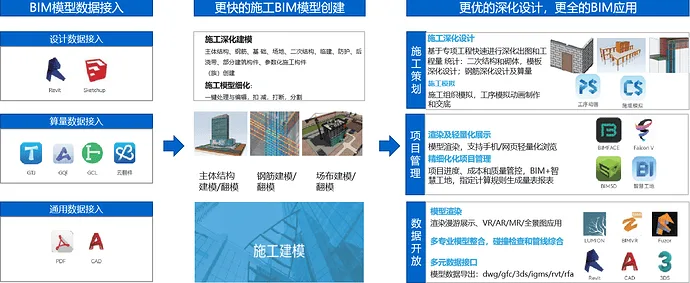

BIMMAKE: Comprehensive Overview
BIMMAKE is an innovative BIM modeling and specialized application software tailored for the entire construction process. Developed for BIM and technical engineers, it leverages Guanglian Da’s proprietary graphic and parametric modeling technology. The software enables faster model creation, quicker component acquisition, enhanced detailed design, and supports a wide range of BIM applications—helping reduce project costs and boost efficiency.
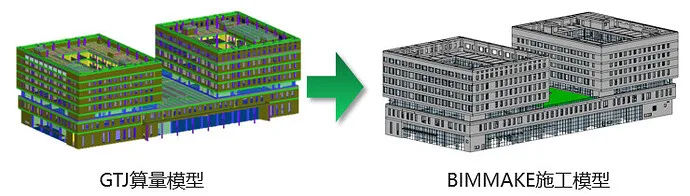
1. Multi-Purpose Preliminary Review
BIMMAKE supports importing and exporting multiple data formats. It can connect upstream models by importing GTJ, Revit, GQI, CAD, and more, enabling multi-purpose preliminary reviews. It also exports formats like IGMS, 3DS, DWG to support construction BIM applications.
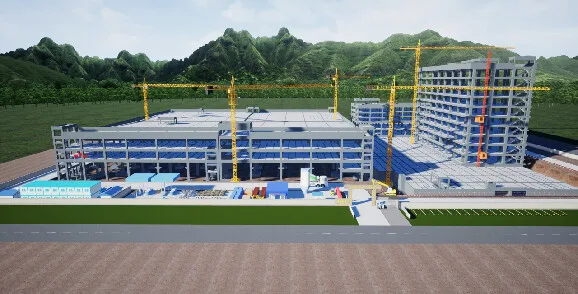
2. Site Layout
Using terrain and site layout components, BIMMAKE creates detailed 3D site models. These can be used for bidding presentations, engineering quantity statistics during bidding, design schemes in construction planning, and onsite resource allocation during construction.
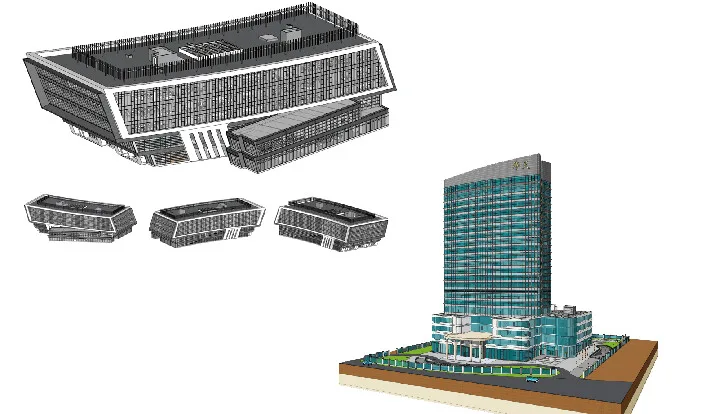
3. Civil Engineering Modeling
Built on an innovative graphic platform, BIMMAKE delivers complete civil engineering models that provide essential data for subsequent detailed construction applications.
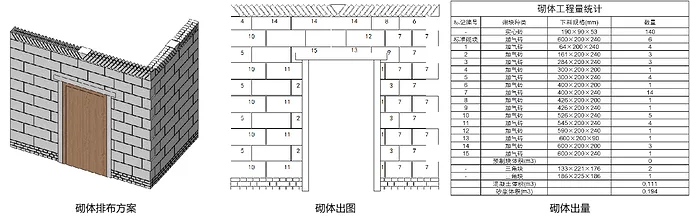
4. Masonry Layout
Quickly complete detailed designs of structural columns, door and window lintels, and waist beams through secondary structural deepening. BIMMAKE also supports parameterized brick arrangement, enabling efficient drawing production and quantity calculation to guide onsite construction.
5. CAD Template Conversion
Using CAD automatic recognition and flipping technology, BIMMAKE converts CAD drawings into BIM models quickly. It includes a built-in steel reinforcement method that automatically generates detailed steel reinforcement models, combined with efficient editing tools for precise results.
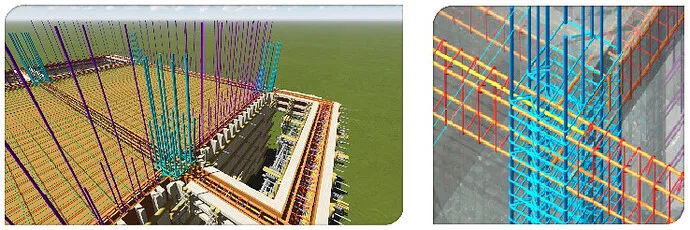
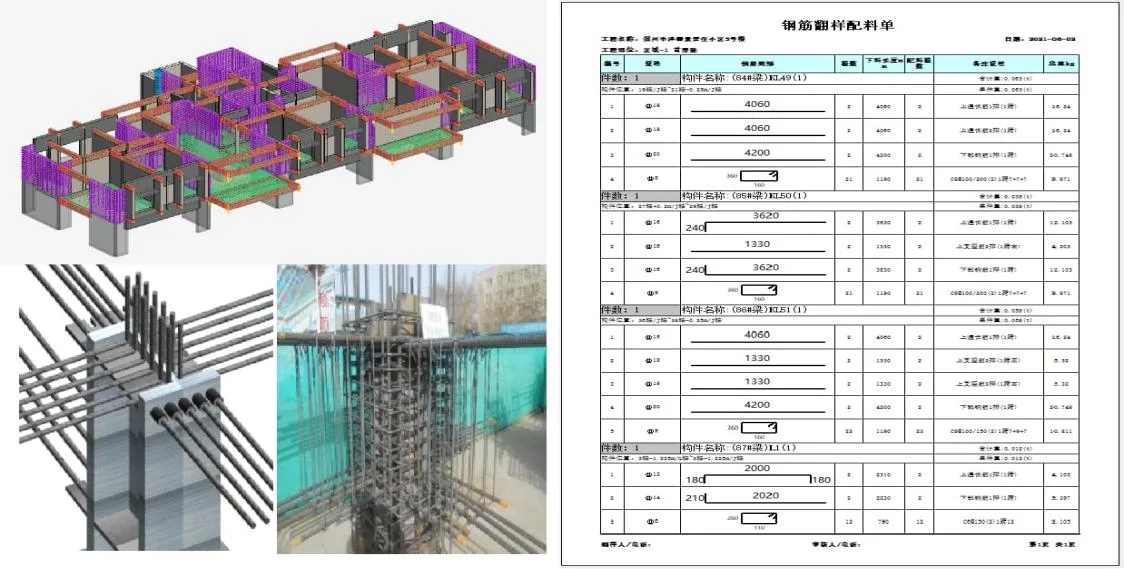
6. Steel Reinforcement Deepening
BIMMAKE offers construction engineers advanced tools for steel bar modeling, quantity estimation, and disclosure, supporting precise control over steel bar usage in construction enterprises.
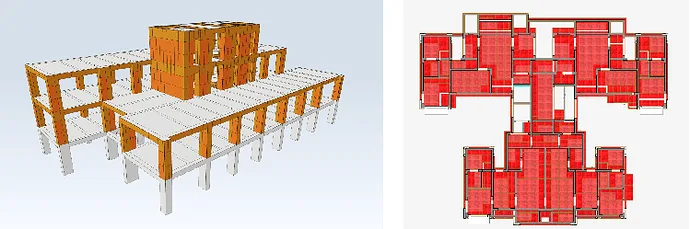
7. Template Deepening
Leveraging BIMMAKE’s template matching design schemes, users can design, process, and budget templates efficiently, enabling refined template management.
8. Intelligent Field Layout Planning
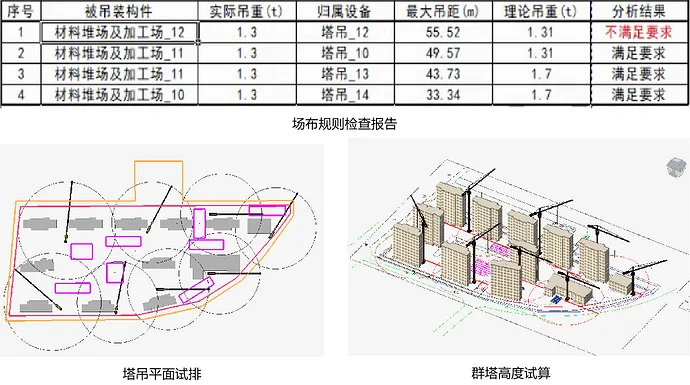
Using AI technology, BIMMAKE performs planar trial layouts for tower crane groups, storage yards, and processing yards on construction sites. It automatically calculates tower heights and evaluates tower crane arrangement rationality based on preset rules.
9. Visual Rendering
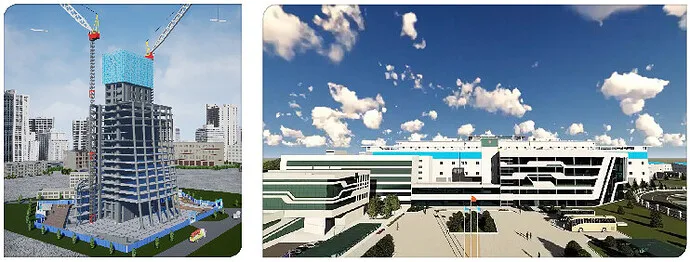
With the FalconV rendering engine plugin, BIMMAKE enables high-definition rendering and animation walkthroughs directly within the software—no need for third-party tools.
10. Lightweight Model Display
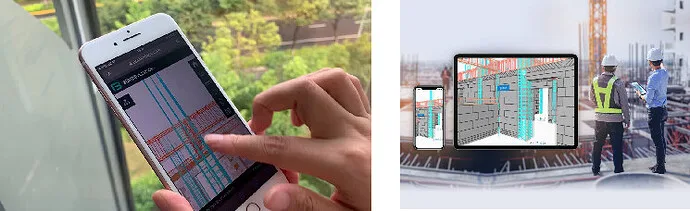
Models can be uploaded to BIMFACE with a single click, allowing lightweight model browsing on mobile devices.
BIMMAKE Project Application Case
Satellite Communication Operations Building Project
1. Project Overview
This project, located on Baoxing Road in Bao’an District, Shenzhen CBD core area, is designated for a “High Throughput Broadband Satellite Communication System” building. It serves as a key focus for Shenzhen and Bao’an District authorities, encompassing a satellite space segment and application service systems.
The facility includes a super high-rise office tower with 47 floors and a height of 224.8 meters (230 meters absolute), plus a commercial podium with 6 floors above ground and 4 underground levels, totaling 107,100 square meters of construction space. The above-ground area covers 80,400 square meters, with the basement spanning 26,700 square meters.

2. Project Challenges
- Restricted site space: The foundation pit edge marks the project boundary, with the initial internal support sealing plate area used for material storage and vehicle movement.
- Complex foundation pit support: The large foundation pit area and deep support requirements demand top-level foundation pit engineering.
- Cost control difficulties: Managing secondary structural masonry quantities and basement wooden formwork usage is critical due to the project’s scale.
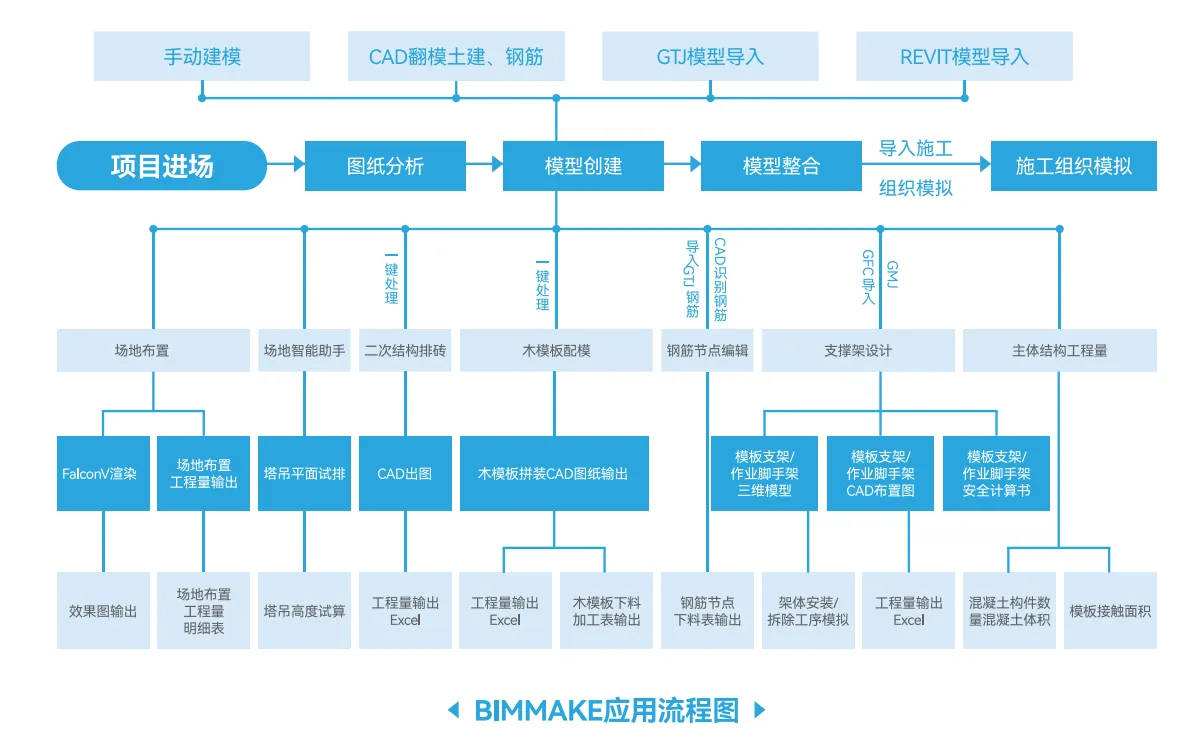
3. Project Application Process
4. BIMMAKE Application Benefits
Using the BIMMAKE base model, the project team conducted detailed design for secondary structures and masonry, as well as wooden formwork and scaffolding designs, significantly boosting onsite technical staff efficiency.
| Application Area | Traditional 3D Software | BIMMAKE |
| Training Time | At least one week of basic training | Basic training completed within 2-3 days |
| Site Setup | Involves terrain creation, building linking, and site arrangement | Supports rapid generation of proposed buildings, roads, and safety features; layout time reduced to 1 day with a 50% efficiency gain |
| BIM Construction Process Simulation | Separate model and animation software may cause data loss | Seamless import via Guanglian Da’s proprietary data interface |
| BIM Model Creation | Limited to importing IFC, FBX, and similar formats | Supports numerous formats including Revit, CAD recognition for mold flipping; improves efficiency by 25% |
| Wooden Formwork Design | Manual drawing required | Parameter-based settings with automatic recognition and one-click generation; molding time reduced to 1 day, 60% efficiency increase |
| Scaffolding Support | Manually drawn, self-built parameterized families | Complete process from parameter setup to safety calculation and scheme output; scaffolding design takes 3 days with 60% efficiency improvement |
| Secondary Structure Deepening | Limited to drawing masonry walls and columns | Supports masonry output, drawing, and quantity statistics |
| Steel Reinforcement Node Deepening | Manual drawing | Integration with cloud sampling software reduces deepening time to 2 days, increasing efficiency by 70% |
| Lightweight Model Function | Typically used only for walkthroughs | Integrates with Guanglian Digital Management Platform |
5. Project Application Results
1) Optimized Field Layout
BIMMAKE simulated the 3D layout of construction stages, clarifying the spatial positions of machinery and onsite road directions. This ensured efficient site utilization at every stage, optimized space allocation, and enhanced safety and accessibility. Deployment time was reduced to 1 day, with a 50% efficiency gain.
2) Support Demolition Simulation for Complex Foundation Pit
Using the site layout model, a foundation pit support model was created to clearly represent surrounding roads and buildings, improving onsite safety awareness. BIMMAKE also produced an animated sequence of support dismantling, effectively illustrating the demolition stages.
3) Main BIM Model Creation
The main structural model of the satellite building was developed through CAD recognition, manual modeling, and importing external models. Utilizing BIMMAKE’s unique construction stage features allowed effective simulation of onsite conditions such as edge protection during construction. CAD recognition for mold flipping improved efficiency by 25%.
4) Steel Bar and Steel Frame Model Creation and Deepening
Steel reinforcement sampling facilitated rapid identification and creation of steel reinforcement models, which were imported into BIMMAKE for fast model generation. Additionally, the software’s family building tools helped create steel frame and shear nail models. Combining CAD-recognized steel bar models with steel frame models enabled collision checks between shear studs and steel bars. The deepening time for steel reinforcement nodes was reduced to 2 days, boosting efficiency by 70%.
5) Secondary Structure and Masonry Layout
Using the 3D BIM model, secondary structures and masonry were pre-arranged to calculate material usage and specifications. This enabled precise cutting and 3D visual disclosure to ensure masonry layout quality.















Must log in before commenting!
Sign Up