
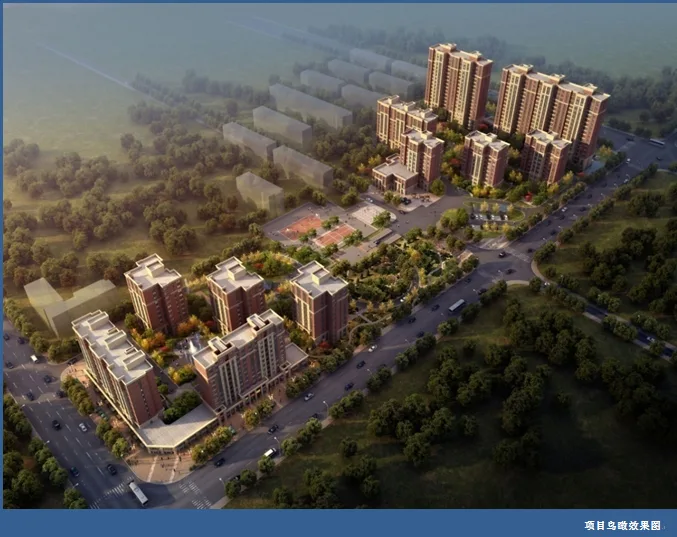
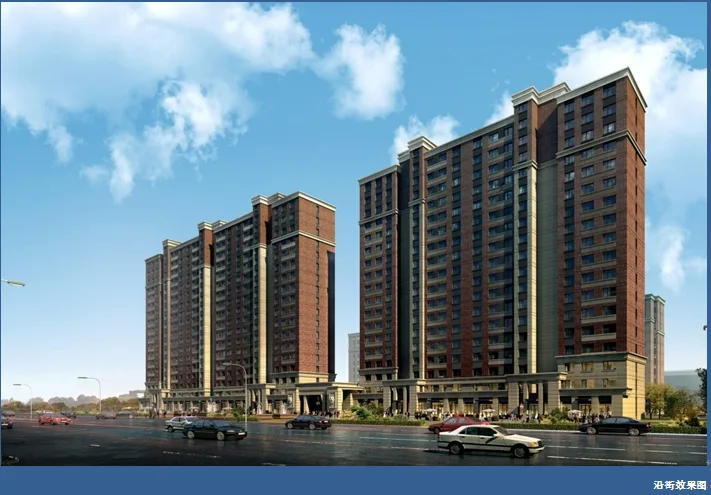
The CSCEC Xingfuli Residential Community Project is situated south of Songshan Road, north of Mount Taishan Road, and west of Panyang Road in Urumqi. Covering a total construction area of 89,288.11 square meters, it stands as one of the flagship residential developments by China Construction Real Estate Xinjiang Company, targeting the mid-range market. By thoroughly analyzing the project’s characteristics, China Construction Design Group Co., Ltd. (direct headquarters) implemented a focused BIM project design approach.
For the Zhongjian Xingfu residential community, ArchiCAD software was used to develop BIM models. These models, along with construction drawings, were provided to the client.

BIM Implementation and Application
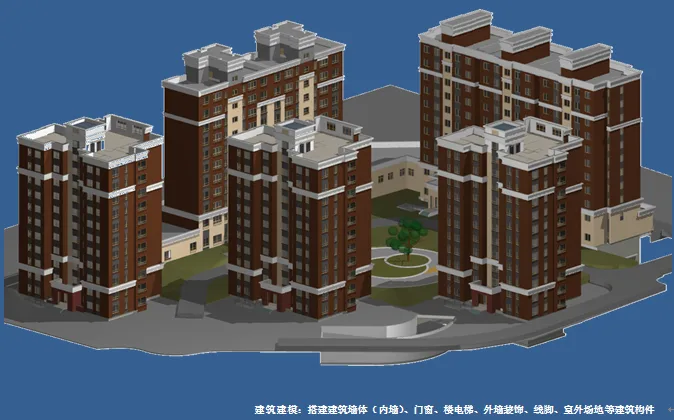
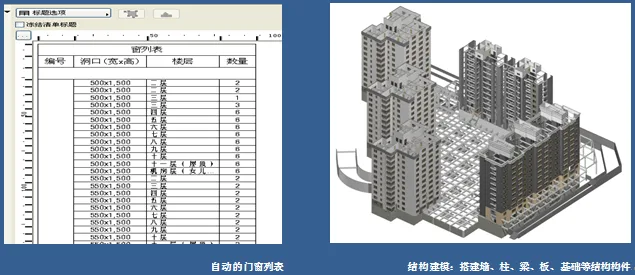
During the modeling phase, the BIM team developed models of structural components—including walls, columns, beams, slabs, and foundations—using a unified standard tailored to the project environment. Detailed material distinctions were made between the inner and outer surfaces of walls, as well as the upper and lower surfaces of slabs. This meticulous approach enabled extraction of detailed lists upon project completion, covering quantities such as wall volume, total reinforced concrete, exterior wall waterproofing, interior wall painting, indoor flooring, and ceiling painting. Special attention was given to unique construction elements like residential floating windows, ensuring that actual construction methods were strictly followed to guarantee precise engineering quantity data.
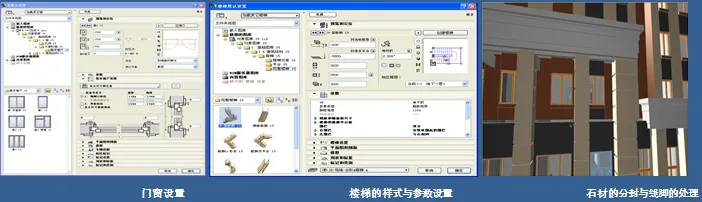
Using ArchiCAD’s built-in doors and windows, the project accurately represented door and window styles according to design specifications and automatically generated door and window schedules. The software’s wall cross-section feature allowed for the creation of customized stone joints and interlayer lines for exterior walls. Staircase designs included in the software’s gallery offered a variety of adjustable parameters to suit specific design needs.
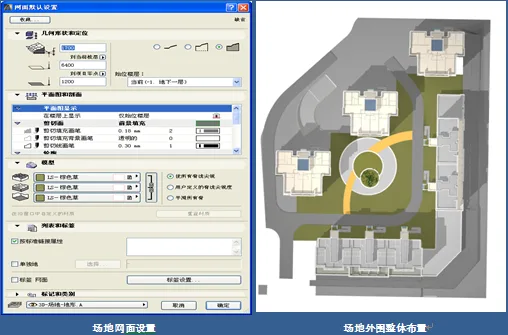
The mesh tool’s Z-value function enabled precise vertical design of outdoor sites, enhancing terrain modeling accuracy.
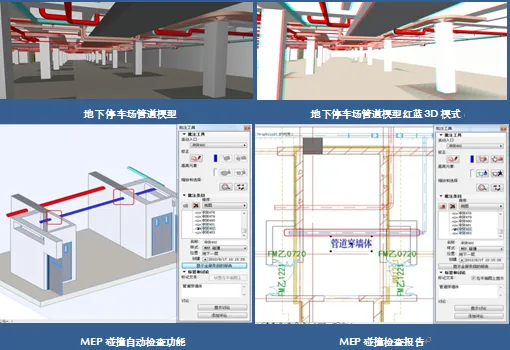
For mechanical, electrical, and plumbing (MEP) systems, the ArchiCAD MEP tool was employed to build pipeline models for various specialties based on design data. This process revealed numerous spatial conflicts, which were resolved through systematic adjustments. The outcomes of these adjustments were compiled into supplementary drawings provided to the client, effectively reducing on-site costs and shortening adjustment cycles. Additionally, engineering information for related equipment such as fire hydrants and sprinklers could be extracted in real time with high accuracy.
BIMX 3D Walkthrough
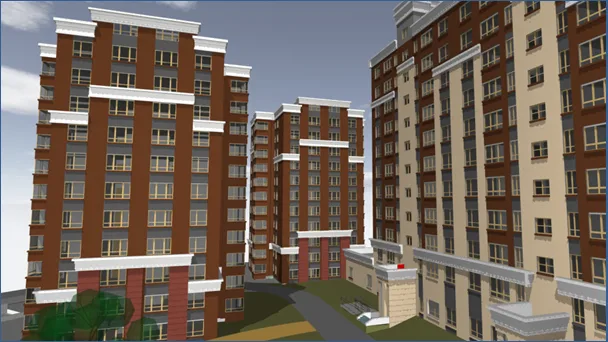
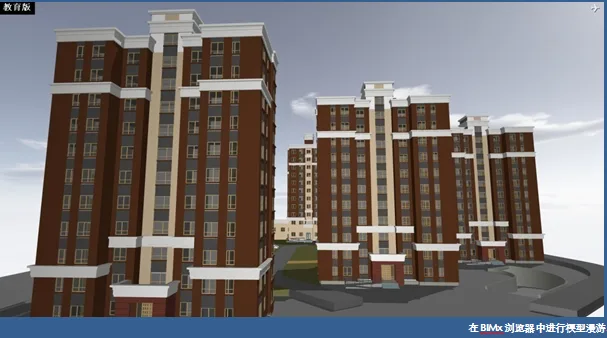
BIMX Browser, provided by ArchiCAD, is a 3D model viewer that allows users to explore models without needing additional software. By exporting the project as an executable (.exe) file, the model can be accessed on any compatible device. It supports red-blue 3D glasses viewing modes and is compatible with iPad, iPhone, and Android systems, enabling easy one-handed navigation on mobile devices. This makes BIMX an intuitive and effective tool for model presentation and communication.
The project was exported to BIMX and shared with the client as a virtual construction model, allowing them to experience the spatial environment interactively and access detailed component information on the facade. This high-quality digital model helps minimize construction errors and project delays.
Engineering Quantity and Material List
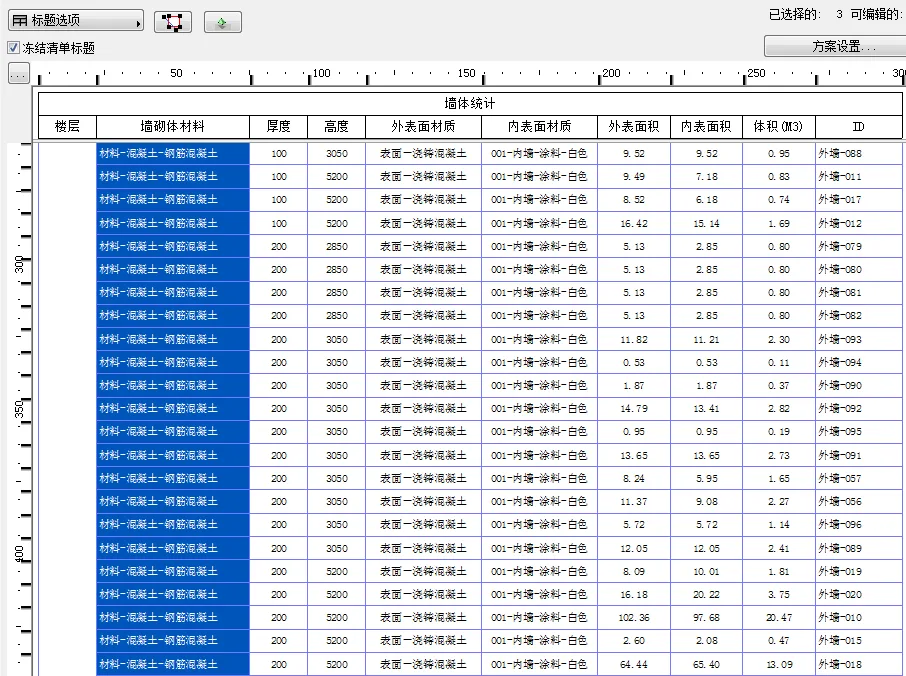
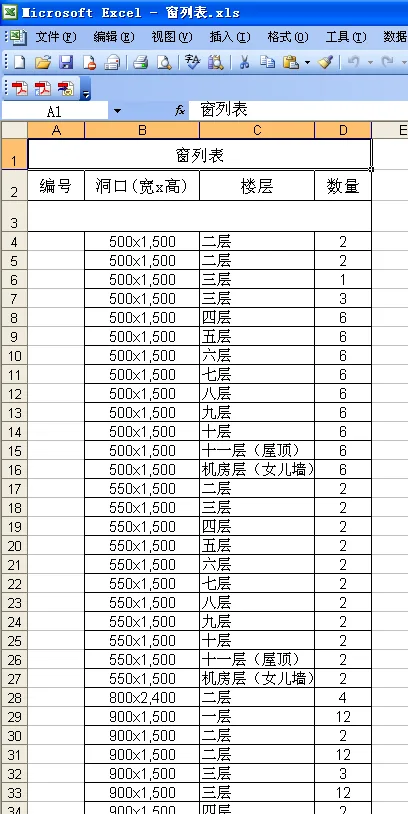
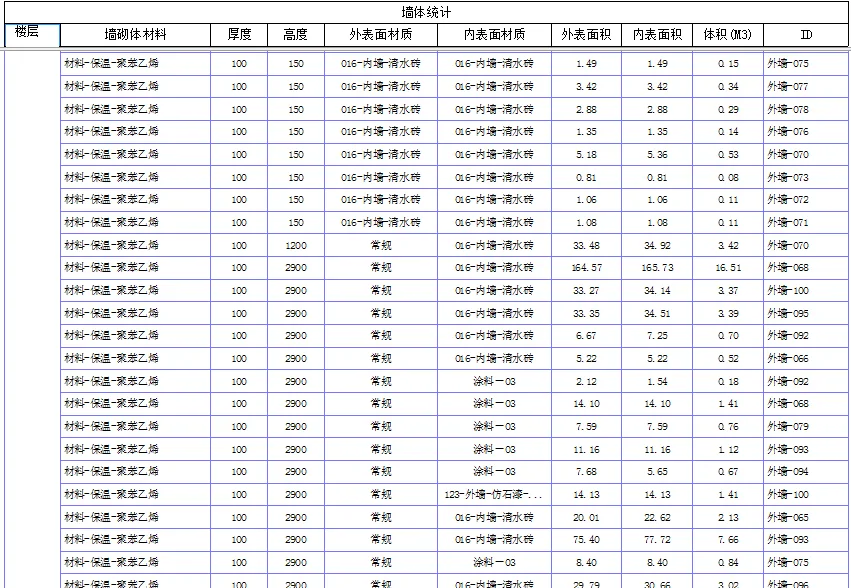
Underground Wall Statistics Table – Painting Area of Different Colored Exterior Walls for Above-Ground Residential Buildings
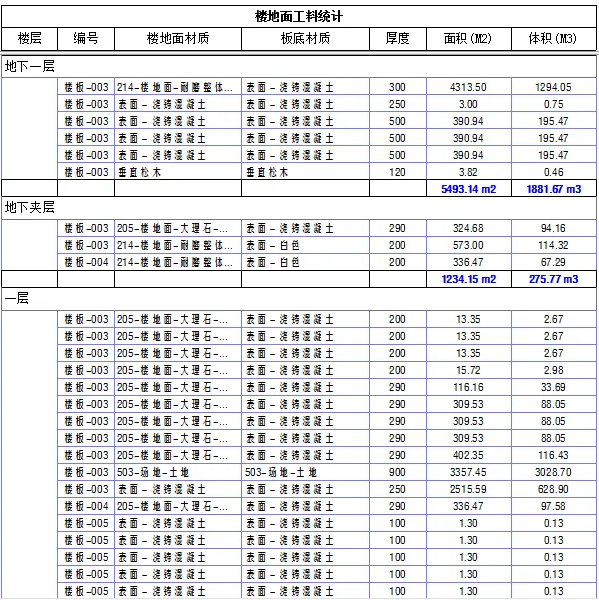
Various data, such as floor material statistics, can be exported from the software to Excel files, allowing users to add formulas and perform cost calculations based on quotas.
In the project deliverables, the bill of quantities plays a crucial role. During early model construction, relevant information including materials, textures, and construction methods was embedded and saved within ArchiCAD’s BIM information model. Once the parameters for data extraction are set, the software automatically compiles and calculates the corresponding lists, which can then be exported to Excel spreadsheets for further editing and analysis.
When building the basement wall model, materials for the inner and outer surfaces were differentiated. This enabled accurate calculation of the exterior wall waterproofing area and the interior wall painting area directly from the generated lists.
















Must log in before commenting!
Sign Up