
When tagging in Revit, tags are often customized with multiple labels to display several parameters. However, if a component’s parameter lacks a corresponding value, Revit displays a question mark in the tag to indicate the missing value.
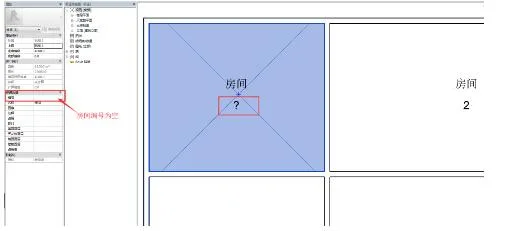
So, how can we automatically hide these question marks when parameters are empty?
There are two effective methods:
1. Combine blank parameters with other parameters in a single label instead of labeling them separately.
For example, instead of creating separate labels for the room number and room name as shown above, you can customize a single label that combines both parameters.
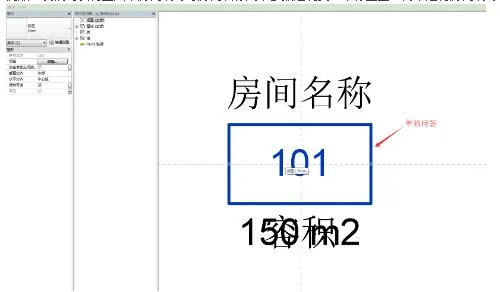
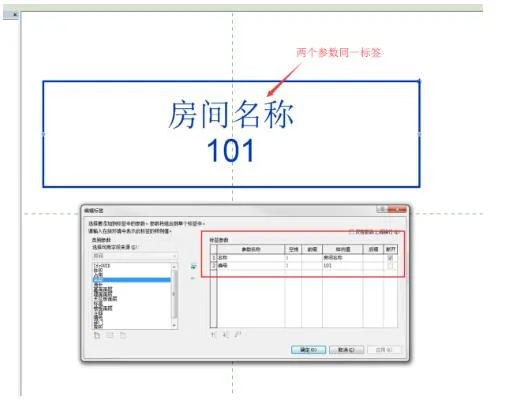
This approach ensures that when at least one parameter has a value, the question marks for any empty parameters within the tag are automatically hidden.
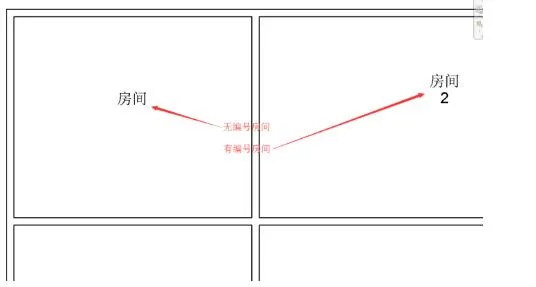
2. Add drawn lines to the tag family.
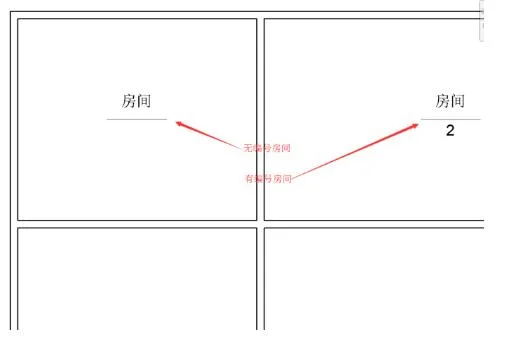
By including line objects in the tag family, individual parameter labels will automatically hide the question mark even when their parameter values are empty.
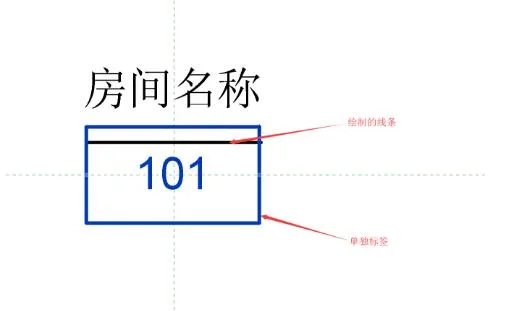
If this line remains visible after loading the project, the question mark will be automatically hidden.













Must log in before commenting!
Sign Up