
Abstract: This article presents BIM application materials from the Tencent Beijing headquarters project. We will explore how BIM is effectively utilized in project progress management, quality control, safety oversight, on-site coordination, business operations, and more.
The Tencent Beijing headquarters project exemplifies cutting-edge construction technology led by one of China’s top construction bureaus.
This content is divided into two parts. Yesterday’s article provided an overview of BIM implementation at Tencent. Today, we delve into detailed applications of BIM in specific areas such as progress tracking, quality assurance, site safety, on-site management, and business administration.
If you are interested in BIM or future construction technology trends, this case study offers valuable insights. Due to the limited number of detailed BIM case studies available, we encourage you to make the most of this information.
1. Project Overview
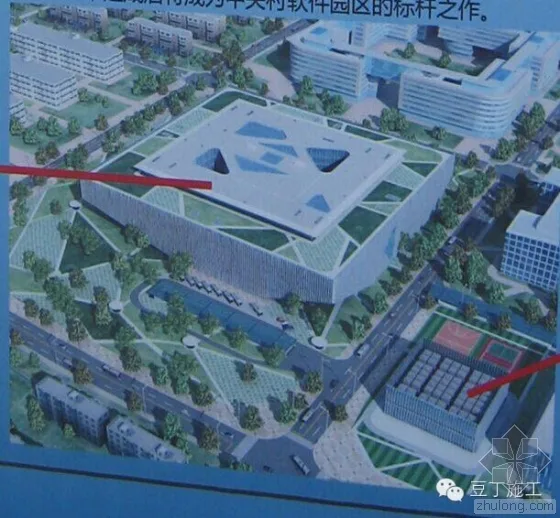
The Tencent headquarters complex features a main building and an energy center annex, spanning a total construction area of 334,386 m², including 175,746 m² underground. It integrates office spaces, research facilities, conference rooms, parking, and civil defense functions.
Overall architectural rendering:
2. Progress Management
1. Progress Simulation
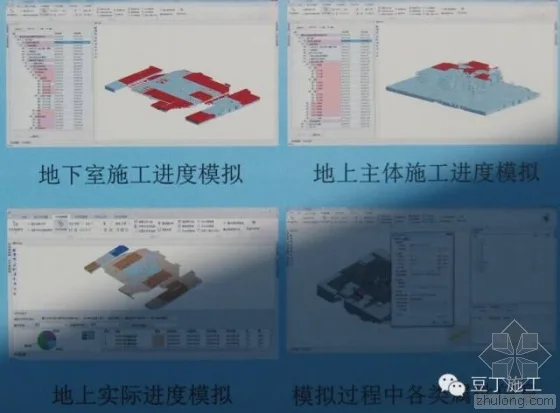
Construction managers can select any project milestone and view a visual simulation of the construction schedule using the 4D-BIM system. This simulation dynamically integrates 3D models with real-time progress data, enabling accurate visualization of construction stages and comprehensive integration of attribute information.
Progress simulation:
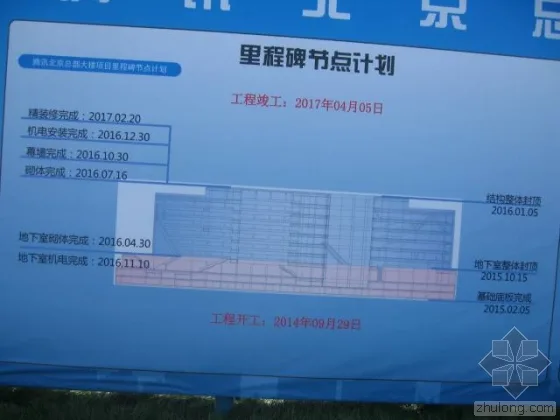
Milestone progress control:
2. Progress Analysis
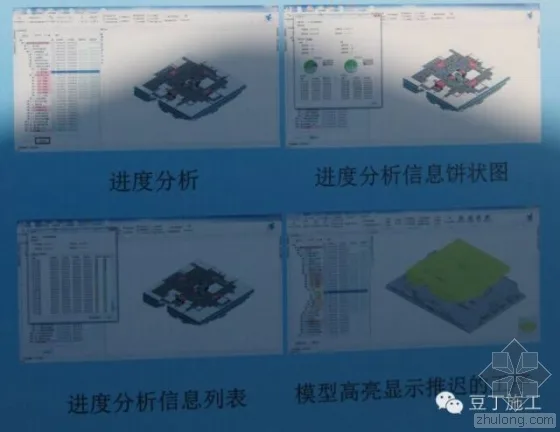
As actual progress data is entered, users can select any schedule node to check the completion status of its sub-tasks. The system displays proportions of on-time, delayed, or early completed tasks through pie charts and lists, with delayed tasks highlighted for easy identification.
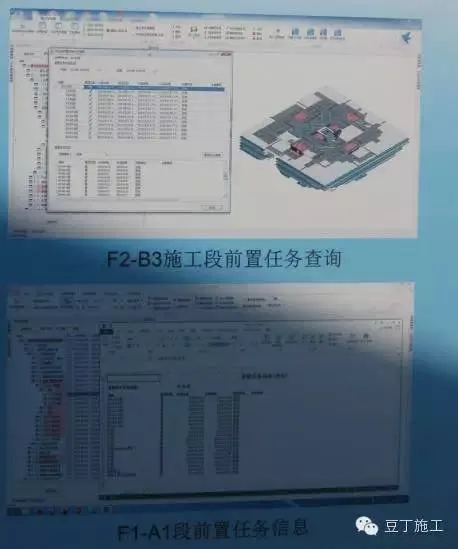
3. Pre-Task Analysis
Users can query all predecessor tasks and their details for any schedule node, including planned start and end times, completion status, and responsible parties. This facilitates effective control of key milestones, ensuring predecessor tasks finish on time and preventing rework or stoppages.
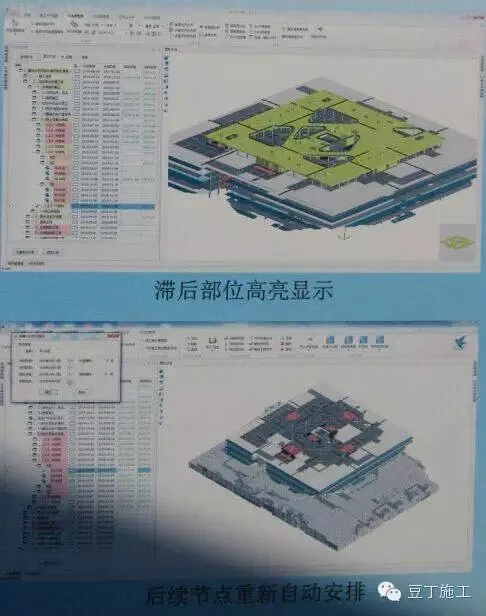
4. Task Delay Analysis
If actual progress falls behind schedule, all affected nodes and related model components are visually highlighted, clearly indicating the impacted areas. The system recalculates subsequent schedule nodes to assess delay effects on the overall project timeline.
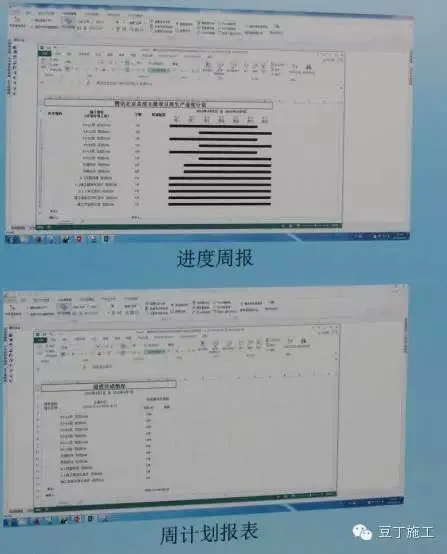
5. Weekly Progress Reports and Plans
Based on planned and actual construction data, various reports can be exported directly for meetings or progress tracking, significantly reducing manual data compilation and enhancing efficiency.
3. Quality Management
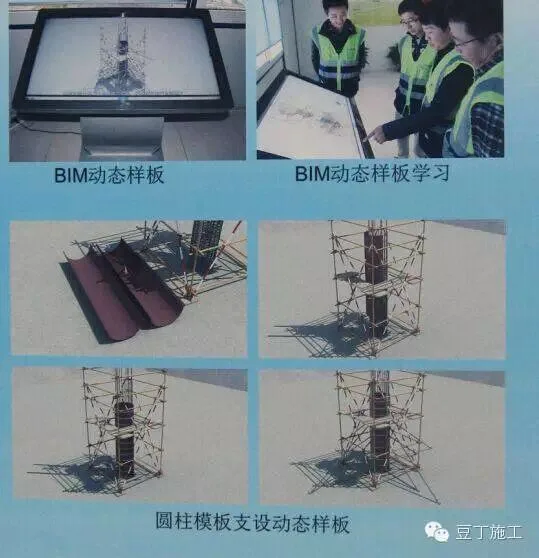
1. BIM Dynamic Templates
By integrating BIM technology with template guidance and construction simulation, key templates are dynamically displayed on touch screens. This approach provides detailed instructions, control points, and inspection standards—such as for cylindrical steel bar binding—facilitating real-time consultation during construction.
3D dynamic templates:
2. Non-Contact Actual Measurement
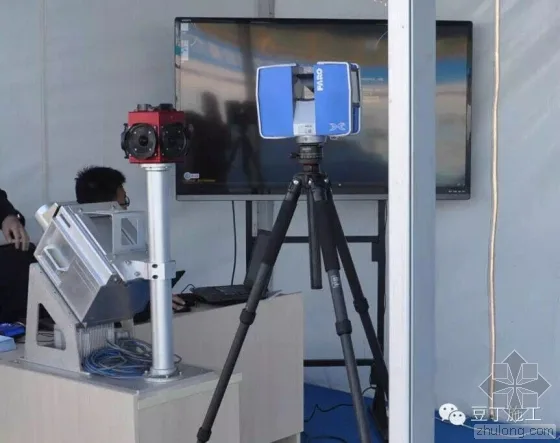
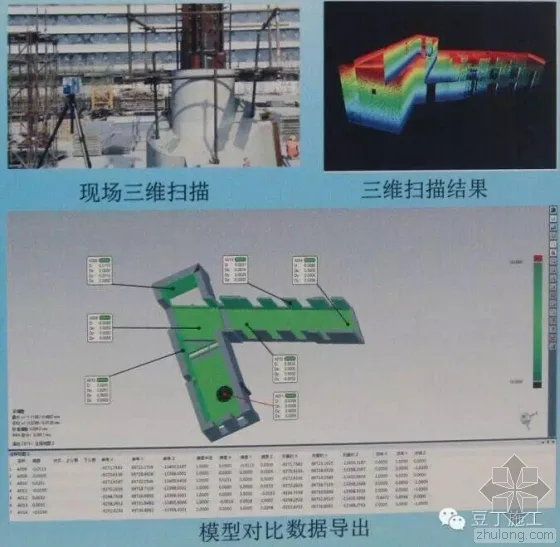
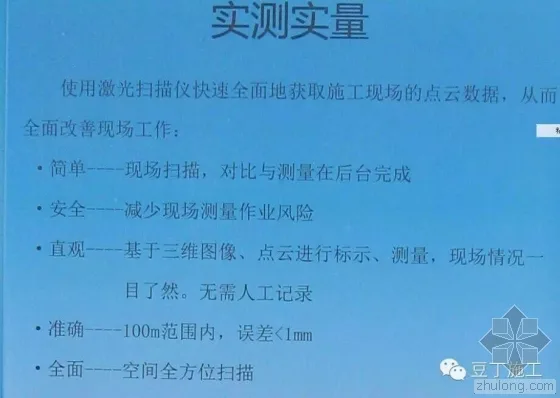
3D laser scanning collects comprehensive spatial point cloud data for selected areas, quickly generating accurate 3D models. Comparing these scans with the BIM model reveals deviations and outputs precise measurement data, ensuring authenticity and objectivity. This method enhances measurement efficiency and accuracy, especially in confined spaces or high floors.
3D laser scanner:
Application of 3D scanning for measurements:
Effect of laser scanning on measurements:
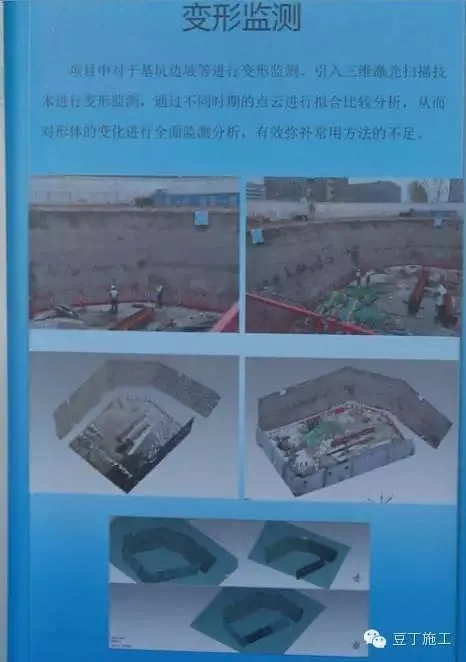
Additional functions include excavation deformation monitoring:
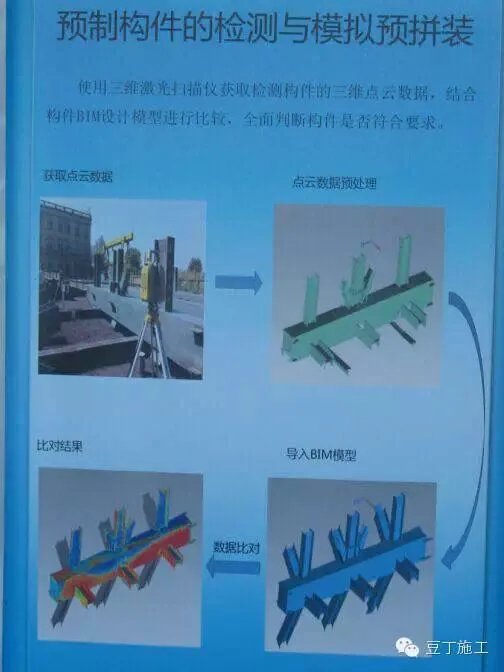
Steel component testing simulation and pre-assembly:
3. Intelligent Layout Based on BIM
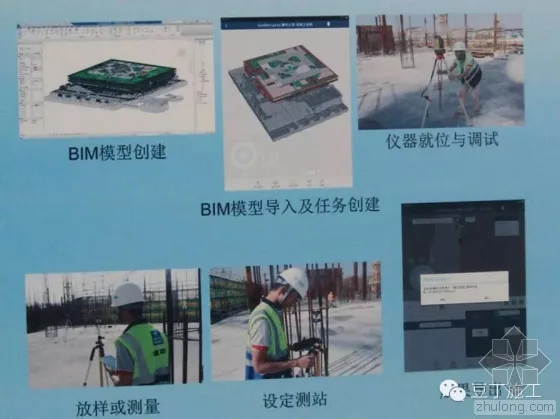
The project’s challenging corner cutting involves a large cantilevered space steel structure requiring high-precision measurement and positioning. The team leverages BIM’s fast model query capabilities combined with automated intelligent total station technology to create a proprietary BIM-based construction layout platform. This integration simplifies layout processes and improves accuracy.
Intelligent layout robot:

Intelligent layout process steps:
4. BIM-QR System
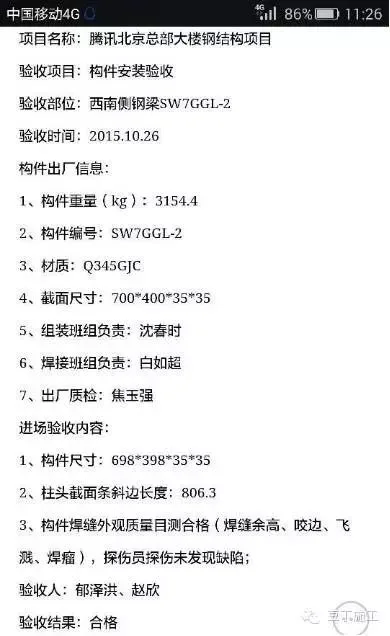
The BIM-QR system connects dynamic QR codes to a comprehensive platform comprising BIM models, backend servers, and mobile terminals. It manages the entire steel structure lifecycle—from procurement and component fabrication to transportation, on-site installation, and quality inspection—ensuring compliance with material and dimensional standards.
QR system application example 1:
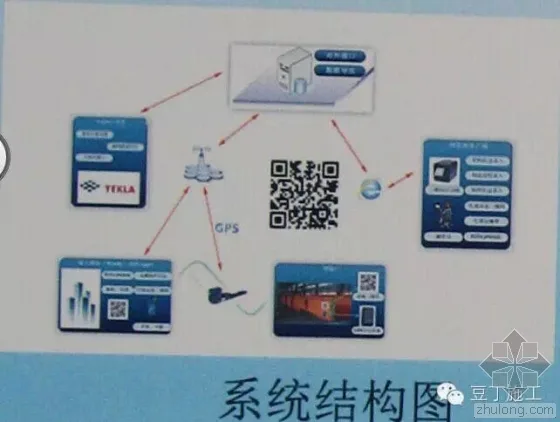
QR system application example 2:

QR system application example 3:

4. Safety Management
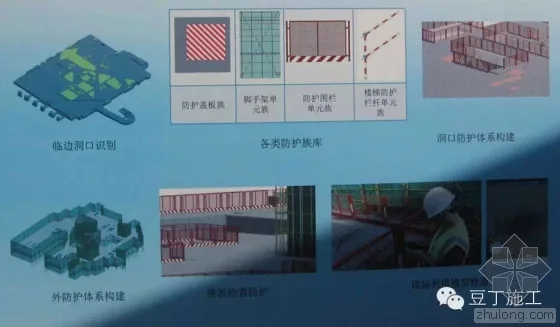
Hazards such as edge openings are identified within BIM models, enabling rapid establishment of safety protection systems using Revit family technology. Navisworks facilitates comprehensive safety deployment through 3D walkthroughs. The model automatically calculates required safety measures at each construction stage. Safety inspectors use mobile devices to check and tag hazards, ensuring thorough hazard control.
Examples of safety check applications:
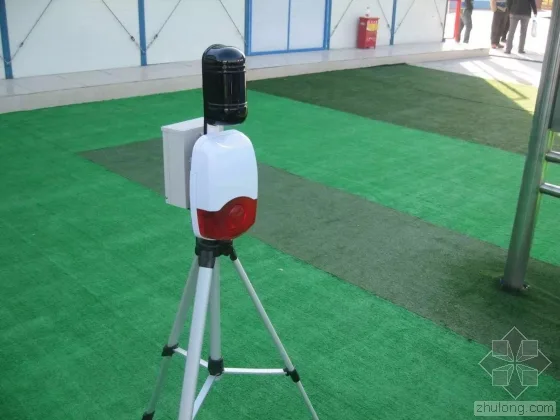
Infrared safety protection automatic alarm:
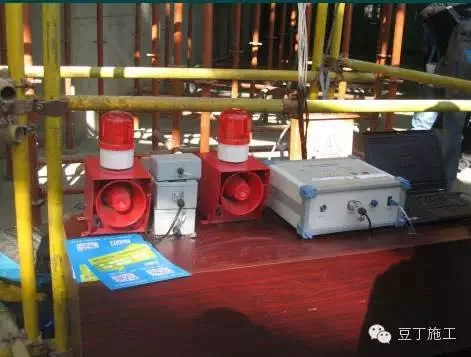
Automatic mold deformation monitoring alarm system:


Automatic mold deformation monitoring alarm system (continued):
5. On-Site Management
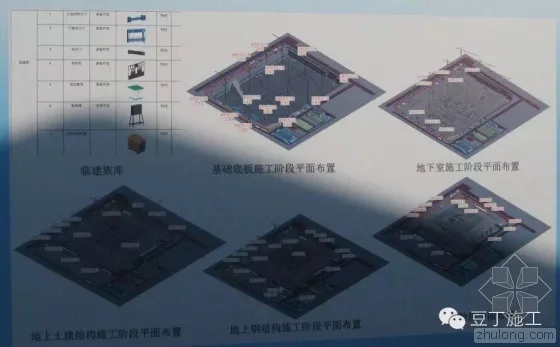
By creating various on-site models and family libraries, each construction stage layout can be executed directly within a 3D model. These layouts are imported into the 4D-BIM system and linked to the schedule for dynamic 3D visualization, facilitating layout management and adjustments.
3D dynamic on-site layout:
6. Business Management
1. Automated Quantity Statistics
The system automatically calculates quantities for the entire project, any construction section, or individual components based on planned and actual progress. It can determine unit time quantities and cumulative quantities over specified periods, presenting completion status through charts and lists.
2. Dual Calculation Comparison
Using Guanglian Da software, exported quantities from Revit are compared to avoid errors from using a single calculation method. Concrete quantities in Revit schedules effectively guide site operations and support business management.
3. Variable Quantity Management
Concrete models are established before and after design changes, assigning technical parameters such as strength and impermeability grades. Changes in concrete quantities are calculated separately, and commercial data like unit prices are added to assist on-site business management.
4. Cost Analysis
Based on actual and planned progress, model quantities, and pricing data, the system calculates differences between bid, planned, and actual quantities. It analyzes budget versus actual costs using comprehensive unit prices, helping the commercial department control capital investment effectively.
7. BIM Support for Operations and Maintenance
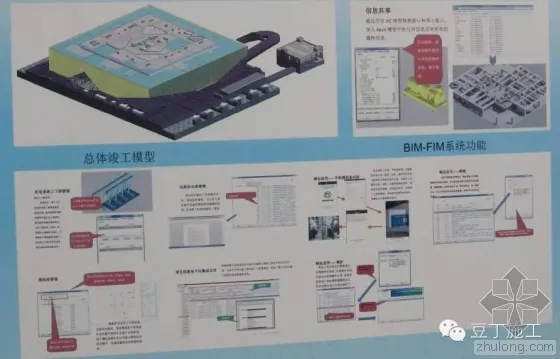
Upon project completion, a BIM model containing building components, equipment, and facilities is delivered. The BIM-BIM system manages mechanical and electrical equipment information, including equipment data, maintenance, repair, knowledge bases, and emergency plans. This facilitates information sharing during installation and operation, providing a comprehensive, efficient platform to maximize BIM benefits for owners.
8. BIM Technologies and Equipment
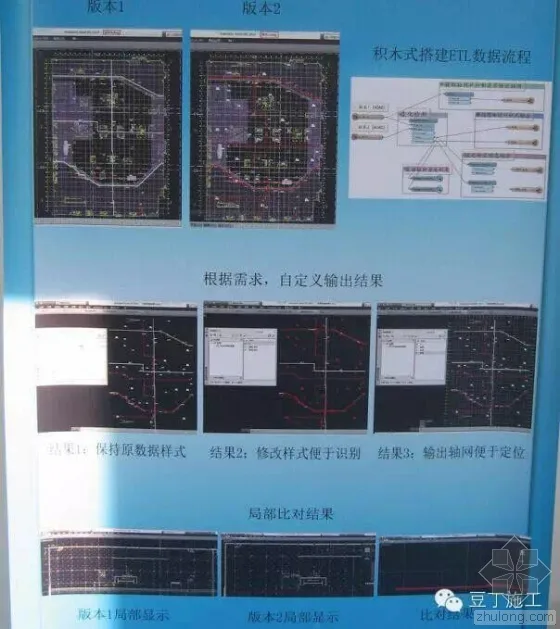
1. BIM ETL Technology
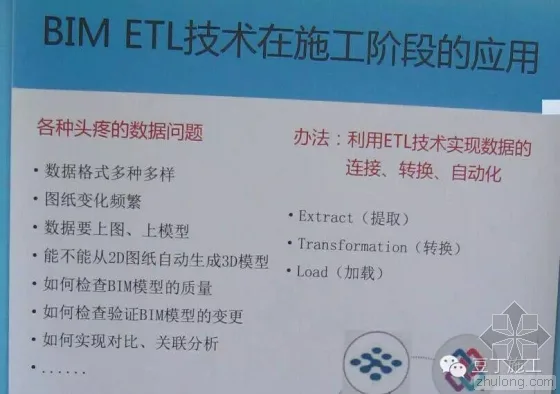
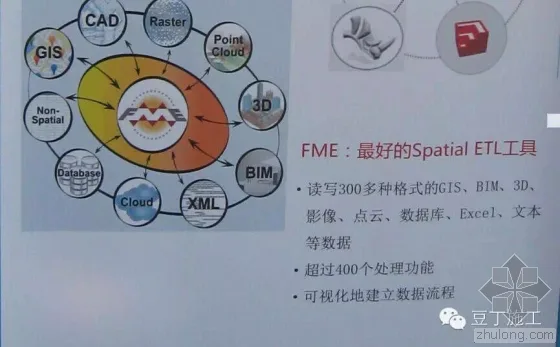
ETL stands for Extract, Transform, Load, describing data processing from source to destination. Typical ETL tools include Informatica, Datastage, OWB, Microsoft DTS, Beeload, and Kettle ETL.
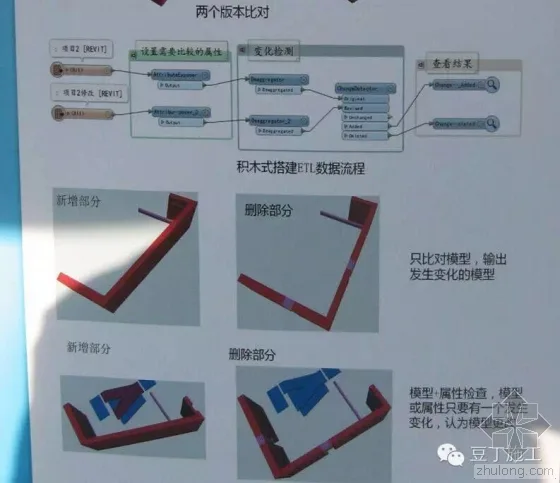
Comparison of ETL technologies across different model versions:
2. 3D Printing Technology
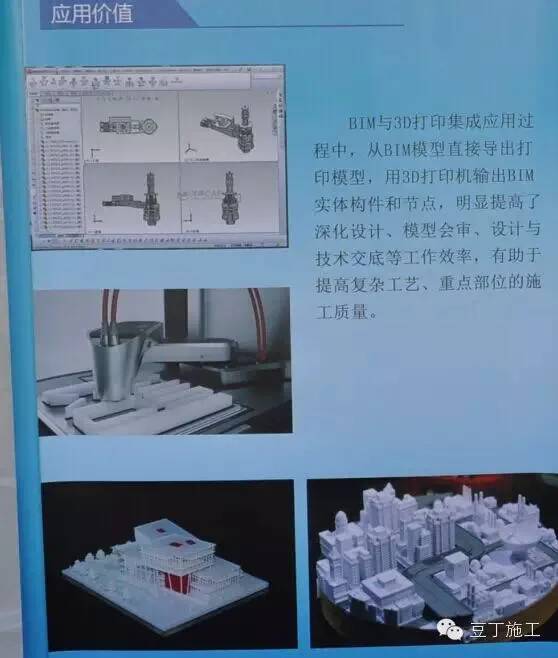
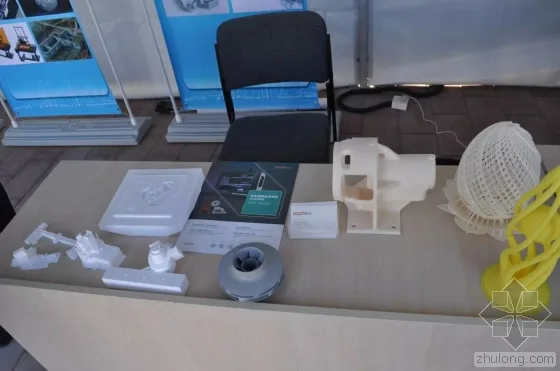
3D printers output BIM solid components and nodes, enhancing the efficiency of detailed design, model review, and technical disclosures. This technology improves construction quality for complex processes and critical areas.
Printed 3D model:
3. 3D Modeling with Unmanned Aerial Vehicles (UAVs)
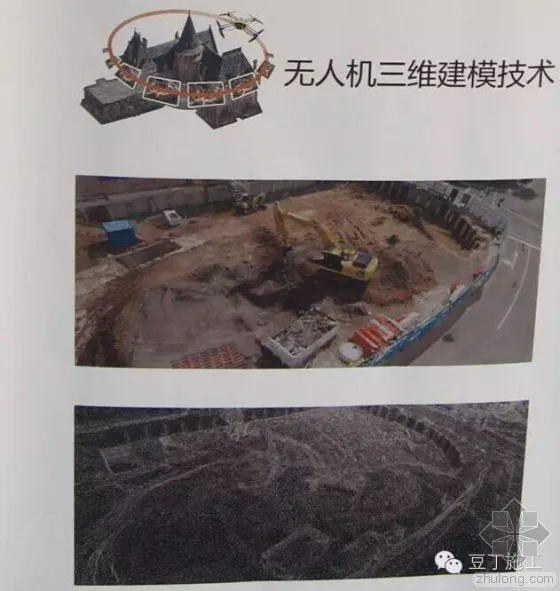
Photos captured by UAVs automatically generate realistic 3D models, useful for site layout, earthwork, material stockpile volume measurements, and preliminary road and bridge design.
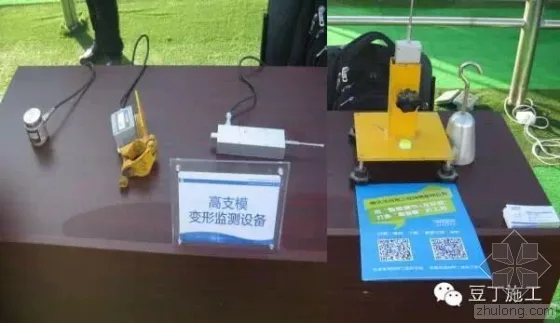
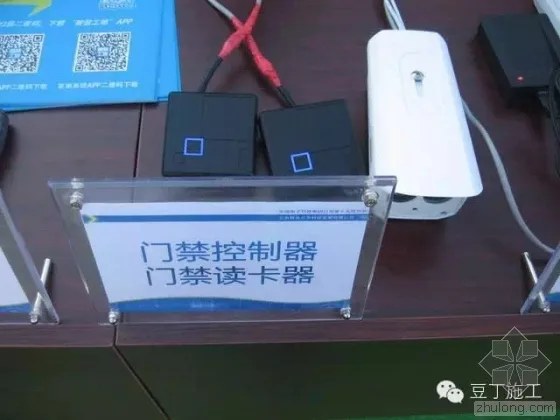
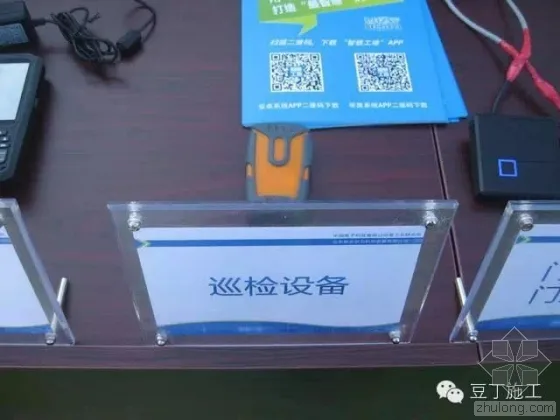
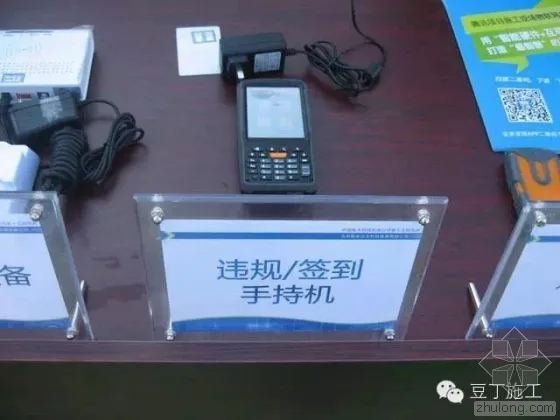
4. Application of Digital Devices

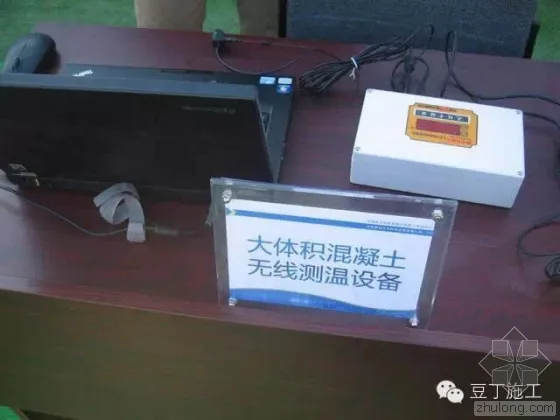
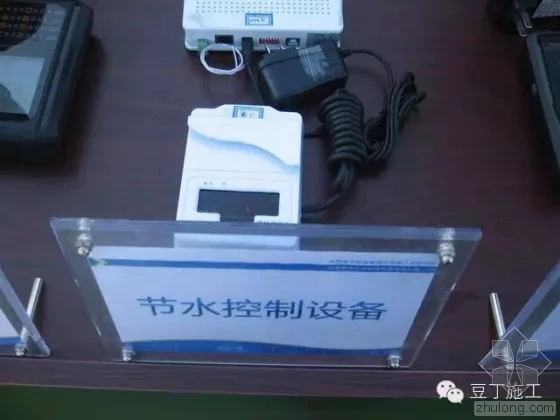
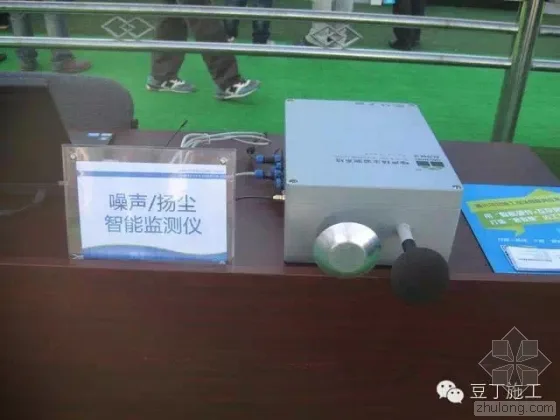
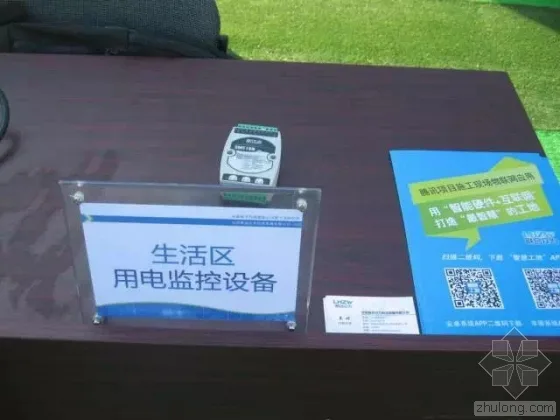
9. Final Insights
BIM implementation involves more than software—it requires integration with diverse digital terminal devices. Model data guides devices to perform construction management tasks, while terminals collect data to enrich BIM models, boosting modeling efficiency and data depth.
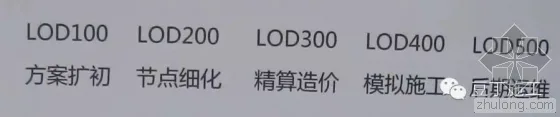
BIM technology not only resolves construction challenges but also deepens building models to support later operation and maintenance. As a result, BIM enhances enterprise service capabilities and market competitiveness; modeling accuracy must reach LOD 500 for maximum benefit.
Requirements for BIM team members: Team members should be proficient in modeling software and possess knowledge of detailed professional design, construction processes, and management.
Designers unfamiliar with construction are not effective programmers.
















Must log in before commenting!
Sign Up