
BIM Q&A | How to Adjust the Length Settings of Brick Wall Tie Bars in Luban or Guanglianda Software?
Have you ever wondered how to modify the overall length of brick wall tie bars? Let’s explore the process using Luban and Guanglianda software.
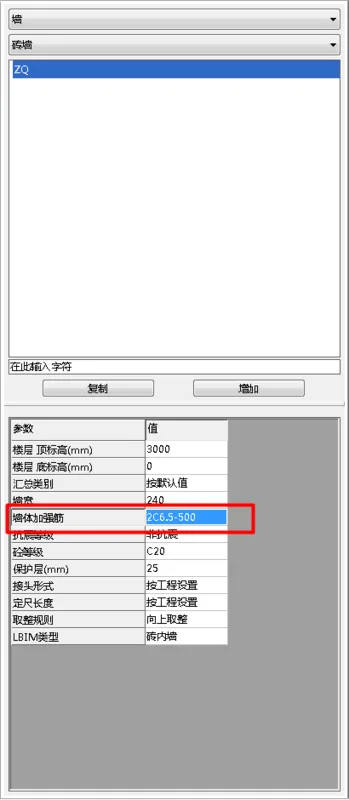
First, let’s look at Luban: Navigate to the “Wall Reinforcement” section within the Brick Wall Properties panel. Enter the length settings according to your drawings, as illustrated below.
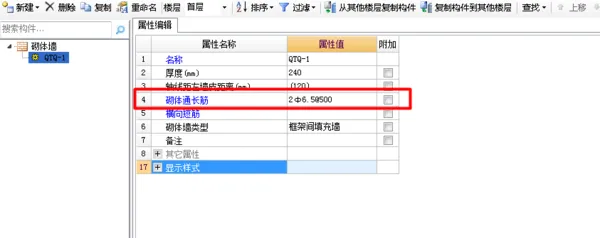
Now, regarding Guanglianda: Its approach is similar to Luban but includes an extra horizontal short bar, which enhances the reinforcement compared to Luban. Some drawings specify the inclusion of these horizontal short bars, even if they are not physically installed during construction. Once the horizontal short bars are placed, they create a mesh with the longitudinal bars. The installation method is shown in the following image.
















Must log in before commenting!
Sign Up