
BIM Q&A | Rhino: How to Make a Cylinder Follow a Curve to Create a Row of Cylinders?
In the image below, how can you make a cylinder follow the path of a curve to form a surface? I’m not sure if everyone understands the question clearly.
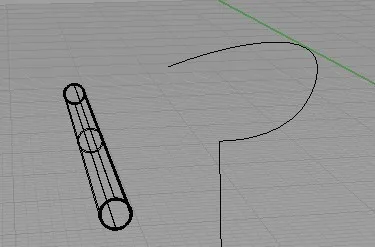
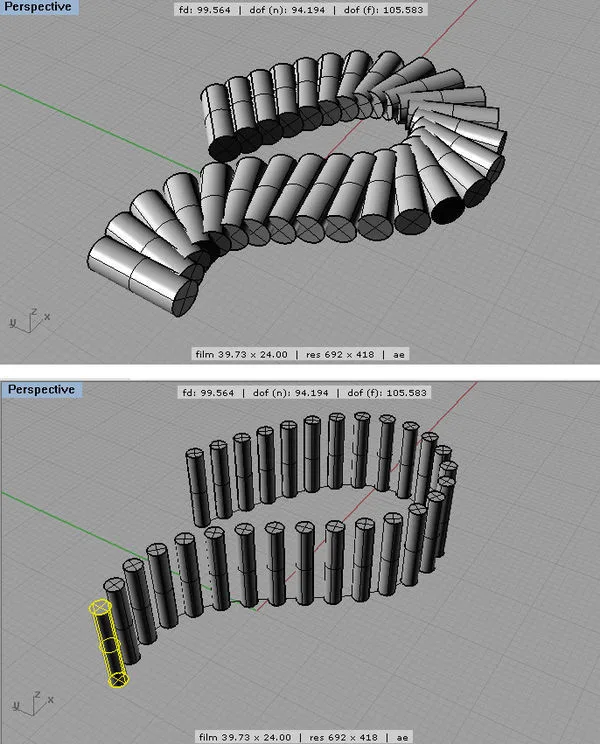
To achieve this effect, first select the cylinder. Then, go to the Array option under the Transform menu and choose Follow Curve. Next, select the curve you want the cylinders to follow. A dialog box will appear where you can adjust the settings according to your needs before confirming.
It’s important to move the cylinder to the starting point of the curve beforehand. This ensures the resulting shape looks seamless and visually appealing.

xuebim
Follow the latest BIM developments in the architecture industry, explore innovative building technologies, and discover cutting-edge industry insights.
← Scan with WeChat















Must log in before commenting!
Sign Up