
BIM Q&A | How to Write 3D Text on Surfaces in Rhino? Please provide more details…
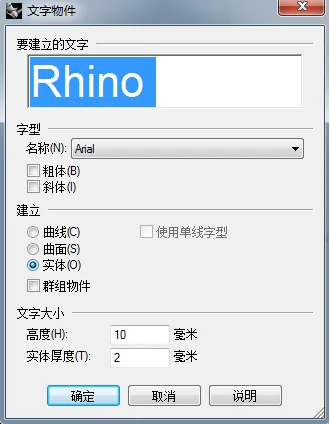
To create 3D text on a surface in Rhino, start by using the text tool to generate your desired text, as shown in the image below. Next, create the surface where you want the text to appear and flatten it.
Then, select the text and use the “Flow Along Surface” command. First, pick a corner of the flat plane, and then select the matching corner on the target surface. This process will map the text onto the 3D surface accurately.

xuebim
Follow the latest BIM developments in the architecture industry, explore innovative building technologies, and discover cutting-edge industry insights.
← Scan with WeChat















Must log in before commenting!
Sign Up