
BIM Q&A | AutoCAD 2017: Why Can’t I Select Files When Saving, Inserting Images, or Opening Files?
Are you unable to select the desired raster image when inserting into your drawing? Or perhaps you cannot choose the correct file when opening a folder from AutoCAD, or save files to your preferred folder location? If so, you’re not alone. This issue may suddenly appear even though it wasn’t a problem before.
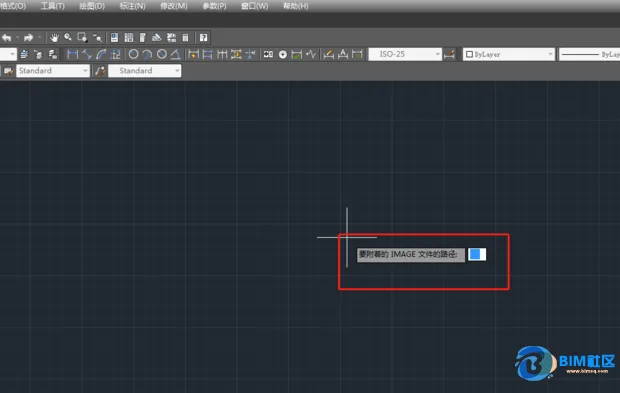
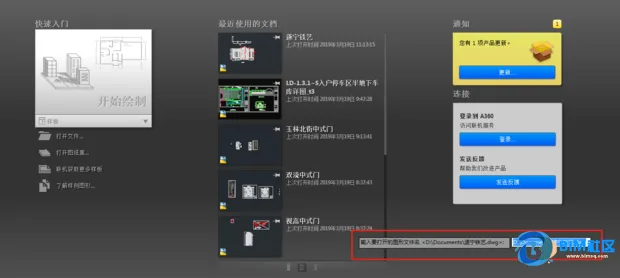
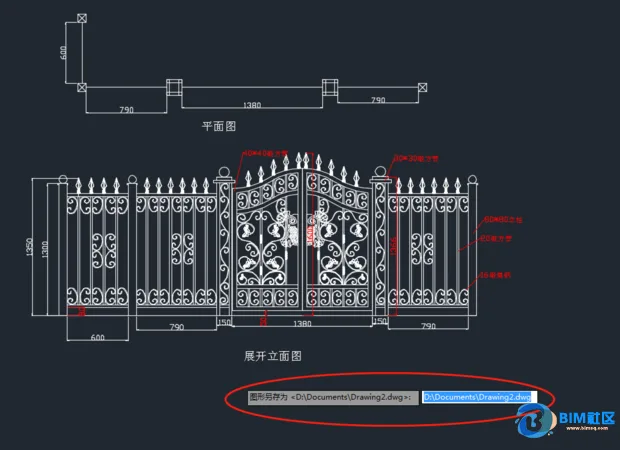
The root cause is that your dialog boxes have been disabled. To fix this, simply type filedia into the command line and set its value to 1. This will enable file dialog boxes, allowing you to select files normally again.

xuebim
Follow the latest BIM developments in the architecture industry, explore innovative building technologies, and discover cutting-edge industry insights.
← Scan with WeChat















Must log in before commenting!
Sign Up