
BIM Q&A | AutoCAD Settings: Display Graphics but Prevent Selection
I want to achieve the following effect: display graphics from a specific layer or several individual graphics so they are visible but cannot be selected. This is not the same as locking the layer, because even after locking the layer, selection is still possible. It’s also different from turning off or freezing the layer, as those actions hide the graphics entirely.
What I want is to display these graphics as a background.
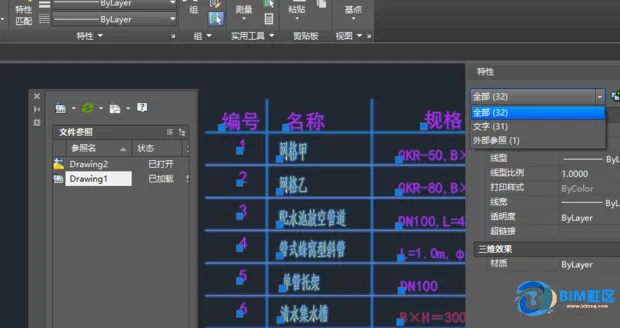
It seems the effect you’re looking for can be achieved by using an external reference, such as an overall factory layout. This reference acts as a background for arranging outer pipe profiles. In this setup, you can only modify the outer pipe profiles in your current design, while the referenced overall layout remains visible and snap points can be used for precise placement.
To prevent modification, the layer containing the external reference should be locked. While not completely unselectable, locked layers prevent changes. Additionally, some layers of the referenced base map can be set to not print, so they don’t interfere with the final printed output.
I hope this solution meets your needs.
















Must log in before commenting!
Sign Up