
BIM Q&A | How to Replace a Glass Panel with a Door or Window in a Glass Curtain Wall When the Loading Box Is Grayed Out
When converting a glass panel in a glass curtain wall into a door or window, you may find that the loading box in the modified properties is grayed out. What should you do if you cannot import the replacement?
For example, consider a curtain wall where you first use the curtain wall grid to outline the door size. You can adjust the grid by adding or deleting line segments to fine-tune the dimensions.
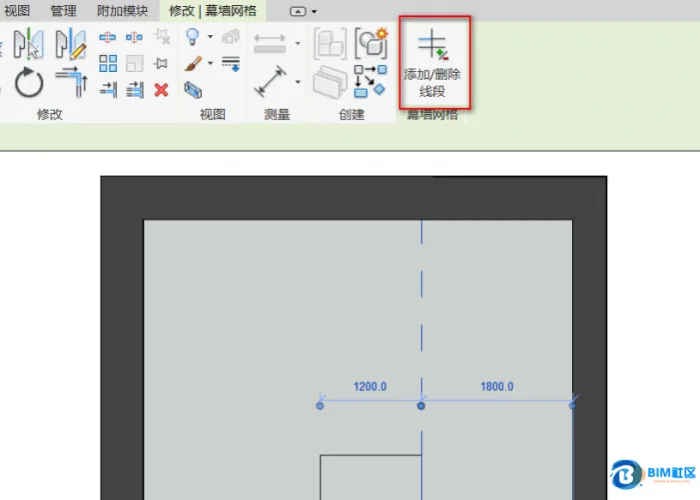
Next, load the appropriate family by selecting the building file, then the curtain wall file, followed by the door and window panels. From there, choose the desired door type to load.
After loading, press the Tab key to select the curtain wall panel at the door location. Scroll down the properties list to find the door panel you loaded. You can then choose between options with or without horizontal bars and replace the panel accordingly.
This method allows you to replace the curtain wall panels you created using the curtain wall grid with doors or windows seamlessly.
















Must log in before commenting!
Sign Up