
BIM Q&A | How Does Revit Create a Perspective View? Can Revit Models Be Imported into SketchUp?
To achieve a perspective effect in Revit, you need to add a camera to your view.
Navigate to the menu bar and select View > 3D View > Camera. Then, set the desired parameters in the Properties panel.
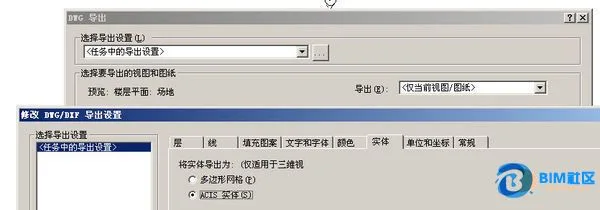
Regarding importing into SketchUp, you can export your Revit model as a DWG file:
Switch to a 3D view (since 2D views don’t support this), then choose Export > DWG Format. In the DWG export settings, select ACIS Solid before completing the export.

xuebim
Follow the latest BIM developments in the architecture industry, explore innovative building technologies, and discover cutting-edge industry insights.
← Scan with WeChat















Must log in before commenting!
Sign Up