
BIM Q&A | Using Reference Planes to Segment Masses or Families in Revit
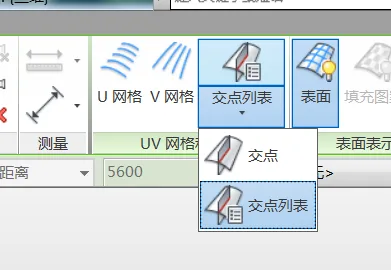
Start by drawing reference planes within your mass family and assigning a unique name to each plane. Next, select the volume surface you want to segment and activate the “Separate Surface” command. Make sure to disable both the U-grid and V-grid options.
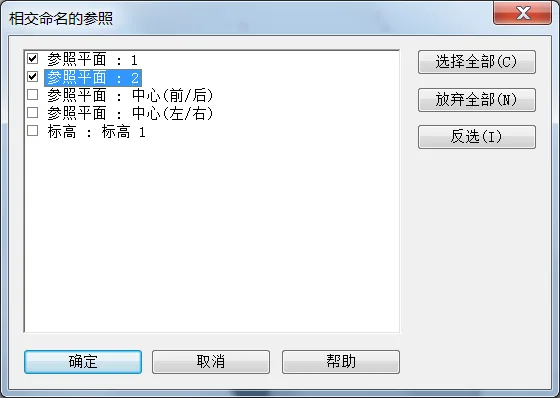
Then, open the intersection list, where you will find the named reference planes below. Select the appropriate reference plane to divide the volume accordingly.

xuebim
Follow the latest BIM developments in the architecture industry, explore innovative building technologies, and discover cutting-edge industry insights.
← Scan with WeChat















Must log in before commenting!
Sign Up