
BIM Q&A | How to Delete Instance Properties in Graphics in Revit
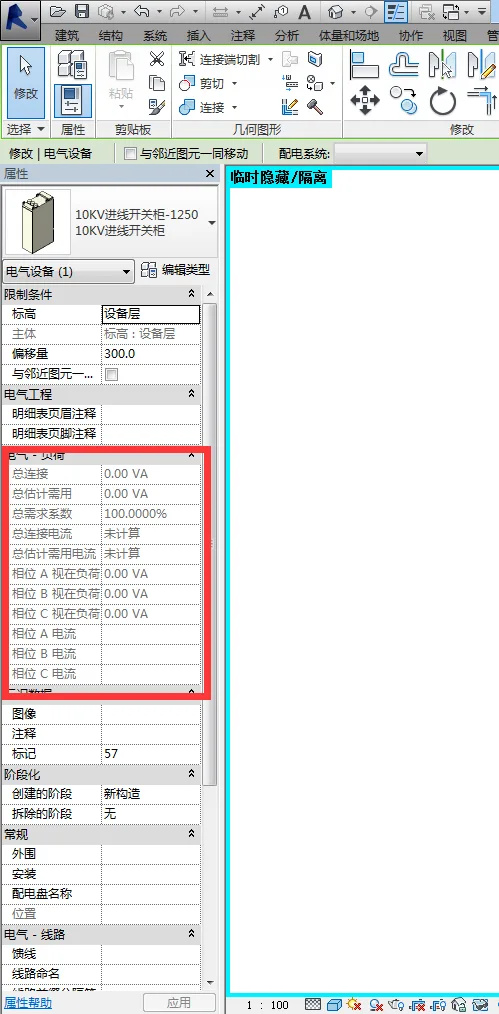
For general components, you can simply edit the family and remove any unnecessary instance properties within the family type.
However, if the property belongs to the electrical equipment system, it cannot be edited directly within the family.
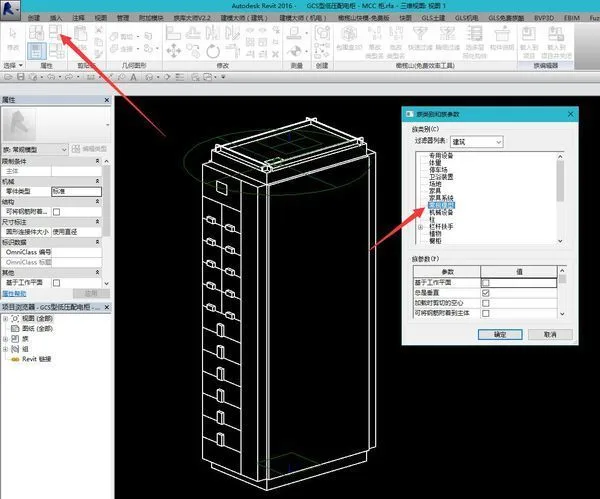
An alternative is to change the family category to a generic model (or another category). Keep in mind that by doing this, the device will no longer be part of the electrical system, although it will still retain its electrical interface functionality.

xuebim
Follow the latest BIM developments in the architecture industry, explore innovative building technologies, and discover cutting-edge industry insights.
← Scan with WeChat















Must log in before commenting!
Sign Up