
BIM Q&A | How to Make the Autodesk Revit 2016 Checkbox Smaller?
Are you wondering how to reduce the size of the option box in Autodesk Revit 2016? Many users ask this question, but unfortunately, the size of this checkbox cannot be adjusted directly.
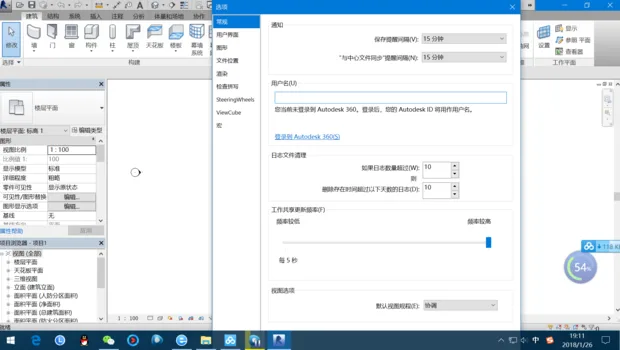
If you’re having trouble clicking the confirm button due to the checkbox size, there is no built-in option to resize it.
As a workaround, we recommend setting your taskbar to auto-hide or moving it to the left or right side of your desktop. This can help improve accessibility and avoid interference with the Revit interface.

xuebim
Follow the latest BIM developments in the architecture industry, explore innovative building technologies, and discover cutting-edge industry insights.
← Scan with WeChat















Must log in before commenting!
Sign Up