
BIM Q&A | What Does It Mean When the Elevation Point Annotation in Revit Is Not Located on Its Reference?
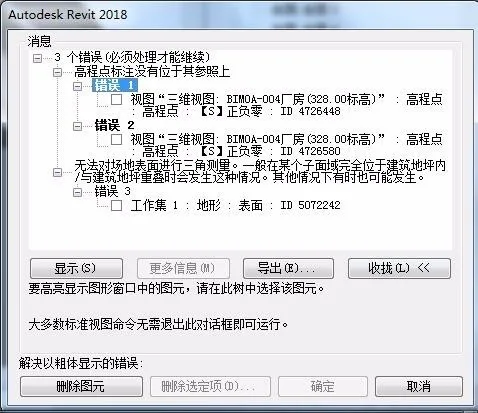
In Revit, when you try to modify the boundary of a building floor, you might encounter an error message stating that the elevation point annotation is not located on its reference. But what exactly does this mean?
This error occurs because the elevation point annotation is no longer properly aligned with its reference plane. When you adjust the floor boundary, Revit expects the elevation point to remain attached to its original reference. If it isn’t, the software cannot correctly update the elevation information, which triggers this error.
To avoid this issue, make sure to set the reference plane before you start drawing. Then, open the reference plane view so you can clearly see and verify the current reference plane alignment while working.
















Must log in before commenting!
Sign Up