
BIM Q&A | How to Select a Specific Connected Wall Section in Revit
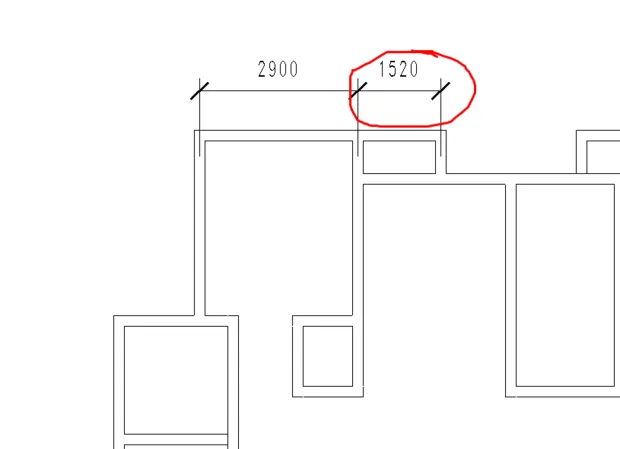
I’m having trouble selecting a short wall or a large wall in Revit when they are connected by several smaller walls. How can I select just one of them? For example, I want to select the short wall highlighted in the red circle. Currently, when I click on this section of the wall, the entire connected wall group gets selected.
Are you working with a mechanical template? In Revit 2017, mechanical templates display building structures in gray and restrict selection. You can select these walls by using the filter tool in the upper right corner (represented by an arrow) to select all items. This might be the reason you’re experiencing this issue.

xuebim
Follow the latest BIM developments in the architecture industry, explore innovative building technologies, and discover cutting-edge industry insights.
← Scan with WeChat















Must log in before commenting!
Sign Up