
BIM Q&A | Creating Partial Layout Plans in TEKLA
How do you create a layout plan for selected local components in Tekla, and label the numbers accordingly? This guide explains the process.
Start by creating a complete layout plan, then adjust the display box to show only the parts you want. If a single view cannot display all the details, create additional views as needed.
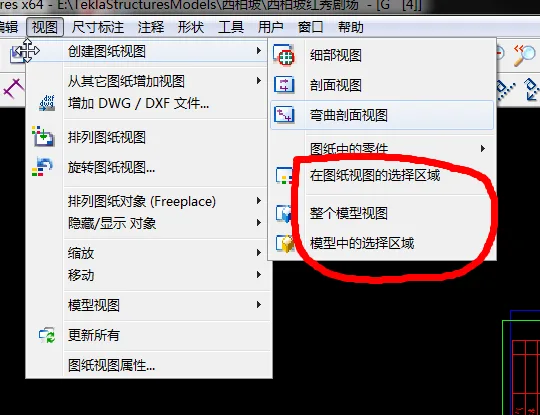
This method should be sufficient for your needs when creating partial layout plans.
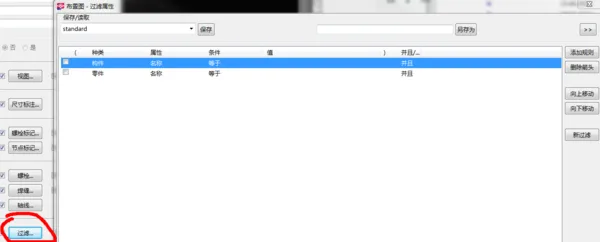
Additionally, there are various filtering techniques available. We encourage you to explore and study these options further on your own.

xuebim
Follow the latest BIM developments in the architecture industry, explore innovative building technologies, and discover cutting-edge industry insights.
← Scan with WeChat















Must log in before commenting!
Sign Up