
BIM Q&A | How to Delete Imported CAD Files in Revit After Drawing the Grid
When you import CAD graphics into Revit, they are locked by default. There are two common scenarios you might encounter:
1. If you can select the CAD base drawing and its lines, try unlocking the elements first. To do this, select the CAD base map, click the Unlock button in the ribbon, then press the Delete key to remove the CAD elements.
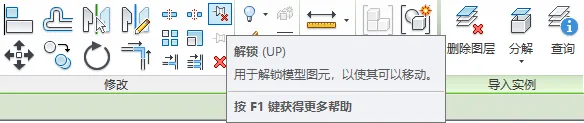
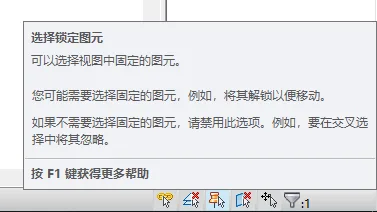
2. If you cannot select the CAD base image, it might be because the Select Locked Elements option is disabled. Enable this option by clicking on Select Locked Elements in the bottom right corner of the interface. Once activated, repeat the steps above to unlock and delete the CAD graphics.

xuebim
Follow the latest BIM developments in the architecture industry, explore innovative building technologies, and discover cutting-edge industry insights.
← Scan with WeChat















Must log in before commenting!
Sign Up