
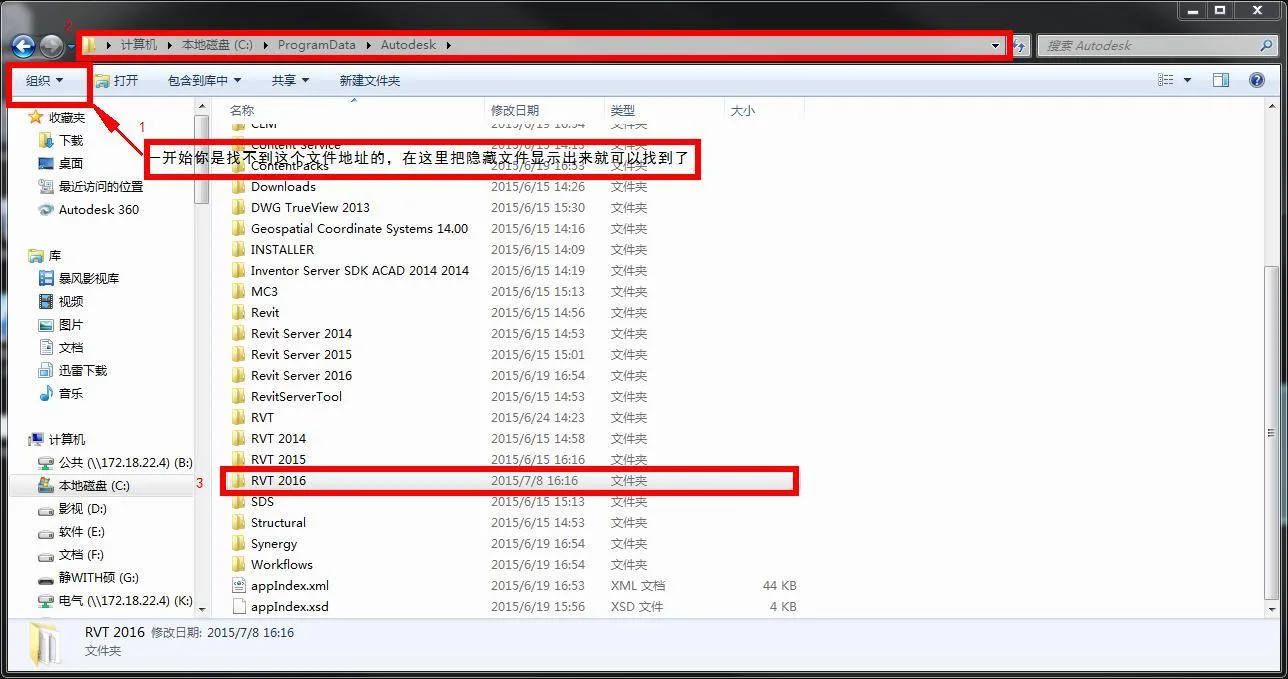
Reasons for the Issue:
After installing Revit, you might notice that when creating a new family, the corresponding family templates are missing. This occurs because the family template folder is empty. The root cause is often related to the type of installation package used—either the official online installer or an offline Revit installation package.
During installation, the remote content package download may fail due to unstable network speed or interrupted connection, leading to missing family libraries and templates.
- The official installation package does not include offline content packs.
- The installation requires downloading content from the internet. If the internet connection is slow or unavailable, the family libraries and templates may not be installed.
Solution:
- Re-download the installer that includes the offline content package and reinstall Revit.
- Alternatively, download the family library package separately and copy it to the appropriate location.
- After downloading, extract the package.
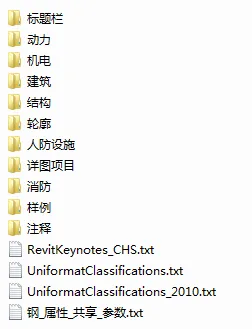
- Copy the extracted
Chinafolder. - Paste it into the following directory:
C:/ProgramData/Autodesk/RVT 2016/Libraries - Note that this family library is compatible only with Revit 2016 and later versions.














Hello, do you have an offline package for 2019
offline packagehttps://www.arcsh.com/90954.html
Where can I find the xf-desk20.exe file in Revit2020?
How to upgrade
Give it a try
Can this offline package be used in 2017, and is there any difference between it and the official online download?
2017 requires an upgrade, just like the official website.
If the lower version of the 2018/19 offline family library cannot be used, right?
Yes
How to proceed
What should I do if I can’t find the file for RVT2016?
Just download and unzip it.
C: Why is there no ProgramData on my C drive in the/ProgramData/Autodesk/RVT 2016/Libraries folder
The system defaults to hiding this folder, just open and view it.