
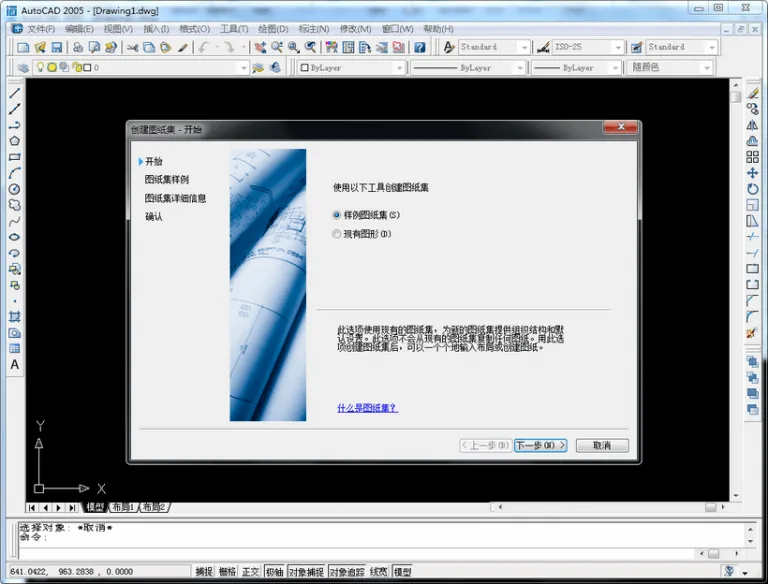
AutoCAD 2005 is the fastest and most convenient design software available, featuring new and enhanced tools that enable users to create design data more quickly, share it with ease, and manage the software efficiently.
Efficiency is key when handling daily design tasks such as opening and sending files, editing annotations, creating presentation drawings, and accessing essential tools. With the improved features of AutoCAD 2005, you can complete your design work faster and more effectively.
Experience enhanced speed with the new DWG file format, which optimizes file handling for better performance.
Installation Instructions
Step 1: Extract the file package
Right-click the downloaded CAD2005 32-bit Chinese version file and select Extract to unpack the contents.
Step 2: Run the installation program
Locate the setup installation file within the extracted folder and double-click it to start the installation process.
Step 3: CAD installation interface
On the installation screen, click Install as shown in the corresponding image.
Step 4: Installation wizard
In the CAD2005 32-bit Chinese version installation wizard, click Next to proceed.
Step 5: License agreement
Choose the China license agreement from the country or region options, check I accept, and click Next to continue.
Step 6: Enter serial number
Input the serial number 666-12345678 for the 32-bit Chinese version and click Next.
Step 7: Enter user information
Fill in the user information fields as desired, then click Next to continue.
Step 8: Select installation type
Choose between the two installation modes based on your needs, then click Next.
Step 9: Choose installation path
By default, the software will install on the C drive. Click Browse if you wish to change the location, then click Next.
Step 10: Installing CAD2005 32-bit Chinese version
The installation will take a few minutes. Please wait patiently until it completes.
Step 11: Installation complete
Click Finish to complete the installation successfully.
Step 12: Launch CAD2005
Double-click the CAD2005 Chinese version icon on your desktop to open and run the program.
AutoCAD 2005 Feature Highlights:
The DWG file format in AutoCAD 2005 has been optimized to reduce file sizes by 52% compared to earlier versions. This significantly decreases the time required to open, send, upload, and download files via email.
New tools are designed to boost productivity. The updated tool panel helps declutter your screen and improve workflow efficiency. You can adjust the transparency of these panels to maximize workspace, and customize them fully to save frequently used content in convenient locations. For example, you can simply drag a block from the tool panel into your drawing without needing to use commands.
Express Tools—covering layer management, dimensioning, and object handling—now include positioning and indentation functions. The removal of the “Text Editing” dialog box creates a more user-friendly experience.
Additionally, new demonstration graphics provide excellent support for nationally registered interior designers to learn and work more effectively.














Must log in before commenting!
Sign Up