

Autodesk’s AutoCAD is a versatile computer-aided design (CAD) software widely recognized as an industry standard. It is extensively used across various fields such as machinery, architecture, electronics, aerospace, shipbuilding, petrochemicals, civil engineering, metallurgy, meteorology, textiles, and light industry.
AutoCAD 2008 introduces several enhancements over previous versions, while maintaining the core functions and workflow that users are familiar with.
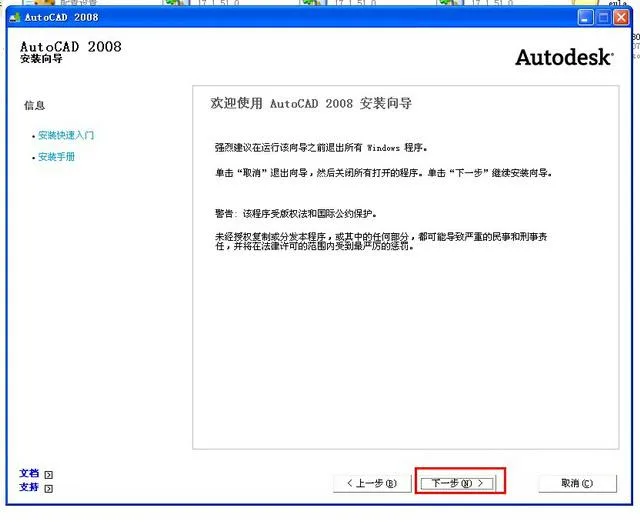
To install AutoCAD 2008:
- Run
Setup.exelocated in the “AutoCAD 2008 Installation Package”. - When launching AutoCAD 2008 for the first time, enter the serial number 666-98989898 in the registration interface.
- Double-click
AutoCAD2008Chs_Run to Get Activation Code.exe, paste the application number from the registration interface into the input field, and generate the activation code. - Copy the activation code back into the registration page and confirm to activate permanent free use.
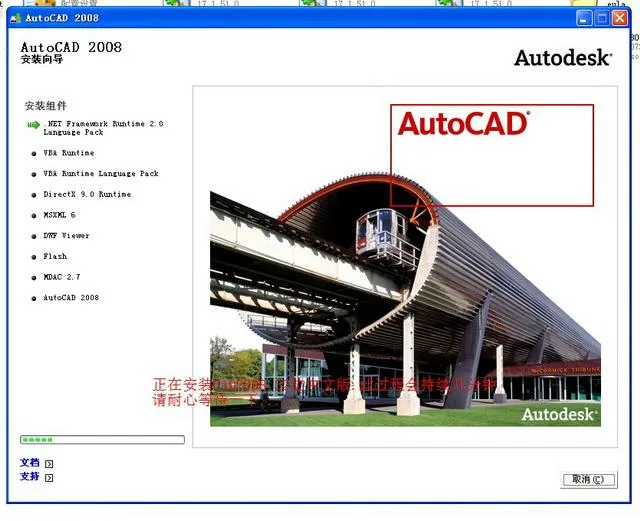
After installing AutoCAD, some users may encounter a fatal error or four consecutive errors upon launching the program. This issue arises because AutoCAD has used the Visual Studio (VS) programming framework since the 2005 version, requiring the corresponding .NET runtime environment to function properly.
If you have not installed the .NET Framework 3.0 and thedotnetfx.exefile is missing from the GTOOLS directory, you will need to download and install this support package to resolve the errors.














Must log in before commenting!
Sign Up