
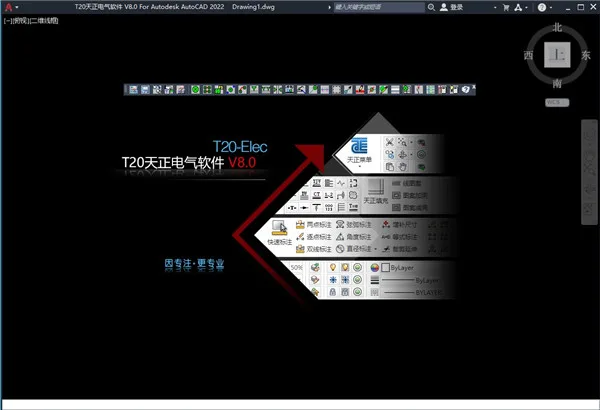
T20 Tianzheng Electric V8.0 is a powerful and professional electrical design software featuring a simple user interface. It now incorporates a ribbon menu and a comprehensive command layout, making it easier for users to access essential data. The software seamlessly combines standardized functionality, systematic design, and operational flexibility to closely align with engineering practices. Its convenient drawing style has earned it widespread appreciation from designers, as it significantly reduces errors and boosts work efficiency.
T20 Tianzheng Electric V8.0 offers a rich set of electrical design tools, components, and calculation features. It supports flexible flat wiring, button layout, equipment wiring, equipment definition, multi-row illumination calculations, and point-by-point illumination, allowing electrical designers to quickly generate accurate drawings that meet all their design requirements. Additionally, the software enhances intelligence in system diagram creation by automatically generating lighting, power, and low-voltage single-line system diagrams. It also facilitates the drawing of various weak current system diagrams and secondary wiring diagrams. The automatically generated distribution box system diagrams include load calculation functions, greatly aiding electrical industry professionals.
Tianzheng Electric Software T20 Elec V8.0 is compatible with Windows 7 (32/64-bit) and Windows 10 (64-bit) operating systems. It supports 32-bit AutoCAD versions 2010–2016 and 64-bit AutoCAD versions 2010–2022. Maintaining its signature simple interface and easy drawing style, this new intelligent electrical design software integrates extensive feedback from numerous design units. It adopts the latest national standards, blending functional standardization, systematic design, and operational flexibility to approximate real-world engineering design as closely as possible.
Tianzheng Electric is suitable for both civil and industrial electrical design projects. The software is optimized for AutoCAD 2022 compatibility and includes advanced features such as wall distribution based on device spacing and enhanced planar statistical functions, including refreshable statistical tables. It also resolves previous issues like path viewing errors during large data cable inventory automatic laying, incorrect partition settings in the double-click bridge editing interface, and problems with reading device height as cable height for arc connections in flat wiring.
Interested users are welcome to download and experience the software.
Tianzheng Electric T20V8.0 Activation and Installation Tutorial
- Download and run T20 Tianzheng Electrical Software T20 Elec V8.0, then accept the license agreement. Note: The official version has been updated.
- Select the installation path, typically defaulting to
C:TangentTelecT20V8sys24x643. Follow the installation steps until completion, then exit the installer. - Copy the patch file
tch_initstart.arxto the installation directory, replacing the existing file. (Default path:C:TangentTelecT20V8sys24x64) - Run the software and associate it with CAD.
Electrical Graphic Design
The software offers multiple methods for arranging flat equipment and wiring. When placing flat equipment, the output interface uses a floating window combined with dynamic previews, WYSIWYG functionality, and a flexible right-click menu for easy editing. This enables effortless drawing of power, lighting, weak current, fire protection, transformer and distribution room layouts, as well as lightning protection grounding plans.
All graphic elements are arranged parametrically, allowing one-time information input with automatic annotation and material list generation. The software complies with the latest drafting standard, Building Electrical Drawing Standard (GB/T50786-2012), which includes line libraries, equipment libraries, and component libraries. Multiple custom wire options are available in wire settings.
Wires are automatically rounded based on the chamfer radius set in initial settings. When drawing wires with the AI_S_SC_0 command, intersecting or broken wires remain connected logically, allowing simultaneous selection of all connected wire segments.
Users can input wire information during arrangement and adjust line types with the “text line type” button, supporting the creation of new text line types and setting spacing and position of text on wires. Block text attribute settings are provided in AI_S_SC_1.
Labeling and statistical methods for weak current cables are optimized, including a short diagonal line style annotation supporting parallel and multiline leader lines.
The [Layout Button] offers three layout methods and automatically recognizes fire hydrants drawn by Tianzheng water supply and drainage and electrical software, arranging buttons on sides not adjacent to walls. It also supports external referencing.
[Automatic Grounding] allows searching for enclosed exterior wall lines and drawing grounding wires along them. Grounding grids can be drawn with horizontal and vertical wires spaced as defined, with rounded corners configurable by radius.
The ‘Reserved Hole’ command creates reserved holes based on set hole types and styles, including annotations.
Quickly connect Tianzheng electrical equipment to cable trays, busbars, and cable trenches using [Device Connection], which automatically links devices with the same name via corresponding wires and connects the main line from distribution boxes to equipment.
[Distribution Lead Out] facilitates leading out main lines and connecting them to equipment. Planar statistics calculate and mark the length and wire information from distribution boxes to equipment.
The FAS fire alarm point calculation and statistics feature allows setting and counting fire protection equipment points in the circuit inspection. It displays warnings if fire circuit points exceed 32.
[Equipment Definition] includes an effective radius parameter for fire protection, security, broadcasting, and emergency lighting equipment blocks, with display toggles via [Display Radius] and [Hide Radius].
Layer control supports locking and unlocking layers.
Batch annotation functions enable quick mass annotation of wires.
Batch storage allows rapid storage of blocks from Tianzheng Electric’s user library into local equipment libraries.
[Reference Layout] facilitates batch arrangement of blocks based on template blocks for tasks like placing input and output modules on ventilation blocks.
Electrical Calculation
The software provides comprehensive electrical calculation capabilities tailored for building electrical design, including:
- Illumination Calculation
- Multi-line Illumination
- Point-by-Point Illumination
- Load Calculation
- Voltage Loss
- Short Circuit Current
- Low Voltage Short Circuit
- Reactive Power Compensation
- Annual Lightning Strike Count
- Section Query
- Relay Protection
- Grounding Calculation
All calculation results can be exported to Word or Excel for documentation.
The Annual Lightning Strike Count adheres to the latest lightning protection standard GB50057-2010, with a new interface supporting irregular building area extraction and automatic category calculation, factoring in surrounding buildings. Results can be displayed as tables or detailed calculation sheets.
Using the coefficient method, lighting fixture quantities are calculated based on room area and required average illuminance, along with power density. Multiple fixture types and models are available, with support for custom fixtures based on light intensity. Irregular room illumination can be calculated, supporting multiple rooms simultaneously with automatic fixture arrangement.
A custom light source database allows editing, classification, and backup of user data.
Initial default settings for illuminance and multi-row illuminance enable automatic parameter application based on room names.
Point-by-point illumination calculates illumination at each space point, displaying maximum and minimum values, supporting irregular areas with occlusion factors, producing equal illuminance distribution curves and Word reports.
Load Calculation uses coefficient methods, reads system diagram data, and automatically calculates reactive power compensation and transformer selection, including multi-transformer calculations.
Cross-section queries provide wire and conduit diameters based on current and capacity, referencing national standards and commonly used cable data for easy selection.
Electrical System Design
System diagram drawing intelligence has been enhanced, automatically creating lighting, power, and low-voltage single-line system diagrams. It also supports weak current and secondary wiring diagrams. Automatically generated distribution box diagrams include load calculation.
The system offers over 80 standard high and low voltage switchgear circuit schemes for user selection.
[System Generated] features include automatic cable and conduit sizing, application of distribution box system tables, and data restoration.
[Component Labeling] supports custom component model and manufacturer data with Excel import capabilities.
Quickly create plan and section drawings for distribution cabinets and cable trenches, with parametric editing and automatic adjustment of cabinet dimensions and quantities. Sectional views of power distribution rooms are generated automatically based on standard 08D800-6, including a new cable tray profile trench style.
When cutting Tianzheng walls within range, dialog boxes for section generation and roof parameter settings appear, allowing custom roof designs.
3D Bridge Frame
The ‘3D Bridge’ commands support simultaneous 2D and 3D design of multi-layer cable trays, including partitioned trays. Users can add partitions and channels to existing trays. Components like bends, tees, crosses, and reducers are generated automatically with interconnected parts linked for synchronized dragging and editing.
Automatic coding, labeling, and material statistics are included. Double-clicking a bridge section opens property dialogs for modifications, updating labels accordingly.
[Drawing Bridge Frame] supports automatic generation of variable diameter components.
[Bridge System Settings] allow customization of system dropdown options, with export and backup functions.
Support and hanger commands enable drawing of 3D supports and hangers. Bridge statistics generate material lists for frames and hangers.
Bridge calculation supports cross-sectional calculations for power, control, and weak current cables, automatically determining bridge specifications based on filling rates to ensure intelligent and accurate designs.
The ‘Line Generated Bridge’ function converts L/PL/ARC elements into physical Tianzheng electrical bridges.
Cable Laying
[Extract Inventory] extracts essential data such as cable start/end points, cable numbers, control cable numbers, and conduit specifications from multiple system diagrams. Control cables appear in red to distinguish them from power cables. Extracted data can be imported into existing cable inventory files.
[Cable Laying] commands import cable and motor tables to specify channels for automatic cable laying, generate cable laying diagrams, and calculate cable lengths per circuit. Supports multi-drawing and multi-cable type laying, as well as manual laying with exportable cable and conduit length reports. Equipment tables can be exported for classification and summary. Cable paths are easily queried and highlighted automatically, with various modification and viewing functions available, including [Information Query], [Fix Connection], and [Multi Image Connection]. Users can view cable sections on bridges and monitor bridge area usage.
FASBAS Module
The FASBAS cable laying module imports endpoint equipment tables and assigns control point values like DI/DO. Based on selected equipment, it calculates total control points under control boxes and generates cable inventory tables.
Users can assign cable specifications based on control point counts, enabling automatic cable laying with exportable labeling and laying information.
Endpoint device annotations reveal hidden control point numbers and device locations. Starting point annotations support association ranges for automatic linking of endpoint devices within range.
Associated devices are color-coded for easy identification, with exportable association data in Excel format.
Tunnel Design Module
Provides project management, parameter settings, and reservation/pre-embedding functions for designing and drawing tunnel reservation and pre-embedding layouts. Supports importing station numbers from Excel or auto-generating equipment station numbers using built-in layout rules. Tunnel equipment features collision detection.
Grounding and Lightning Protection
Users can freely draw lightning rods, wires, grounding wires, and electrodes. For Tianzheng building condition maps, lightning protection belts can be generated automatically.
Rolling ball lightning protection supports multi-pole and 3D protection, updating 2D and 3D protection zones dynamically. By outlining buildings with PL lines and assigning heights, users can view 3D protection status and ranges per pole.
Supports 3D drawing and calculations when lightning rod height equals rolling ball radius; supports calculations when grounding wire height exceeds rolling ball radius. Protection width annotations for flashing wires are available.
The software accounts for maximum sag in lightning protection lines, generating 2D and 3D protection zones automatically and producing calculation sheets and lightning protection meter data.
Single and double lightning protection meters can be generated from rods and lines.
The ‘Line Lightning Protection’ function allows lightning rod placement in flat and mountainous areas.
Includes rolling ball and LeiLine lightning protection methods.
High Voltage Short-Circuit Calculation Module
Utilizes the “node admittance” method for integrated calculation and drawing. Users can create main wiring and impedance diagrams, with automatic conversion between the two. High-voltage short-circuit currents are calculated automatically, including motor feedback currents and multiple short-circuit points (both symmetrical and asymmetrical currents). Results can be exported to CAD and Word calculation reports. The process requires no manual table lookups or star-angle transformations, greatly increasing calculation efficiency and accuracy.
Other Tools
[Drawing Protection] secures DWG drawings by converting them into single blocks that cannot be exploded without a password, while still allowing normal browsing without Tianzheng software installation.
Drawings containing multiple frames can be split and saved as separate DWG files per frame.
Batch printing allows bulk drawing generation in model space or file printing.
[Drawing Comparison] highlights changes between condition diagrams before and after edits clearly.
[Text] and [Table] tools provide text input, table creation, and editing capabilities.
[Size] and [Symbol] tools offer various annotation functions for measurements and symbols.
The [Tool Bar] enables users to execute Tianzheng commands quickly according to their drawing habits. It supports position memory and integrates into the AutoCAD toolbar group.
[Export Settings] allow exporting shortcut commands, user device libraries, line type libraries, and other settings. After version upgrades, these can be imported to retain user preferences and configurations.











It’s useless, we still need to log in with Tianzheng,