
T20 Tianzheng Water Supply and Drainage V7.0 (32/64 bit)
T20 Tianzheng Water Supply and Drainage is a specialized drainage system design software tailored for construction industry developers. It simplifies the design process of water pipe routes and construction, enabling designers to create more efficient and user-friendly water supply and drainage systems. The software ensures precise drainage solutions and enhances the convenience of building water usage.
Supporting both indoor and outdoor designs, T20 Tianzheng Water Supply and Drainage V7.0 also offers powerful custom pipeline system functions. Users can draw roads, pipelines, and structures with ease, making it a trusted and professional tool widely recognized in the industry.
Installation Tutorial for T20 Tianzheng Water Supply and Drainage V7.0
Supported CAD platforms: 32-bit AutoCAD 2010–2016; 64-bit AutoCAD 2010–2021.
- Download the provided compressed file to get the T20 Tianzheng Water Supply and Drainage V7.0 Chinese installation package and crack patch;

- Double-click
setup.exeto launch the installation process;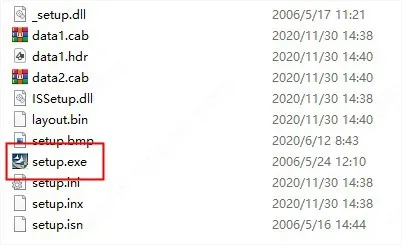
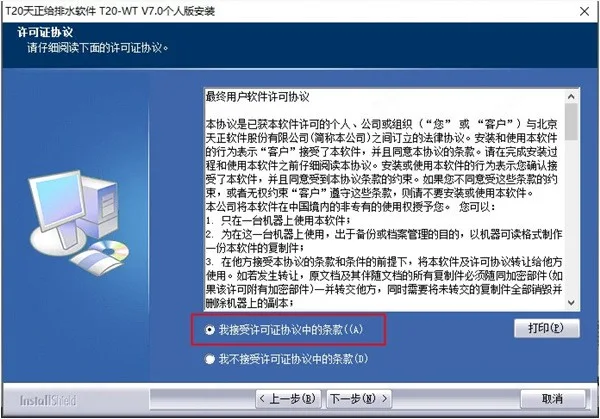
- Read and accept the license agreement;
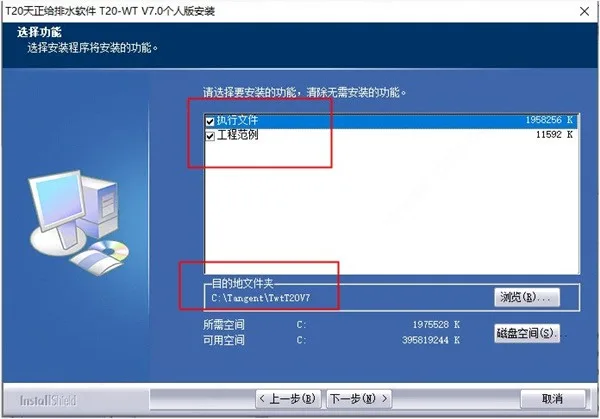
- Select the features to install and proceed with the default directory, or specify a custom directory as preferred;
- The software will now install; please wait patiently;
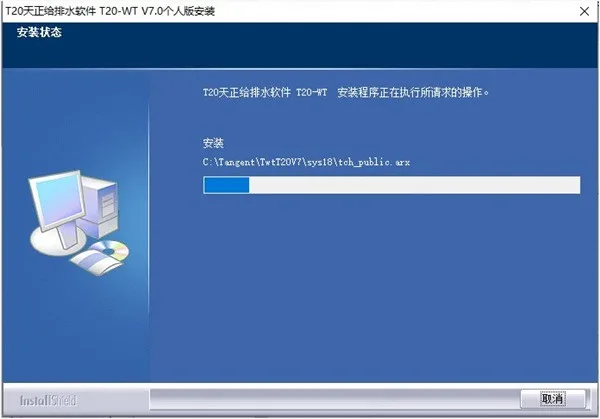
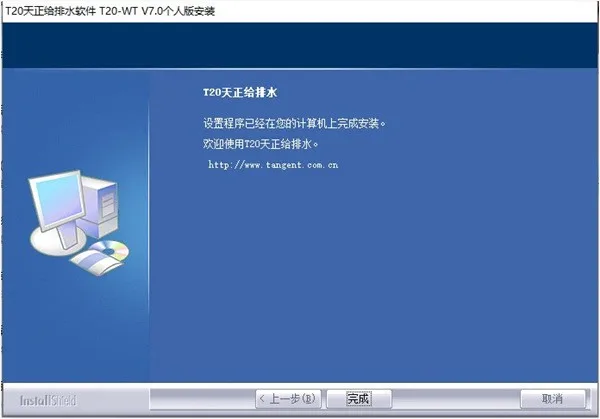
- Once installation completes successfully, click Finish to exit the wizard;
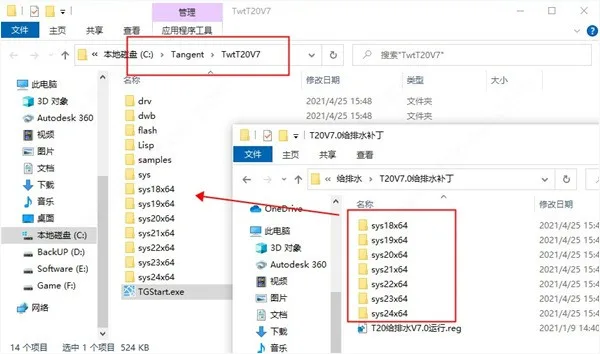
- Copy all folders from the cracked patch folder into the software installation directory, replacing existing files;
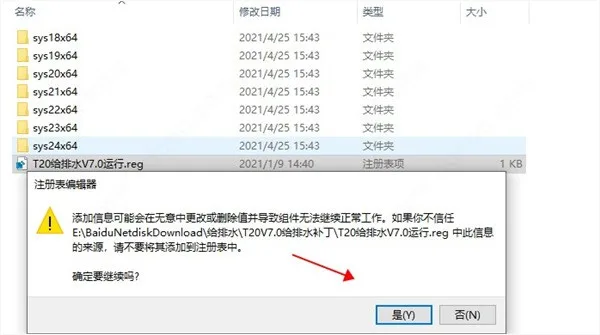
- Run the “T20 Water Supply and Drainage V7.0 Run.reg” registry file and confirm by clicking Yes;
- Open the software again to use it permanently. This completes the installation tutorial for T20 Tianzheng Water Supply and Drainage V7.0. We hope this guide is helpful to everyone.
Note: The software requires AutoCAD to be installed. It will not function properly without it.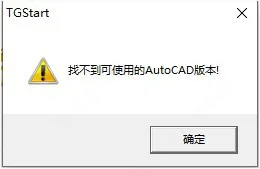
Software Features
Quick Connect for Sanitary Fixtures: By defining sanitary fixture functions, users can filter fixture types and assign parameters based on the latest “Sanitary Ware Installation Atlas” (09S304) integrated into the software. This feature enables one-click box selection to connect pipelines with sanitary fixtures, automatically parameterizing fixture graphics and identifying fixture types. It also accounts for differences between exposed and concealed water supply installation requirements and connection styles, while performing collision checks among multiple pipelines. The result is compliant, neat, and visually appealing drawings.
System Diagram Generation: The software can automatically create system diagrams and offers various editing tools for diagram refinement. It reads system diagram data for hydraulic calculations in public building water supply systems, generates calculation sheets, and annotates pipe diameters within diagrams. Users can customize settings such as text size, style, pipeline line width, color, line type, and riser circle size to suit personal preferences.
Intelligent Pipeline System: The pipeline configuration allows for extensive customization, including pipeline names, line widths, linearity, and materials, tailored to design requirements. Custom information integrates with pipeline drawing, riser drawing, system generation, and other functions. Utilizing 3D pipeline design, the software automatically generates pipeline nodes and facilitates precise connections between pipelines, equipment, and valves through fuzzy logic operations. It also automatically handles occlusion processing to maintain the integrity of individual pipelines. When intersecting pipelines, pipelines and equipment, or annotation positions change, occlusion processing updates automatically. Pipeline annotations remain consistent with graphics to ensure calculation and statistical accuracy.
Sprinkler and Fire Protection: The software supports designing fire hydrant systems with options for single or double hydrants and their connection methods. Fire pipelines automatically locate hydrant connection points for seamless linkage. After pipe diameter marking, hydraulic calculations can be performed directly, and calculation sheets can be generated. It also includes a fire hydrant protection radius feature, visually marking overlapping spray areas with diagonal lines to ensure compliance with fire hydrant layout standards and facilitate drawing review verification.
Software Advantages
- Reduced Joints: Supports thick line display with customizable length.
- Residential Parameters: Updated according to the latest regulations.
- Rainwater Hydraulic System: Recurrence intervals updated per new standards.
- Fire Extinguisher: Text style memory function added.
- Well Layout: Added leader annotation styles and editable property tables for well entities.
- Well Coordinate Table: Includes statistics such as well depth and specifications.
- Pipeline Text: Dialog box settings for arranging pipeline text objects.
- Water Supply Calculation: Content updated to new standards with improved flow rate memory.
- Drainage Calculation: Calculation principle references updated per new specifications.
- Roof Rainwater: Recurrence interval content updated according to new regulations.
- Material Statistics: Calculates total pipeline volume.
- Fire Extinguisher: Supports fire zone identification for calculations.
- Layer Management: Supports TGSL standard upgrade and optimized annotation text style access.
- Edit Pipeline: Double-click editing for single-line pipes, switching default button to “OK”.
- Vertical Pipe Layout: Bottom and top elevation fields support dropdown selection of historical values.
- Draw Pipeline: Elevation field supports dropdown with historical elevation values.
- Initial Setup: Optimized access to annotation text settings.
- Export Settings: Supports exporting and importing multiple layer standards.
- Single Note Elevation: Displays baseline coefficient in dialog box.
- Water Consumption: Updated according to new regulations.
- Public Building Water Supply: Updated based on new standards, including working pressure for sanitary appliances.
- Residential Water Supply: Updated “water quota” and “hourly variation coefficient” according to new regulations.











Must log in before commenting!
Sign Up