
Everyone should understand that a filter acts like a sieve, selecting what you need by applying specific filtering conditions.
A filter consists of three main components:
1. Filter Name: This is straightforward. You can create, copy, rename, and delete filters using these four operations.
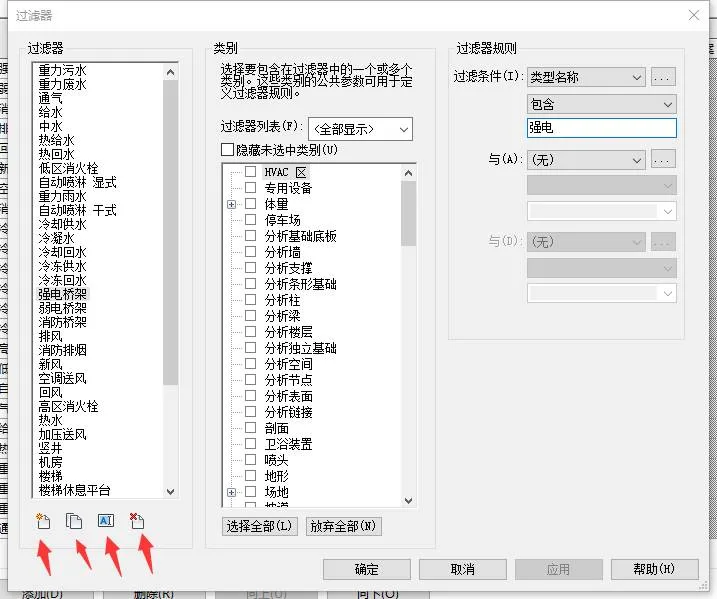
2. Filter Category Selection: Choosing the appropriate filter category is crucial because it determines what elements will be filtered.
For example, if you select only the duct category, applying the filter to add colors will affect only the ducts. It won’t automatically apply to the connections and accessories attached to the ducts.
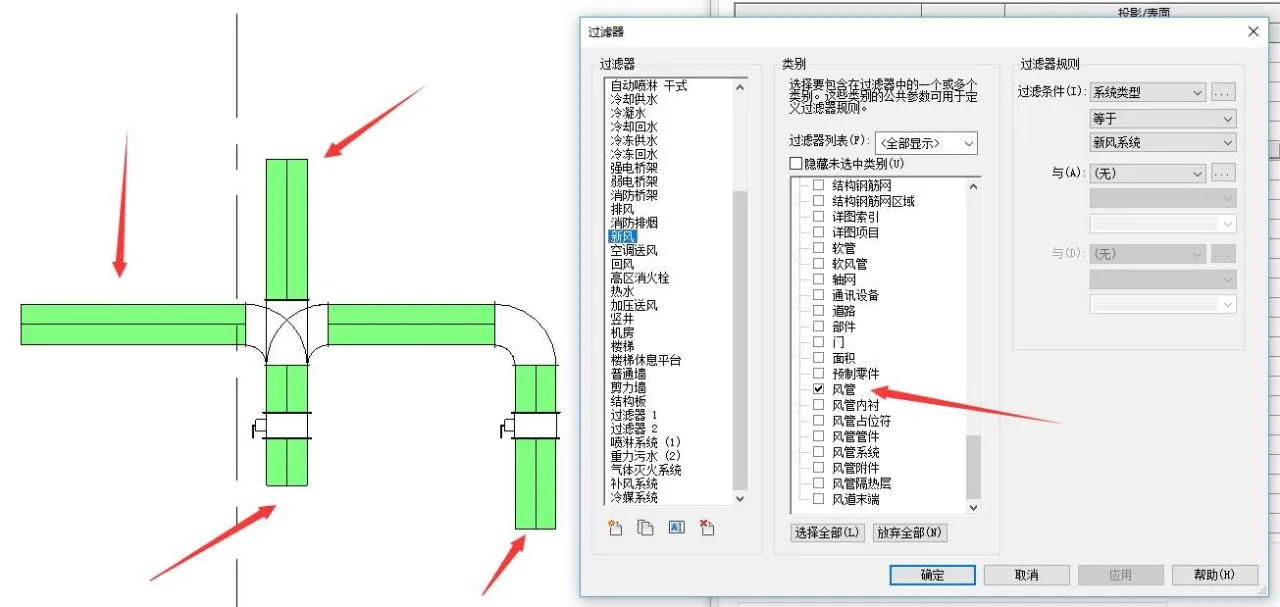
If you select both the fittings and accessories of the air duct, the filter’s color will apply to these components as well. This explains why sometimes pipes are colored but their accessories remain white — the duct accessories were not included in the filter.
3. Filter Rules: If the filter category defines what you want to filter, the filter rules specify how to filter those elements.
(1) There are many filtering criteria, such as system name, system type, system abbreviation, and various filter types. Choosing the right criteria helps you efficiently select the elements you need.
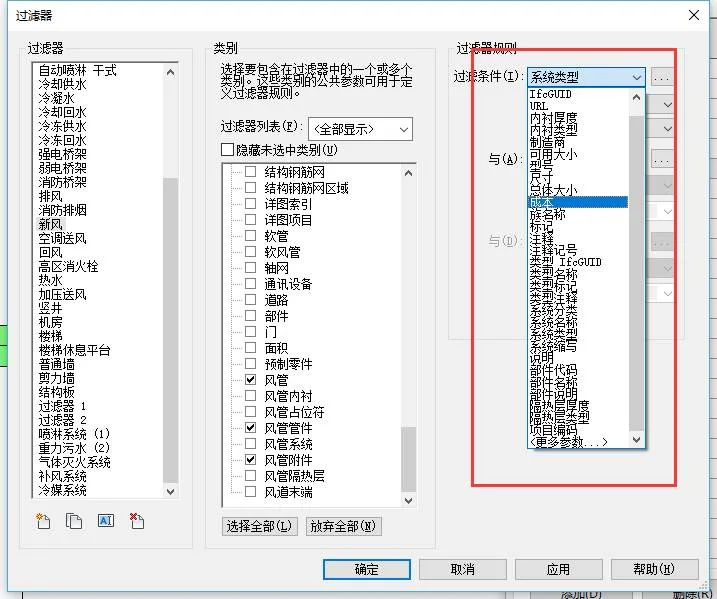
(2) When dealing with large projects and strict filtering conditions, it’s often necessary to combine two or more logical rules to filter precisely what you want.
For example, you can filter out all wall types whose names do not include vertical shafts or machine rooms by applying three criteria. By unchecking the filter, you can display walls related to vertical shafts and machine rooms on the diagram. In the later stages of a project, well-defined filter conditions greatly assist in quickly isolating elements for editing.
















Must log in before commenting!
Sign Up