
Source: Applied Consultation Society

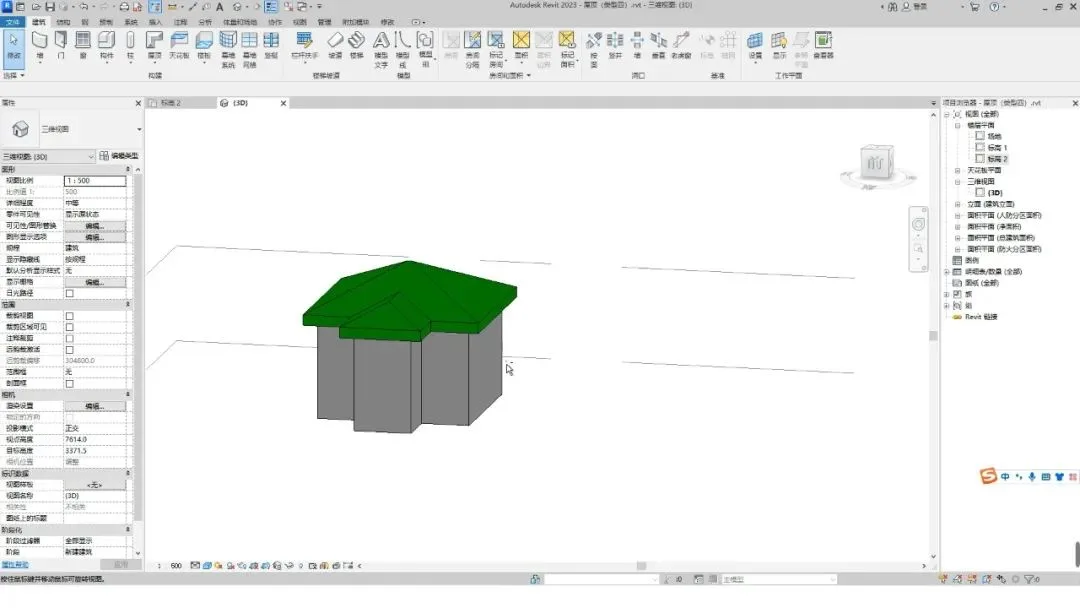
The roof profile clearly shows a slope, so we will create the roof by defining its slope.
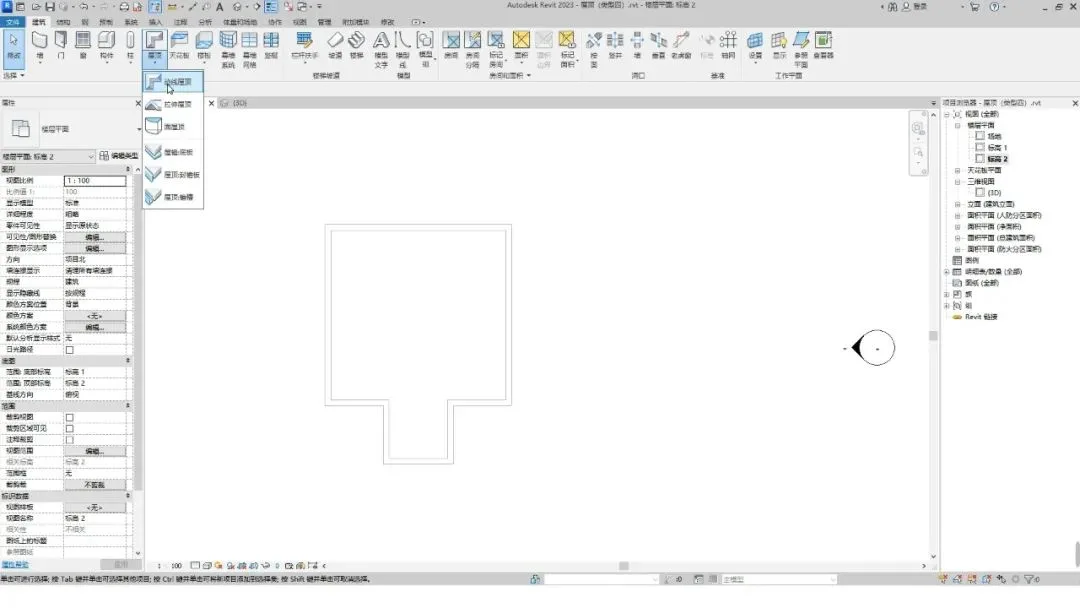
Start by clicking the Roof button under the Building tab, then select the Footprint Roof option.
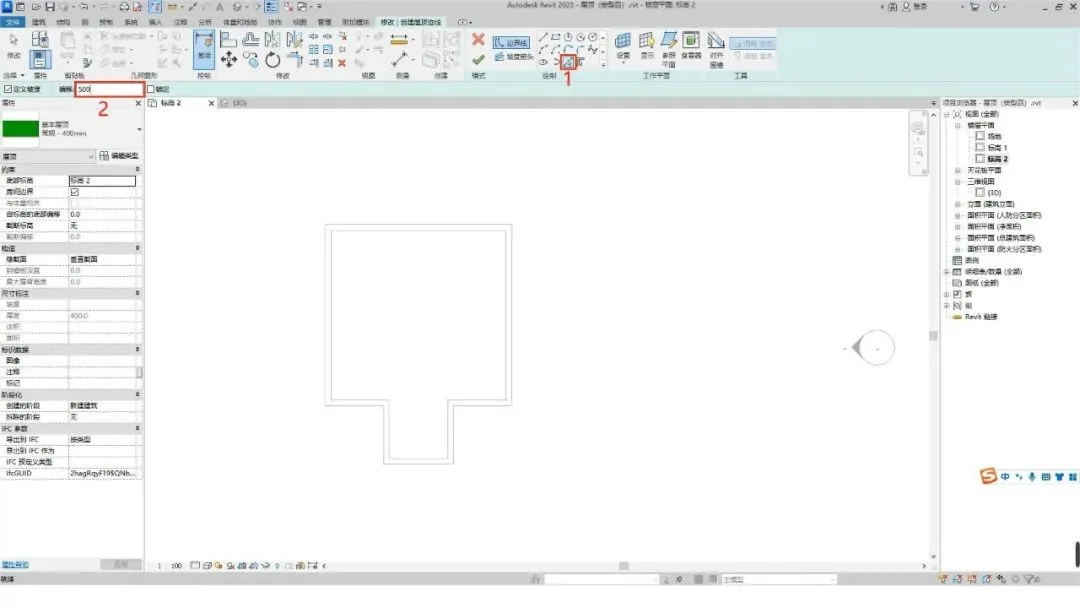
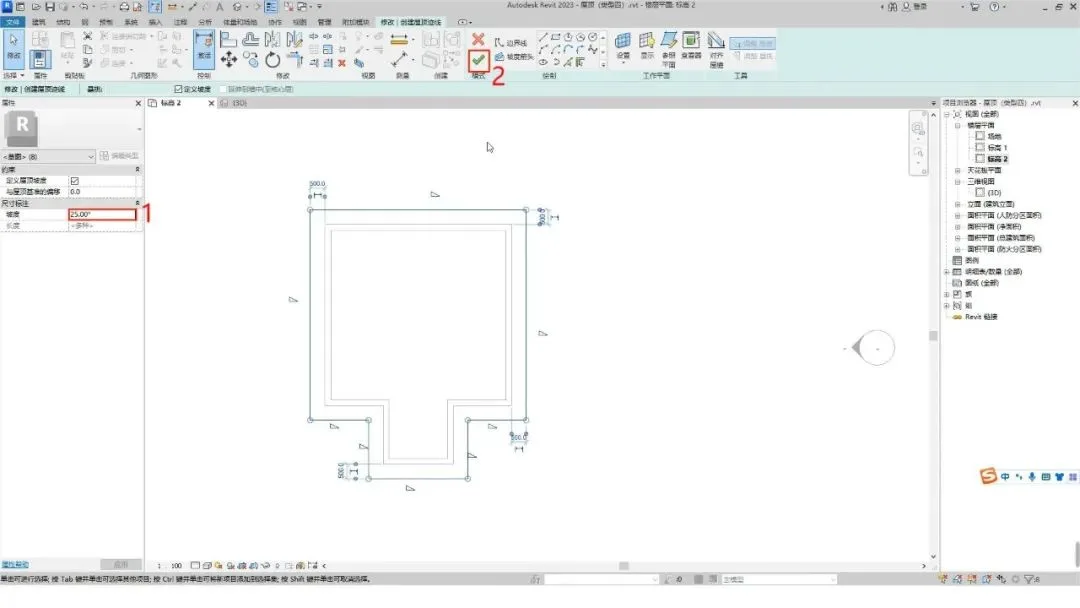
Choose the Pick Line tool and set the offset value to 500 in the options bar.
Pick the edge of the wall to trace the roof outline.
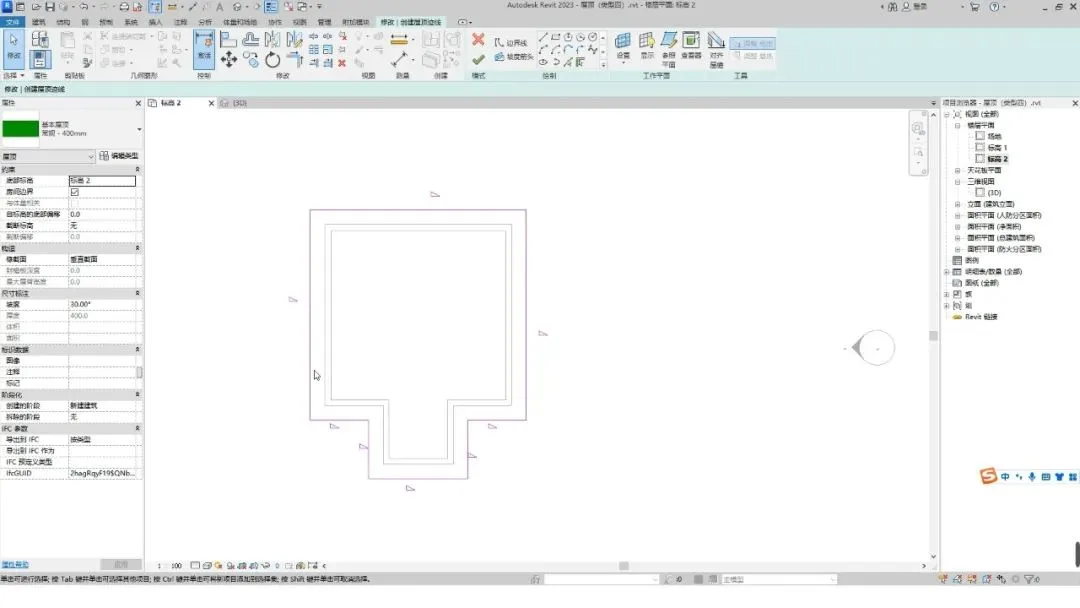
Select all the lines, assign a slope angle of 25°, then click the Finish button.
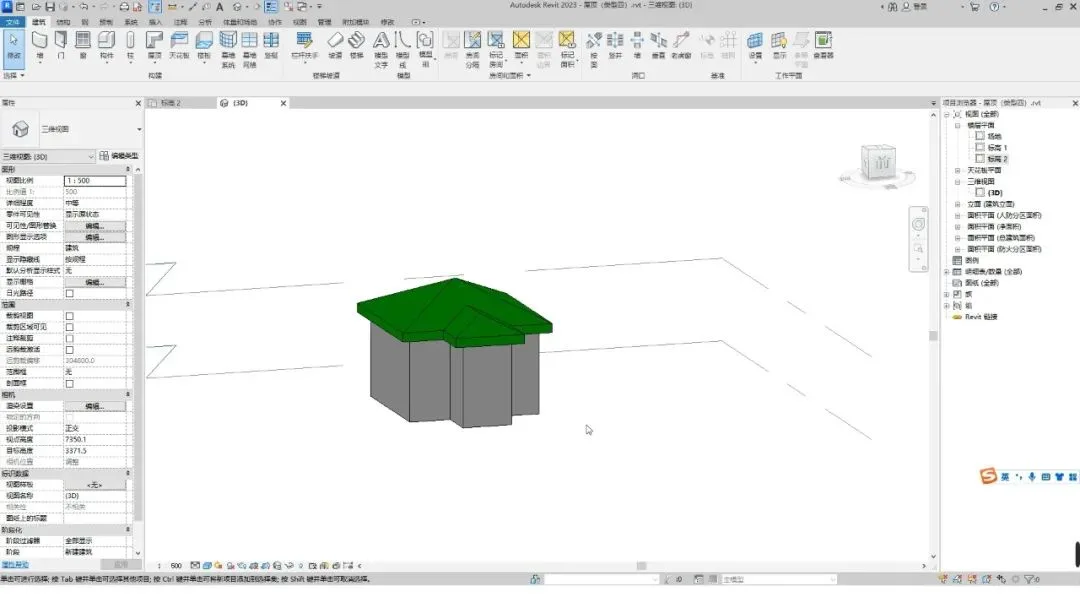
Switch to a 3D view to review the completed roof.

xuebim
Follow the latest BIM developments in the architecture industry, explore innovative building technologies, and discover cutting-edge industry insights.
← Scan with WeChat















Must log in before commenting!
Sign Up