
For example, to coordinate the B1 level pipeline:
Open the B1 level model and perform management coordination directly within the B1 level final assembly model.
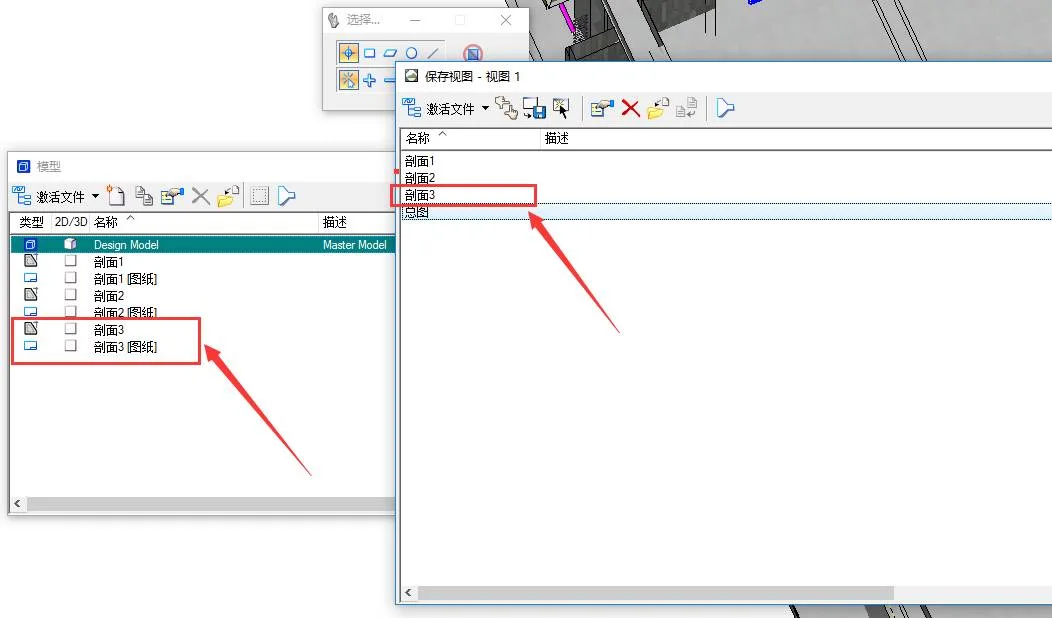
At the points where profile diagrams are needed, multiple profiles can be created as follows:
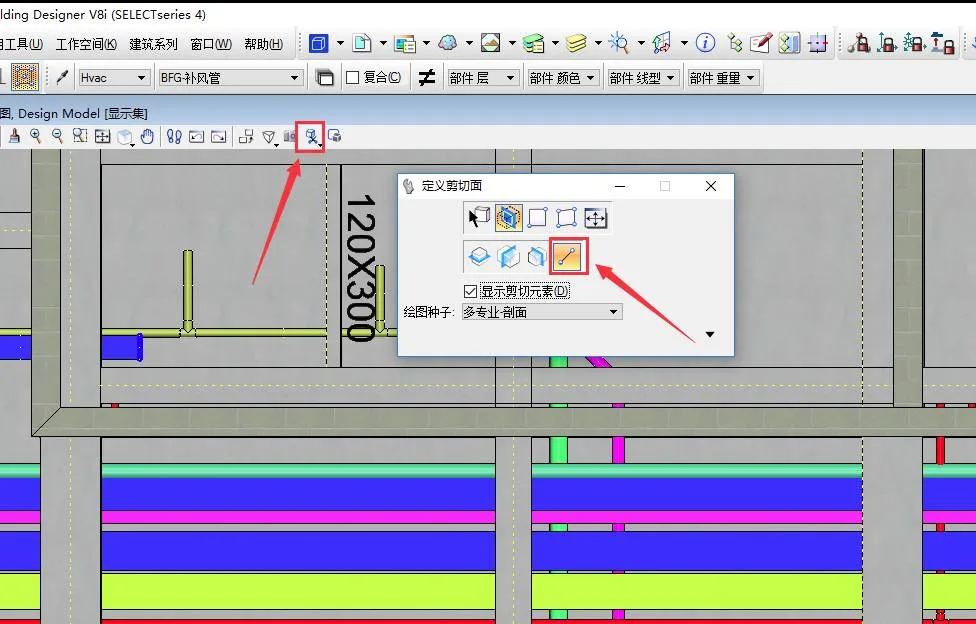
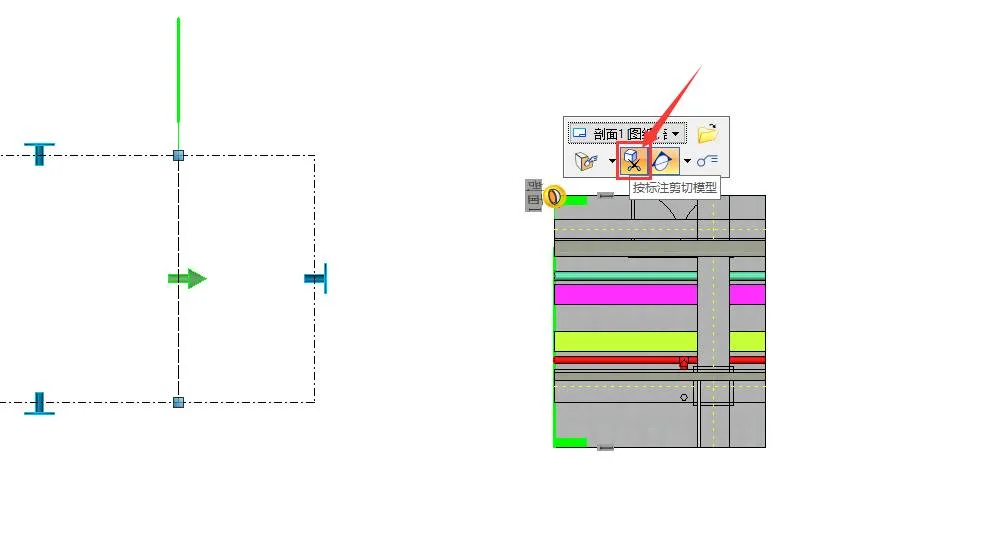
Draw the section line and drag to adjust the display range. It is recommended to select the option to cut all faces.
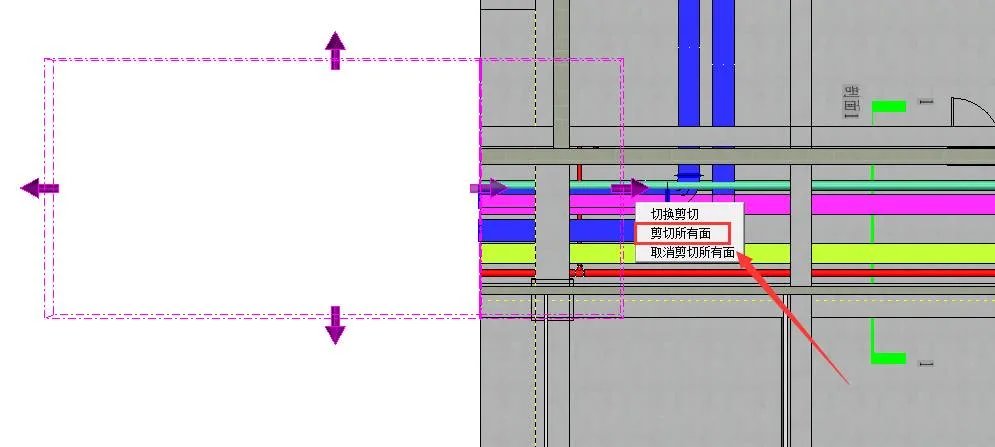
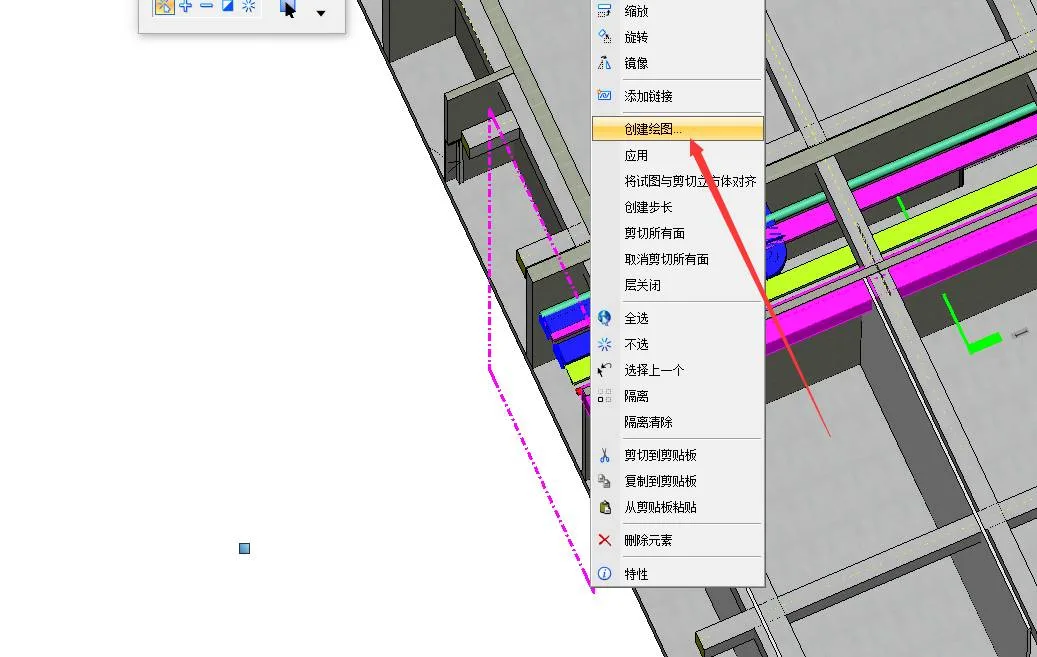
Right-click and select Create Drawing.
Enter the drawing name, select the drawing seed, and create the drawing model accordingly.
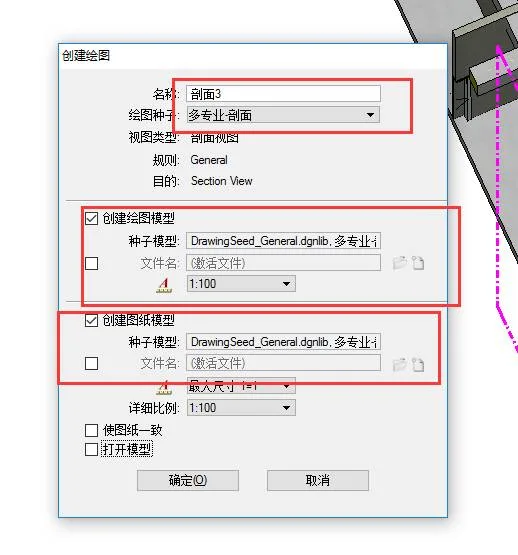
This process automatically maintains a section 3 view and generates both the drawing and blueprint.
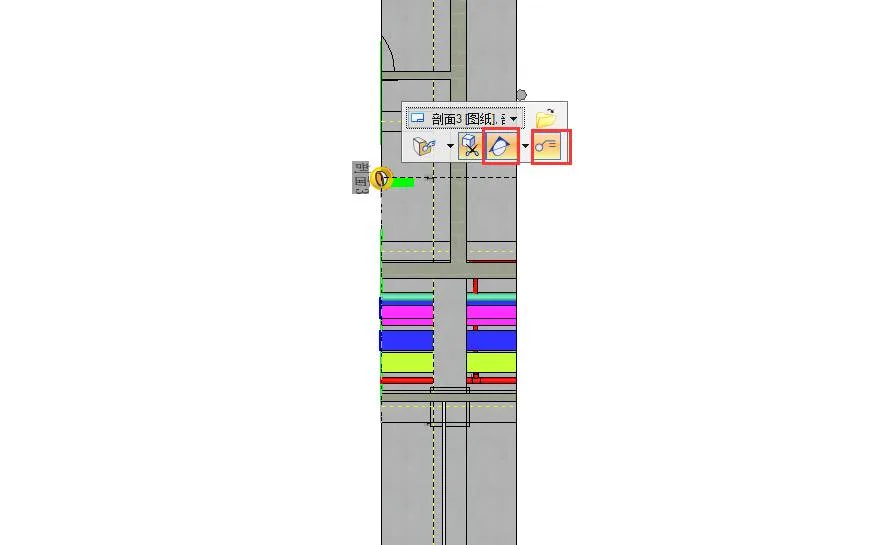
Click to enable display of annotations and drawing notes.
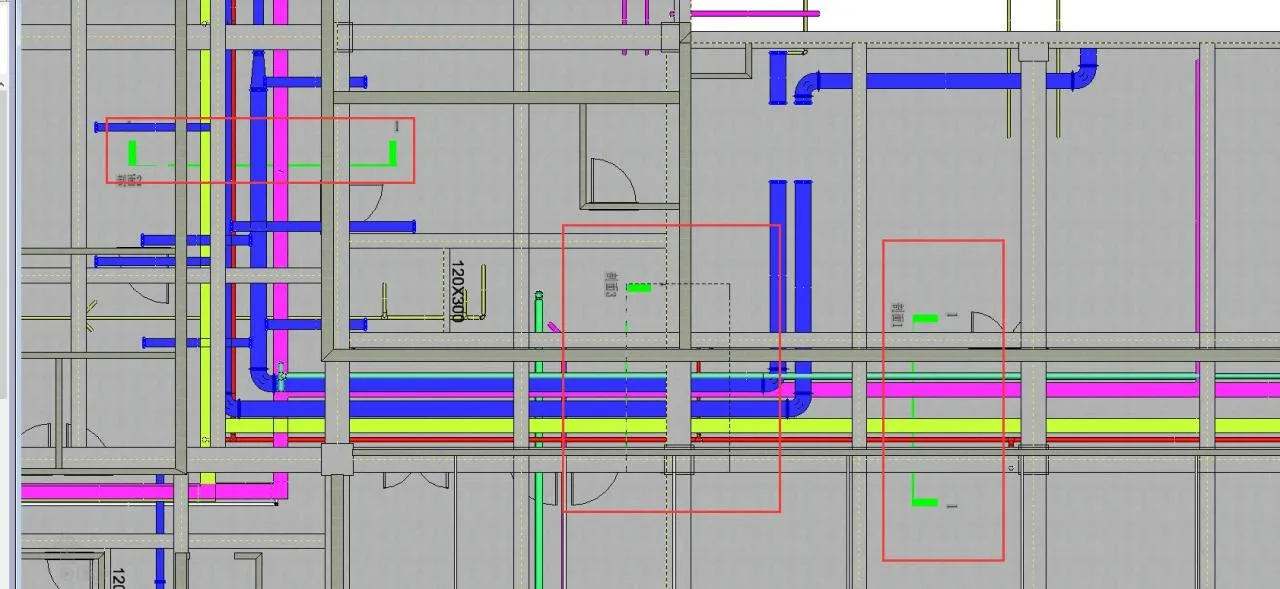
This allows you to view the distribution of each profile from an overall perspective.
Switching between 3D views, drawings, and blueprints is very convenient.
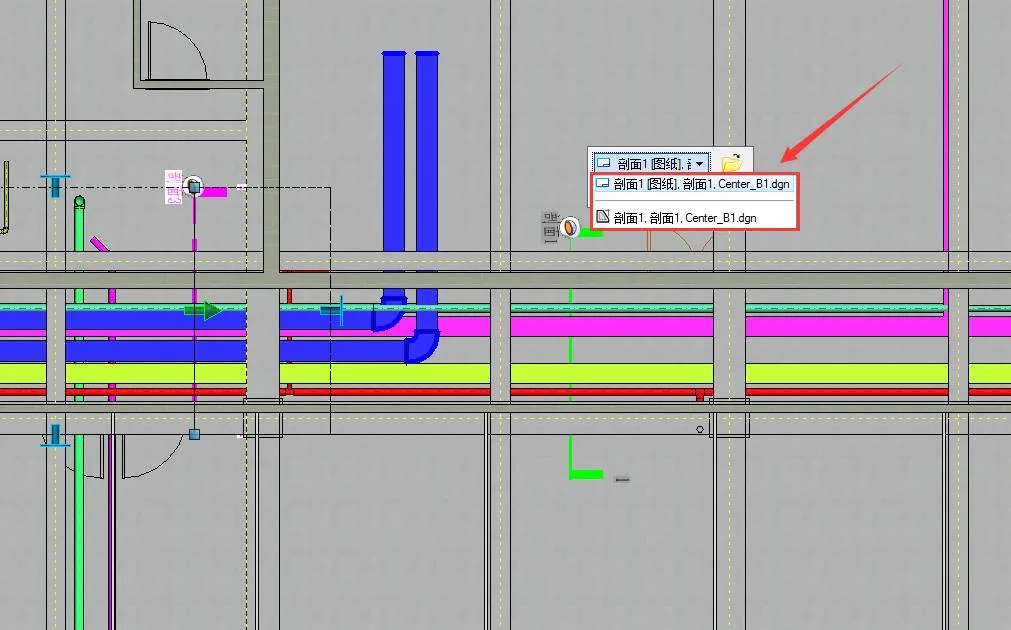
You can also switch to a section view directly within the 3D model.
To save time, optimization tasks can be performed within the final assembly model, such as coordinating air ducts. Simply right-click on the air duct and select Activate.
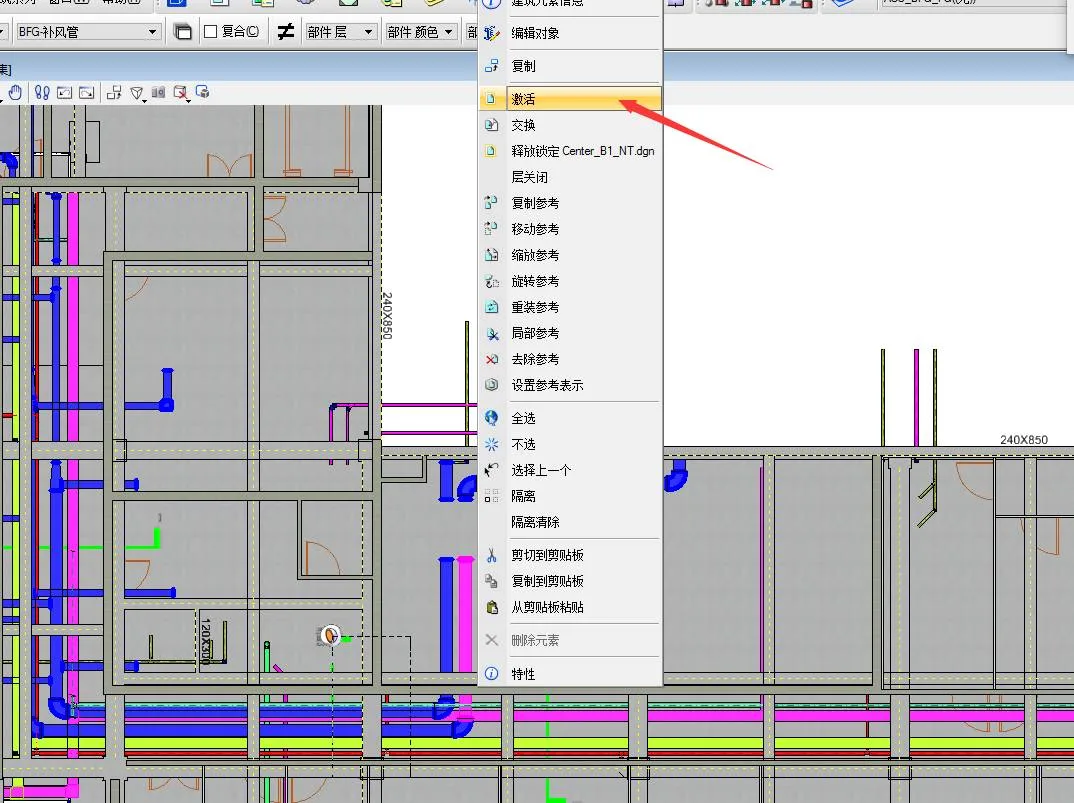
The DGN file is activated and ready for editing. At the same time, right-clicking provides access to many simple and routine management operations, as shown below:
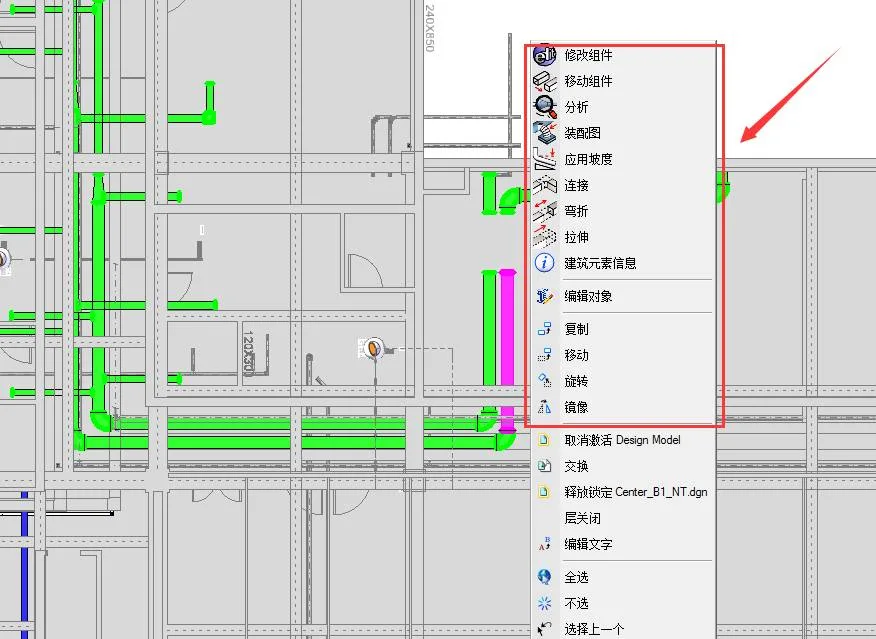
After adjusting the air duct, right-click to Deactivate it and continue coordinating other pipelines using the same method.
While this method simplifies management and integration coordination to some extent, further research can explore the relationship between central files and model annotations.
Central file:
All designers can open the model file and the final assembly file for comprehensive management and coordination at all levels.
Research on model annotations:
Dimension annotations in section drawings can correspond directly to the model. Modifying the annotation moves the model accordingly, and vice versa. This is especially practical for engineering, as existing standards focus primarily on two-dimensional cross-sections. Combined with pipeline spacing and installation standards, this helps accurately locate pipelines and assist construction.
This approach significantly reduces the workload of management coordination and avoids the hassle of repeatedly opening multiple DGN files.
This article is sourced from the WeChat official account: Bimeng Technology.

















Must log in before commenting!
Sign Up