
In structural design, it’s common to encounter situations where the beam’s centerline significantly deviates from the column’s centerline. To address this, designers often add horizontal braces at beam-column joints to ensure these centerlines do not coincide. However, beam eccentricity can adversely affect the core area of these nodes.
Typically, designers specify standard node types, as shown in Figure 1 and Figure 2:
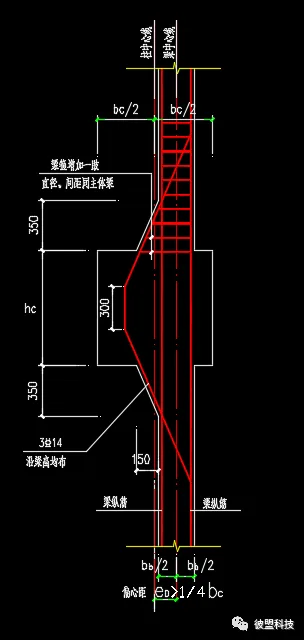
Figure 1: Fixed armpit size
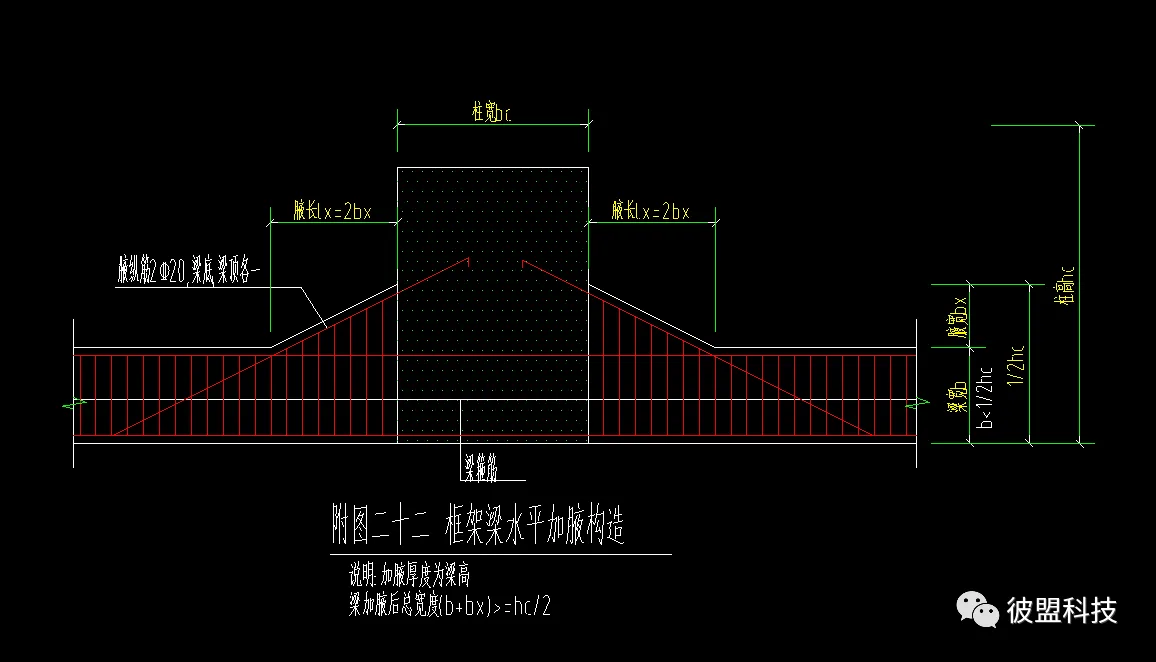
Figure 2: Variable armpit size
Determining which areas require horizontal haunching is a labor-intensive process. Each beam must be evaluated individually, which significantly impacts on-site construction and BIM modeling.
When modeling in BIM, adding horizontal haunching to each beam involves identifying the haunch location, calculating its size, and creating the model one by one. This process is time-consuming and prone to errors.
During construction, each haunch often needs individual handling or a standardized approach is applied without strictly following design nodes.
To address these challenges, our company has adopted a parametric design approach to automate the positioning, sizing, modeling, and annotation of horizontal haunches.
First, we establish a structural model as shown in Figure 3:
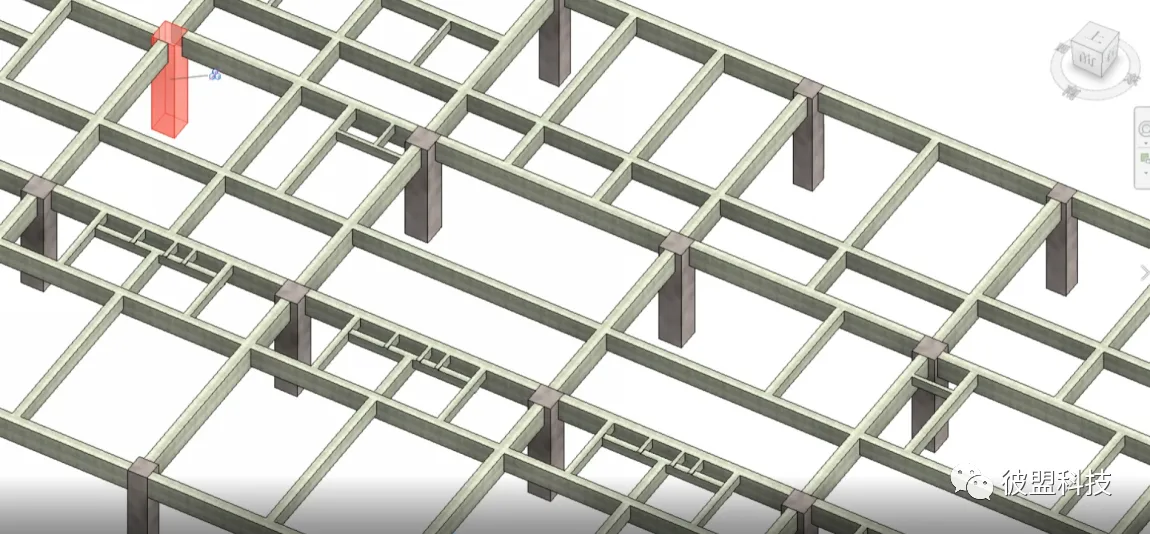
Figure 3: Structural Model Diagram
Our team uses Dynamo, which integrates well with Revit, to define the horizontal haunch rules, as illustrated in Figures 4 and 5:
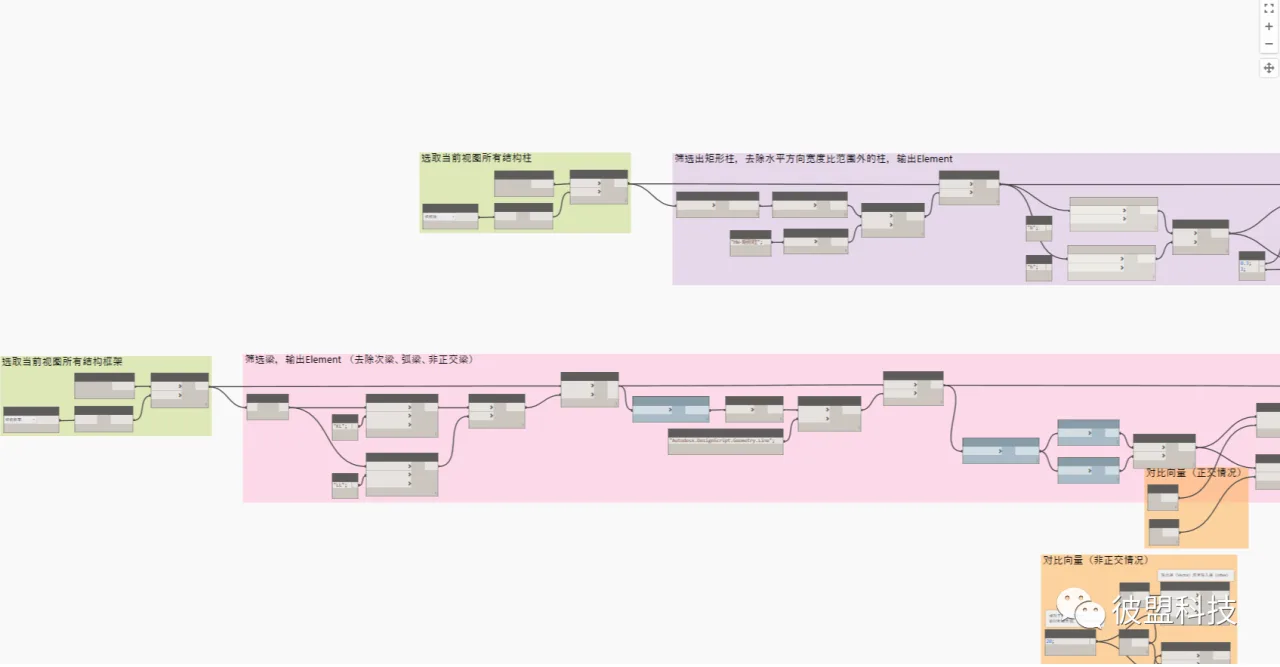
Figure 4: Dynamo Program Screenshot
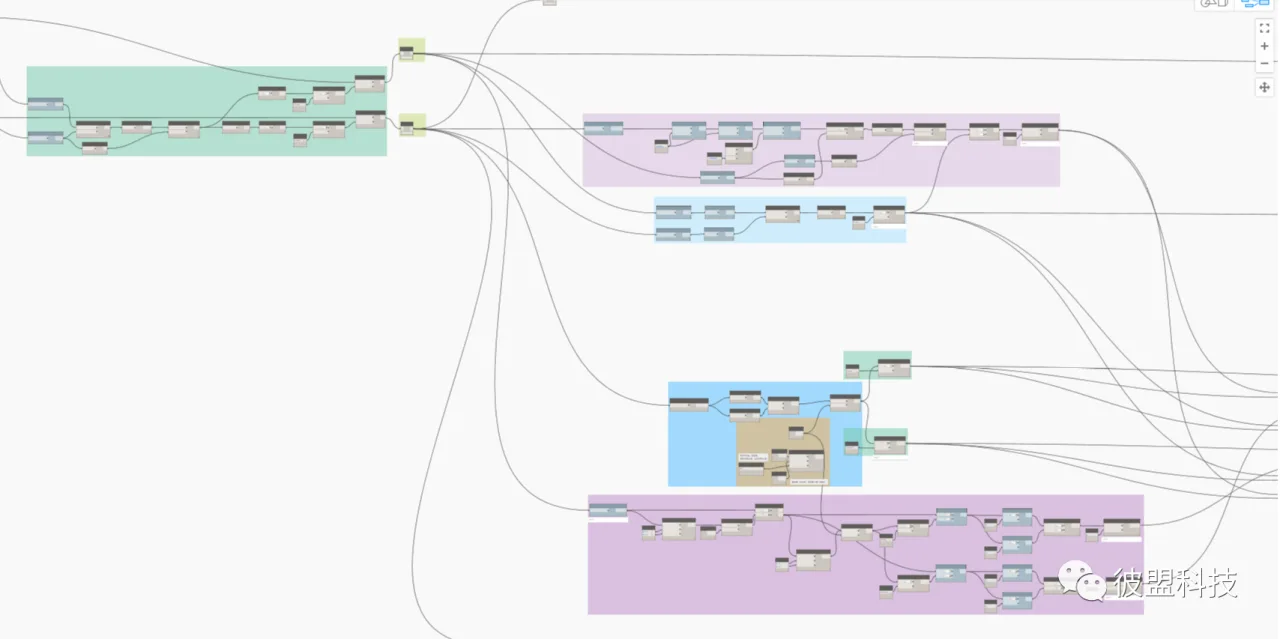
Figure 5: Dynamo Program Screenshot
After running the program, the system automatically determines the haunch positions, calculates their sizes, and generates the horizontal haunch models, as shown in Figure 6:
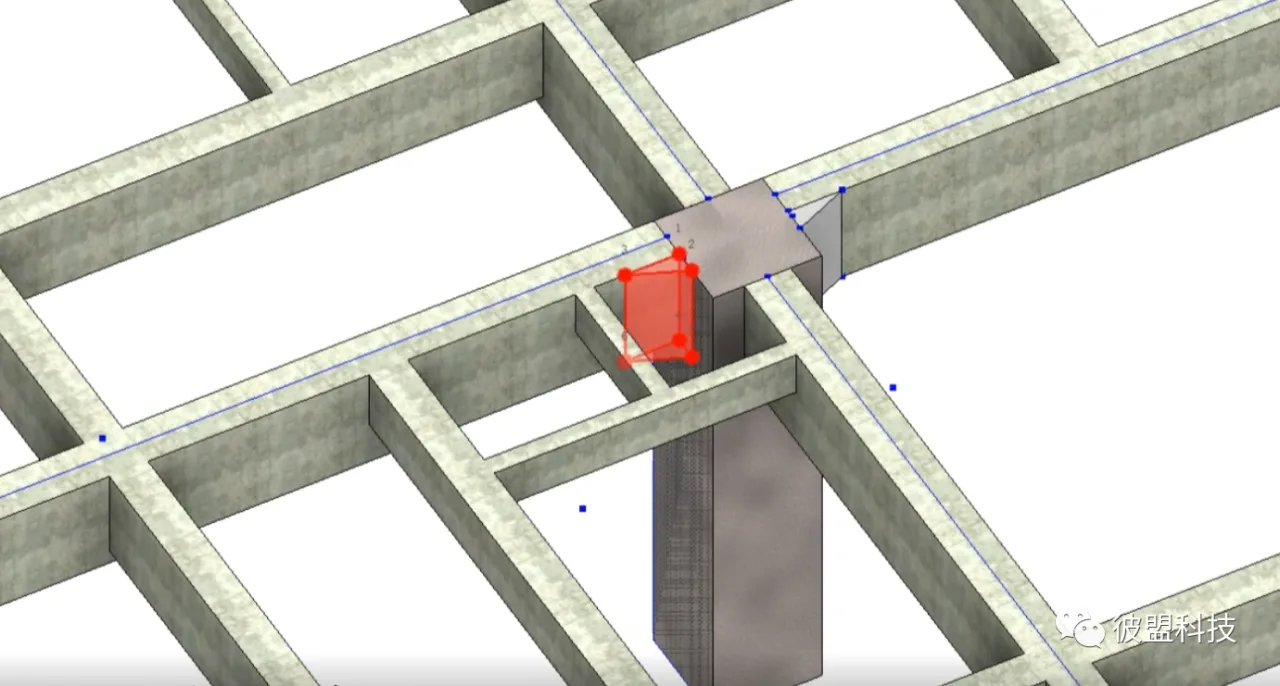
Figure 6: Dynamo Program Screenshot
At the same time, the system outputs detailed drawings of the horizontal haunches, including their positions and dimensions, which can be directly used in construction, as seen in Figure 7:
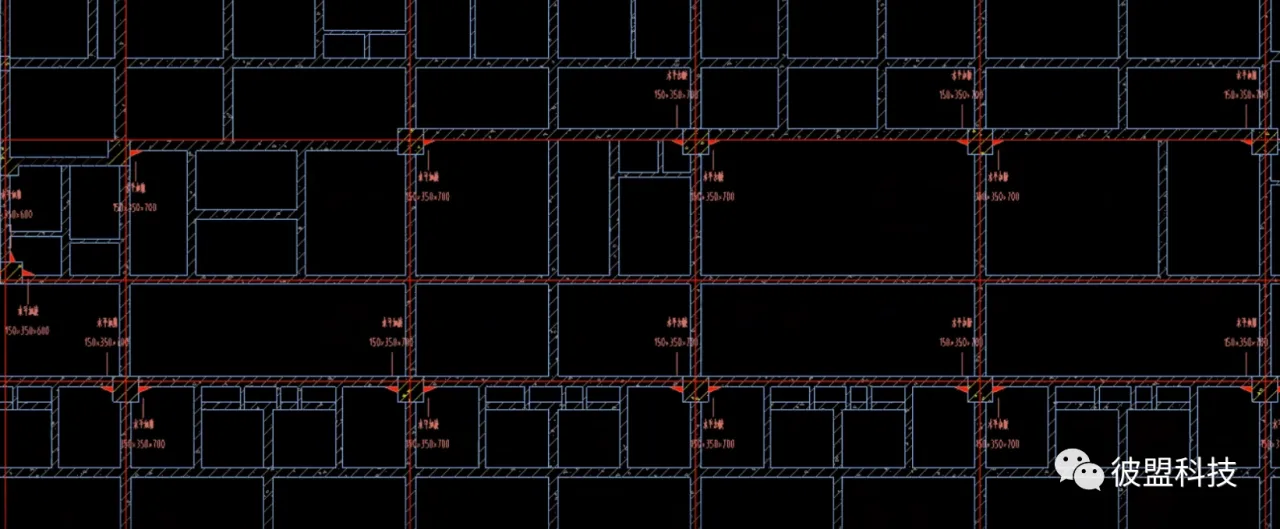 Figure 7: Horizontal Haunch Beam Annotation Screenshot
Through BIM parametric design, it is now possible to generate a horizontal haunch model with a single click based on the general profile specified in the structural design. This method simultaneously annotates haunch dimensions and produces construction-ready drawings, effectively solving issues related to positioning, sizing, annotation, modeling, and on-site construction documentation of horizontal haunches.
















Must log in before commenting!
Sign Up