BIM World
A Professional BIM Learning Platform


BIM Skills: Creating Metric and Irregular Curtain Wall Panels in Revit Using Filling Patterns

This article is from the WeChat official account: Hongjian Smart Building.

When modeling, you might encounter irregular building curtain walls to various extents. Since curtain wall panels need to adapt to the shape of the curtain wall, one effective approach is to use families based on metric curtain wall panel filling patterns to create these panels.

Using Metric Curtain Wall Panel Filling Patterns
BIM skills | How to make Revit metric curtain wall panels? How to make irregular curtain wall panels based on metric curtain wall panel filling patterns in Revit?

1. Define the Point Graphic Element Settings
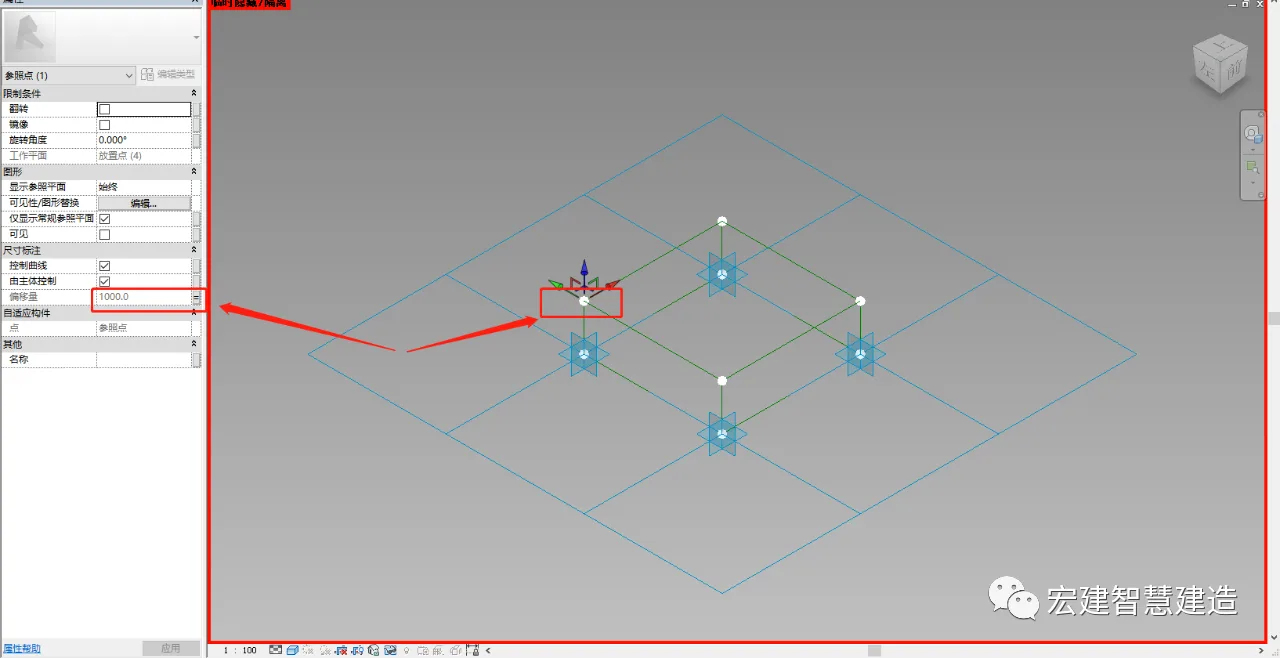
BIM skills | How to make Revit metric curtain wall panels? How to make irregular curtain wall panels based on metric curtain wall panel filling patterns in Revit?

  • Open Revit, click “New Family”, and select “Fill Pattern Based on Metric Curtain Wall Panel”.
  • Choose the desired fill pattern grid.
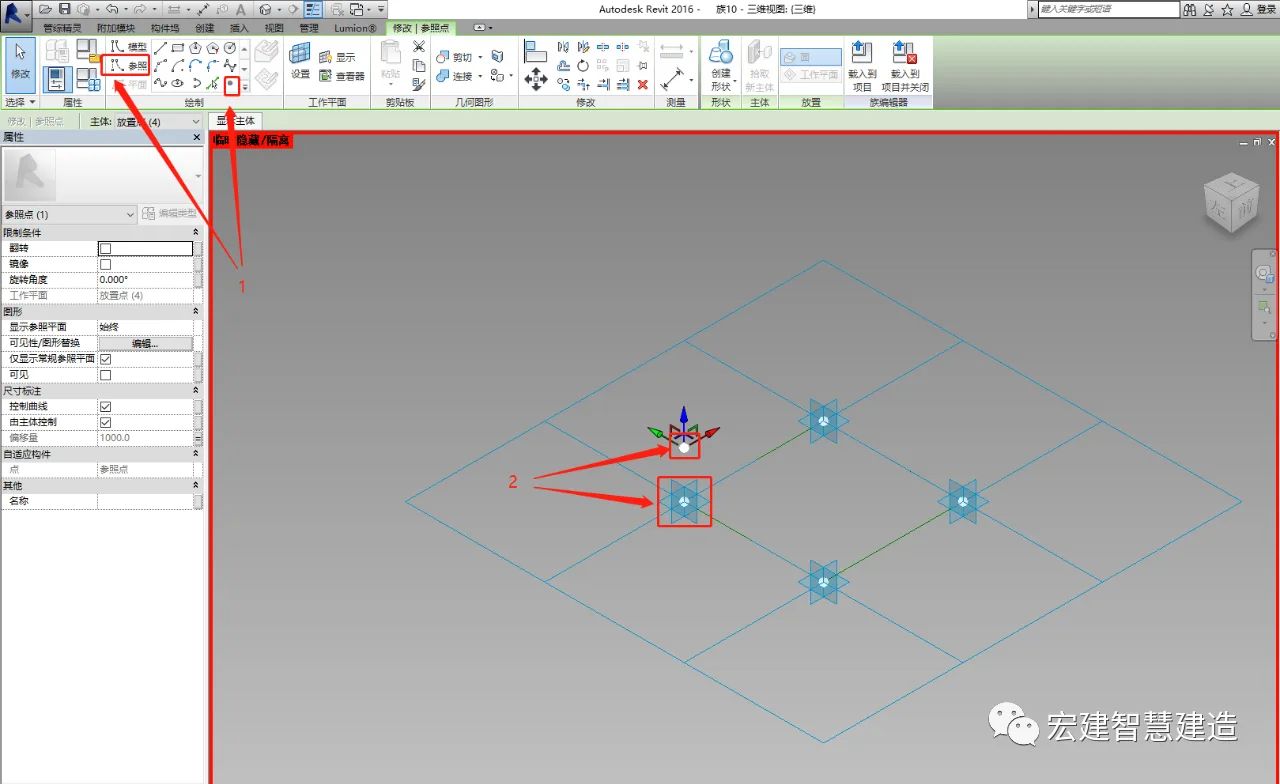
  • Click on the reference to select the point element, then place the point element on the adaptive point (ensure it is placed on the adaptive point plane so it moves with the adaptive point).

2. Set Offsets and Draw the Desired Shape

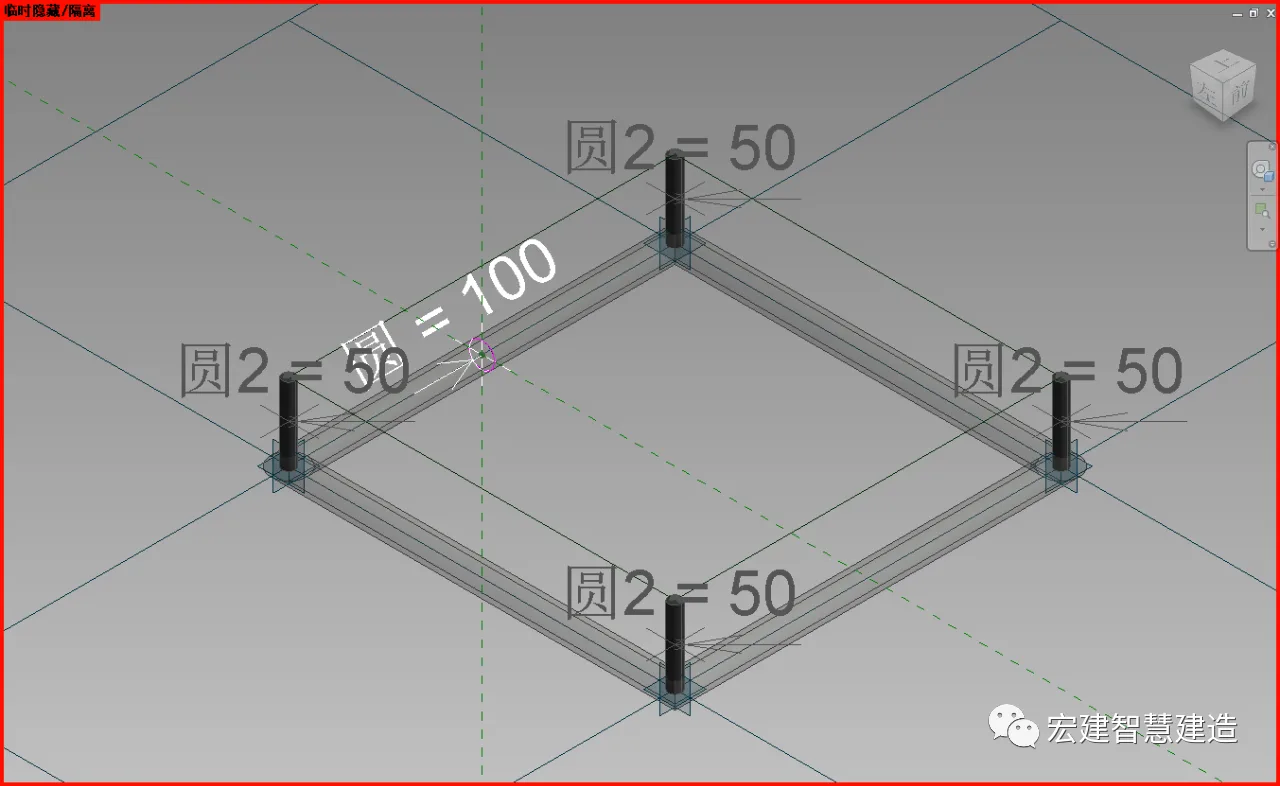
Set the required offset values and draw the shape you want by adding dimension parameters. Use reference lines, snap to reference points, or adaptive points as needed.
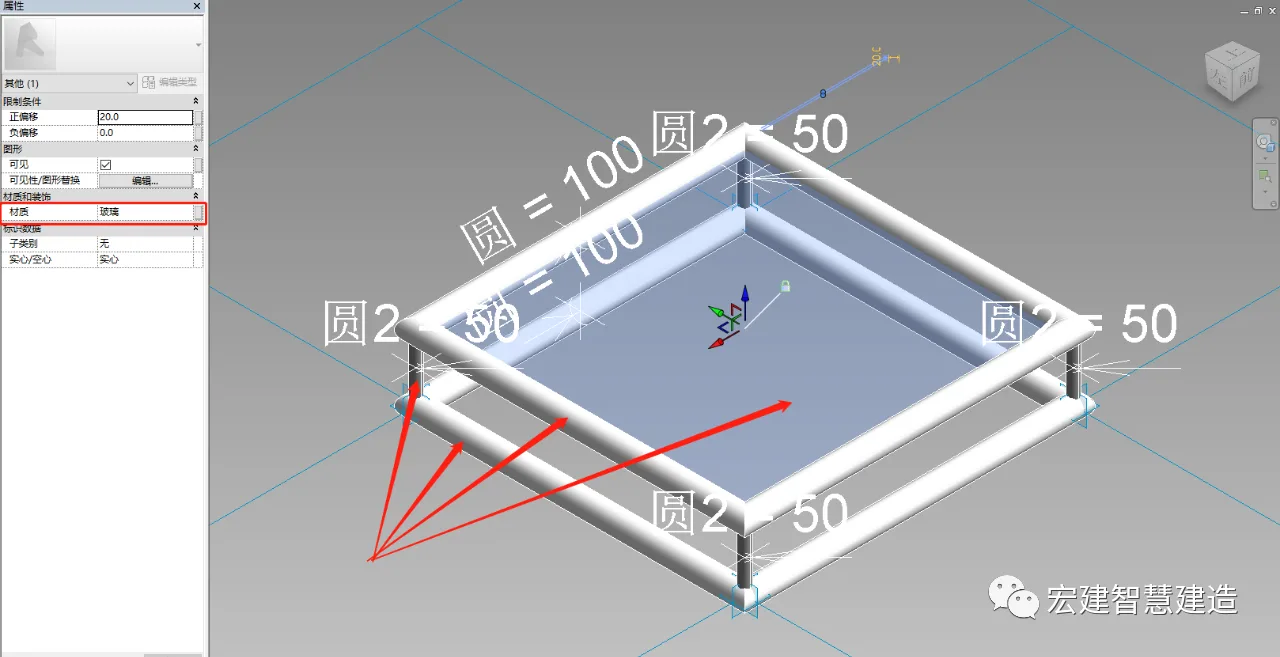
BIM skills | How to make Revit metric curtain wall panels? How to make irregular curtain wall panels based on metric curtain wall panel filling patterns in Revit?

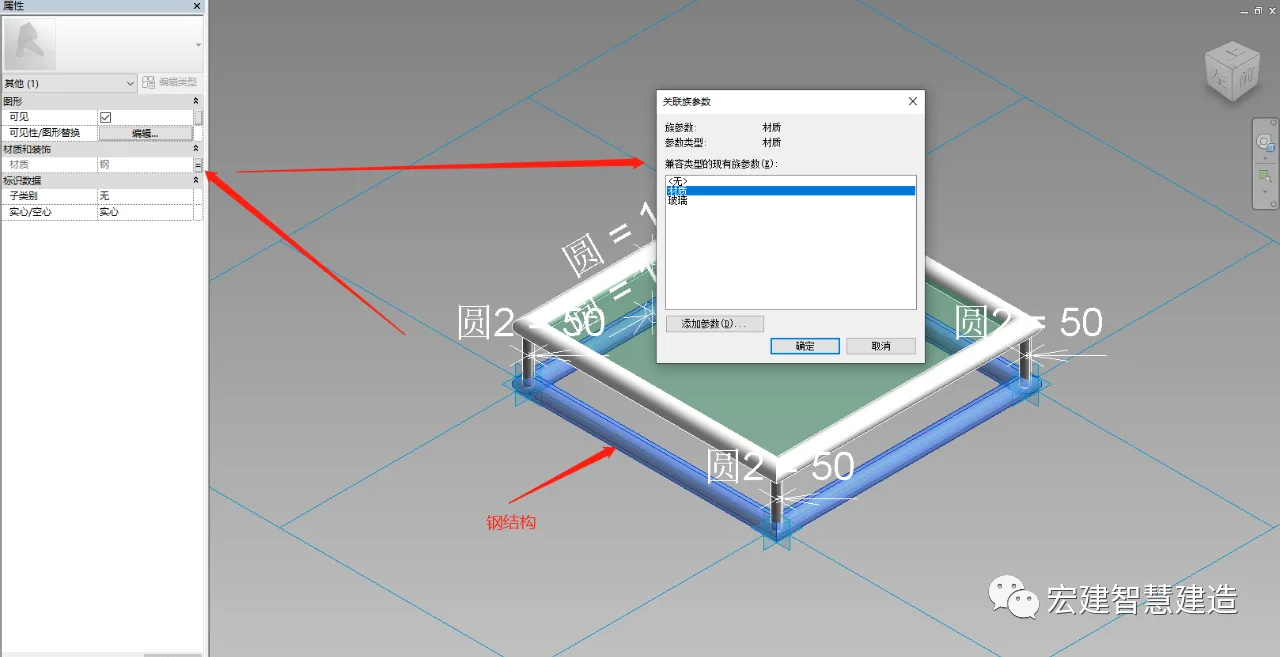
3. Add Steel Structure and Surface Materials

  1. Hover the mouse over the edge of the steel structure graphic and press the Tab key to select it.
  2. Click on the associated family parameters to add relevant material parameters.
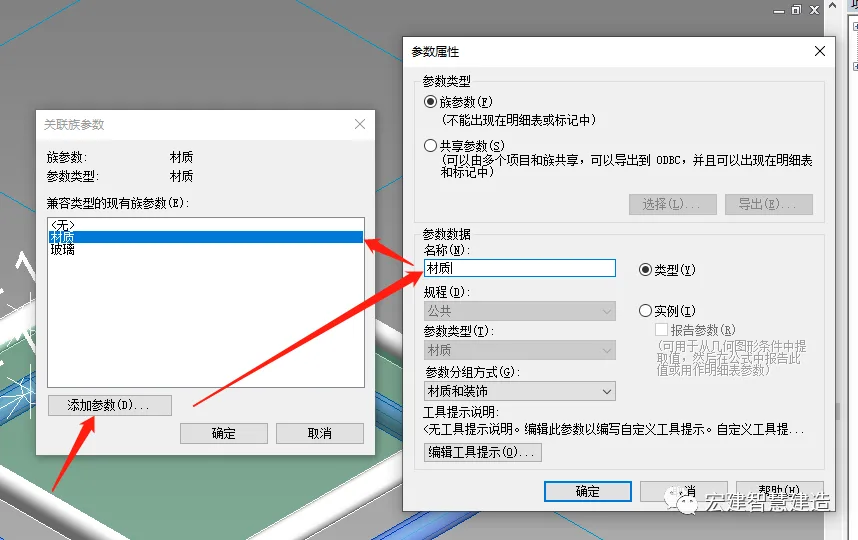
BIM skills | How to make Revit metric curtain wall panels? How to make irregular curtain wall panels based on metric curtain wall panel filling patterns in Revit?

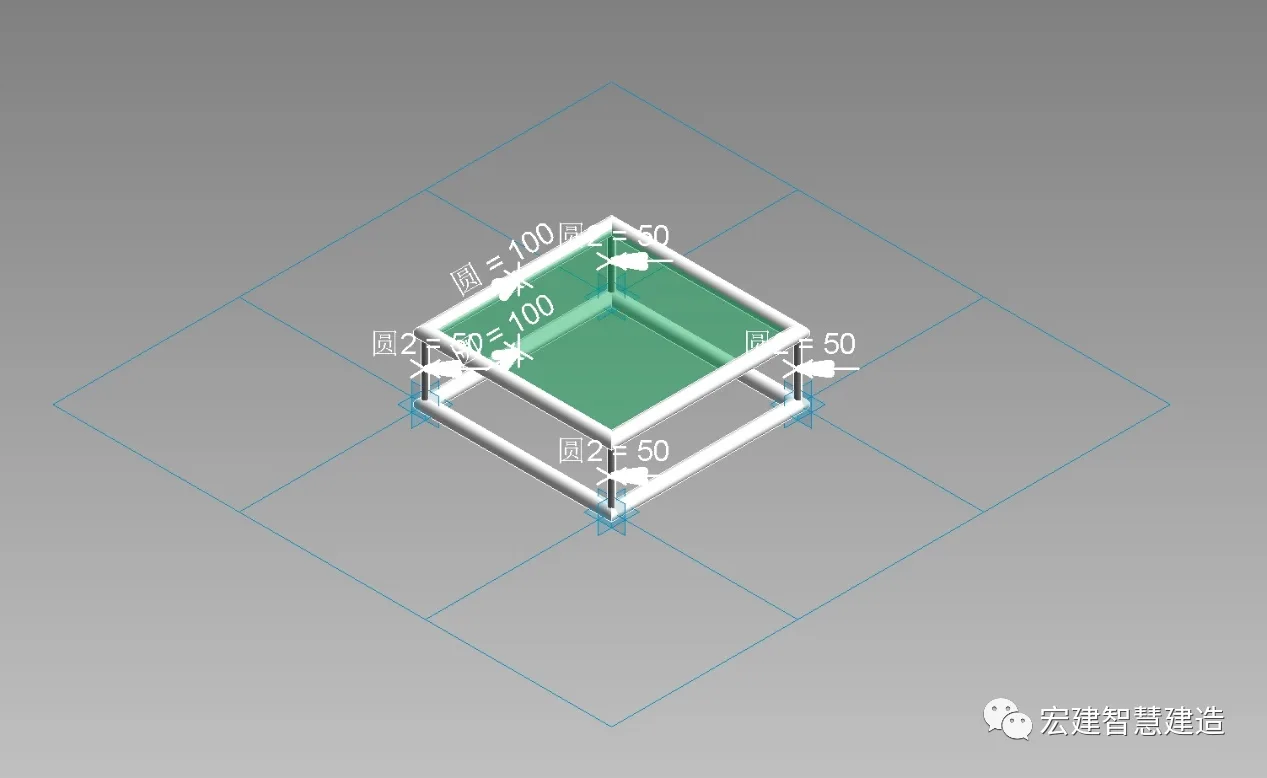
4. Create the Panel Model

Follow the steps above to form the panel model.
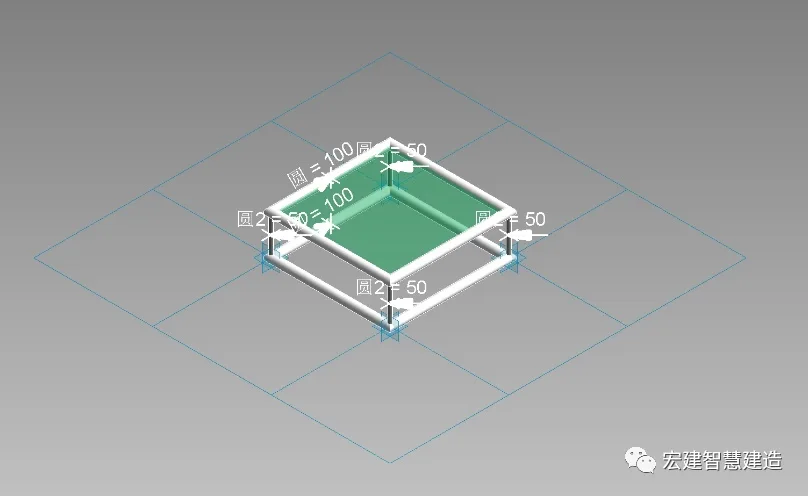
BIM skills | How to make Revit metric curtain wall panels? How to make irregular curtain wall panels based on metric curtain wall panel filling patterns in Revit?

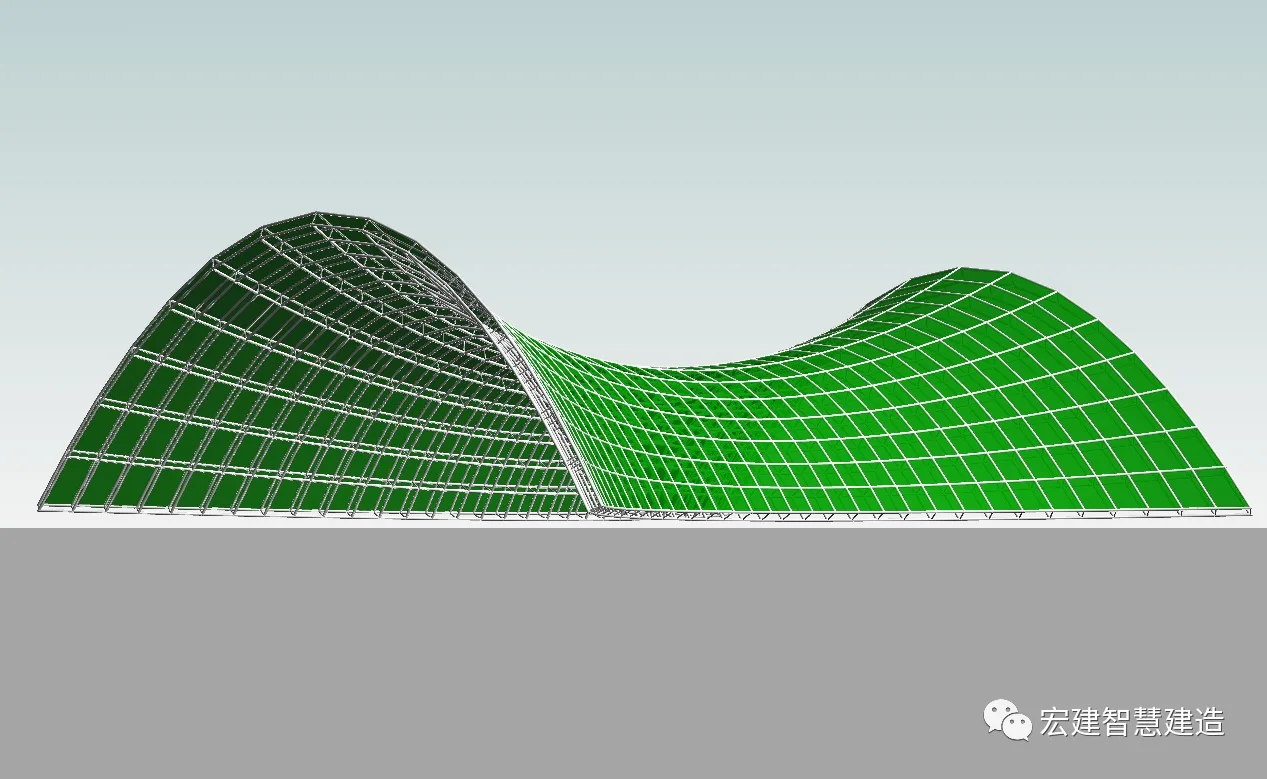
5. Import the Irregular Volume File

Finally, import the irregular volume file to complete the irregular curtain wall panel.
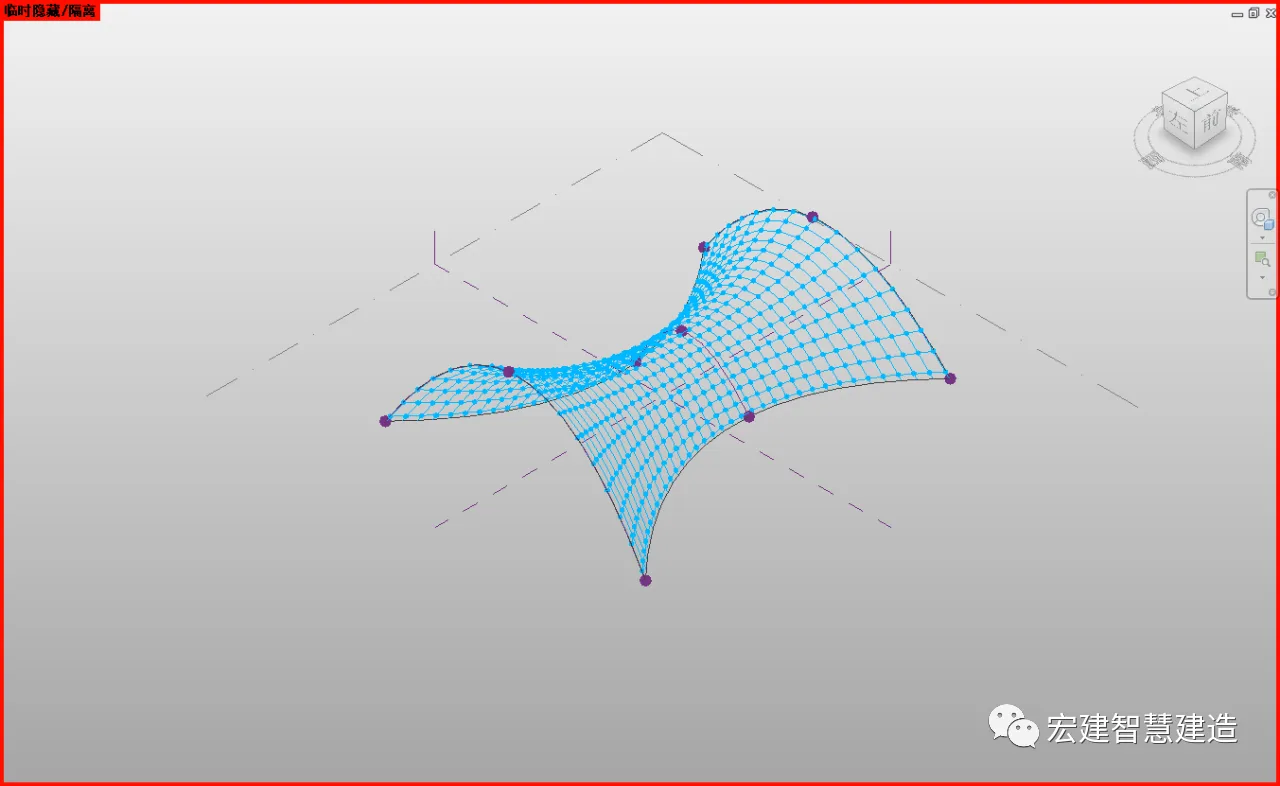
BIM skills | How to make Revit metric curtain wall panels? How to make irregular curtain wall panels based on metric curtain wall panel filling patterns in Revit?

The final result is shown above.

xuebim
Follow the latest BIM developments in the architecture industry, explore innovative building technologies, and discover cutting-edge industry insights.
← Scan with WeChat
Like(0) 打赏
BIM WORLD » BIM Skills: Creating Metric and Irregular Curtain Wall Panels in Revit Using Filling Patterns

Comment Get first!

Must log in before commenting!


BIM World, A Professional BIM Learning Platform

Stay updated on the latest architecture trends and share new building technologies.

Contact UsAbout Us

觉得文章有用就打赏一下小编吧

非常感谢你的打赏,我们将继续提供更多优质内容,让我们一起创建更加美好的网络世界!

支付宝扫一扫

微信扫一扫

Account Login

By signing in, you agree toUser Agreement

Sign Up