
This article is from the WeChat official account: Hongjian Smart Building.
OneFilters is a powerful filter and shader plugin designed to help you precisely filter system categories during the modeling process, making shading classification much easier. The OneFilters panel features interconnected functions, and you can save multiple selection sets to store filter categories for convenient reuse.
OneFilters Filters
For experienced Revit users, filtering a single system type among multiple system types in a project can be challenging. OneFilters filters offer quick and efficient filtering and categorization.
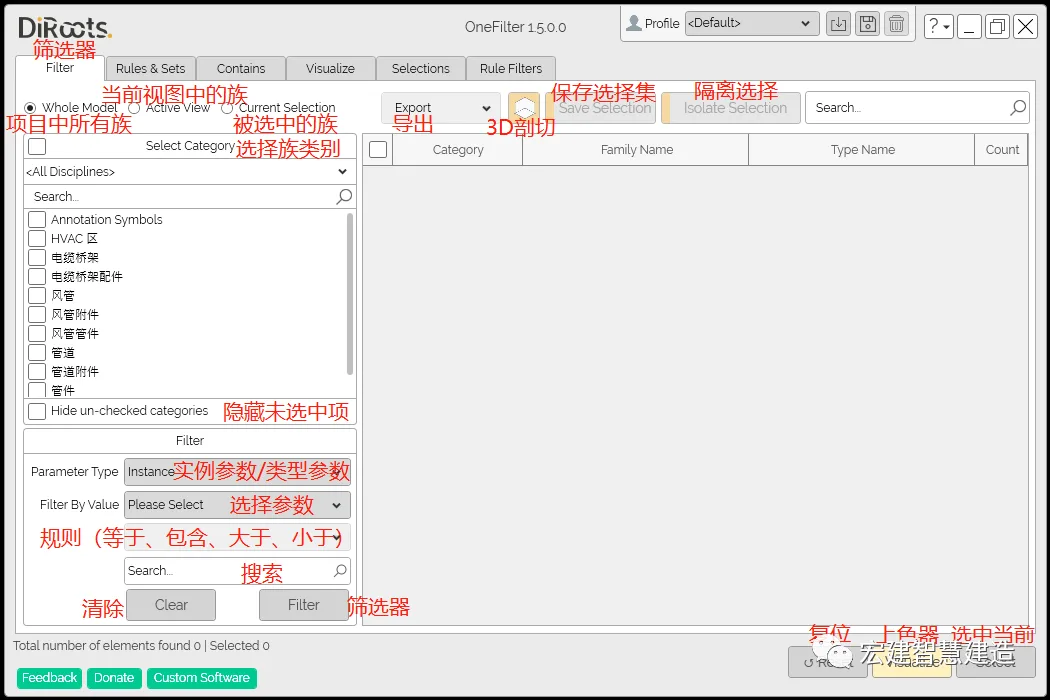
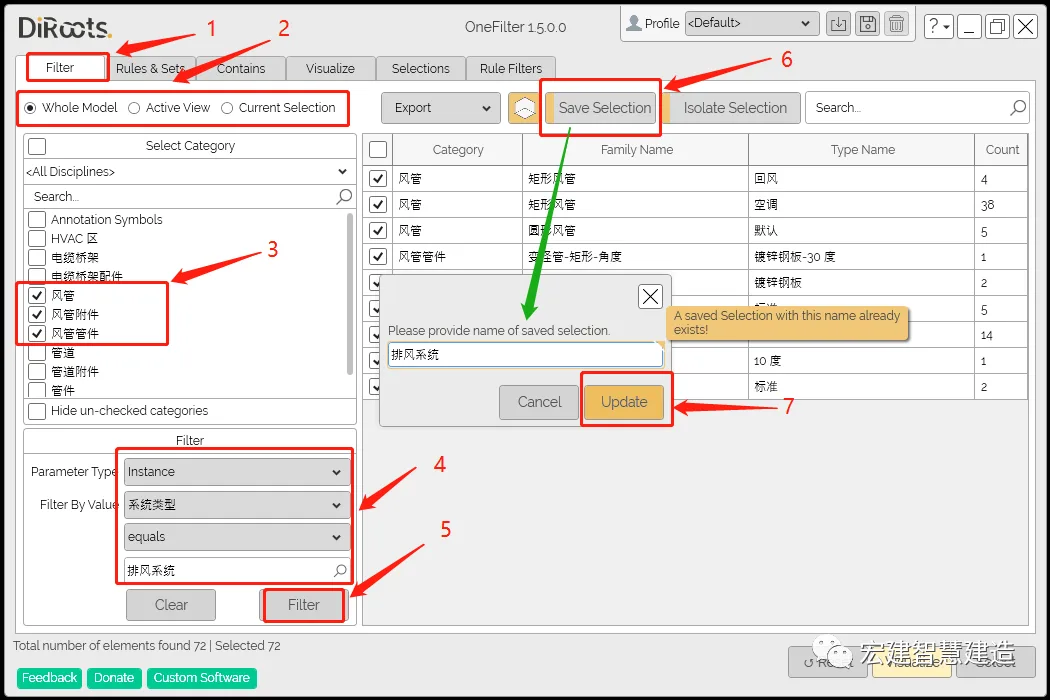
- Click to select a filter.
- Select all families within the project.
- Choose the necessary air ducts, accessories, and fittings.
- Filter instance parameters by inputting the required duct system into the Revit file early in the project.
- Click to confirm the filter.
- Save the selection set.
- Enter the system name and click confirm to generate it in the selection set (explained later).
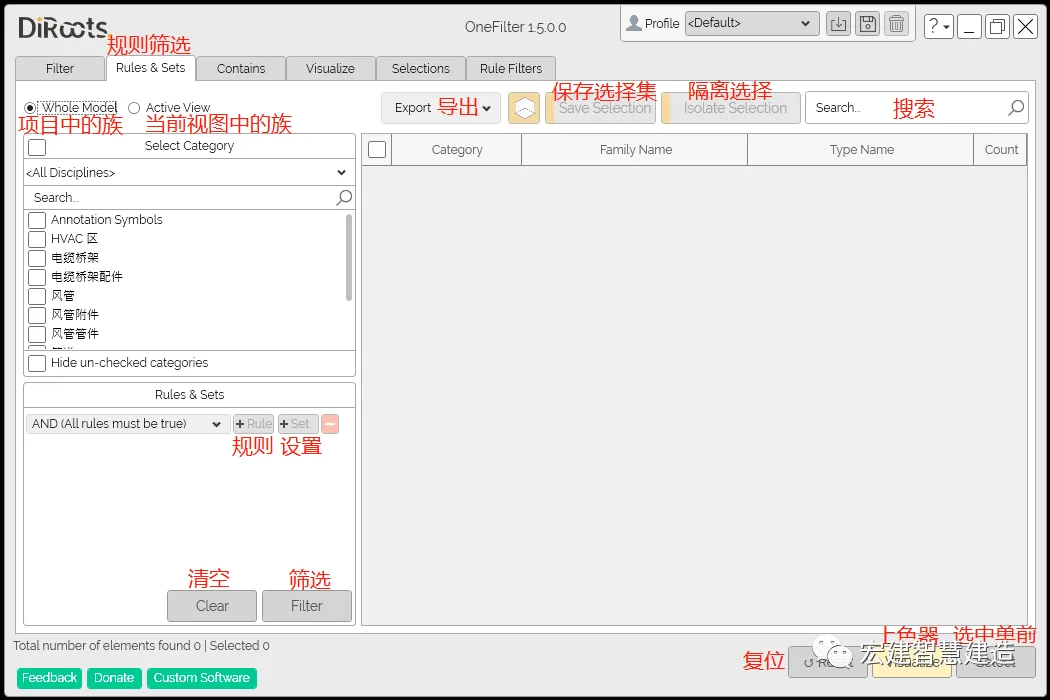
OneFilters Rule Filtering
Rule filtering allows you to select desired types by applying one or more filtering rules.
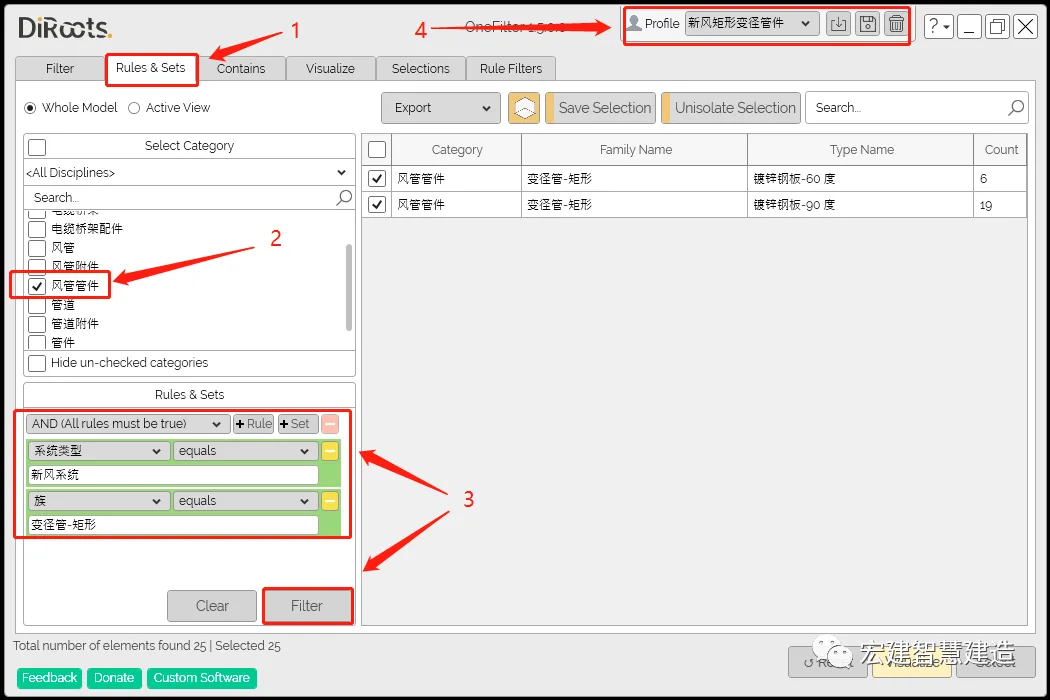
- Navigate to the rule filtering page.
- Select duct fittings.
- Set filtering rules (e.g., filter only rectangular fittings of variable diameter pipes in the fresh air system).
- Click Save and name the new filter (e.g., “Air Rectangular Variable Diameter Pipe Fitting”). This can be saved and reused in other projects.
OneFilters Includes
This feature allows isolated display based on areas, rooms, and volumes.
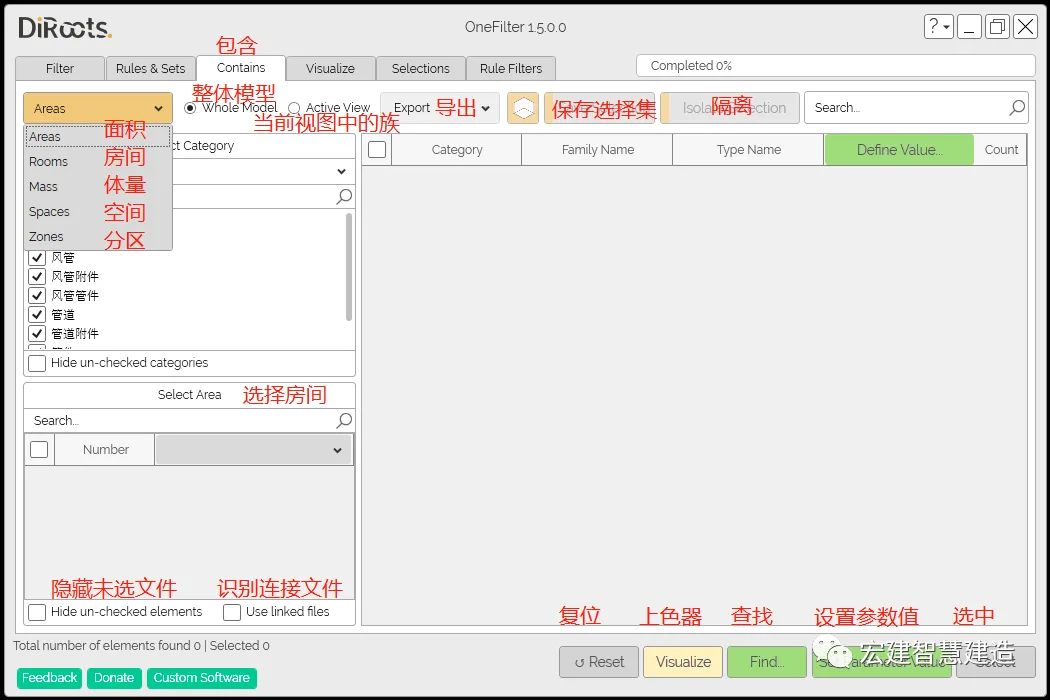
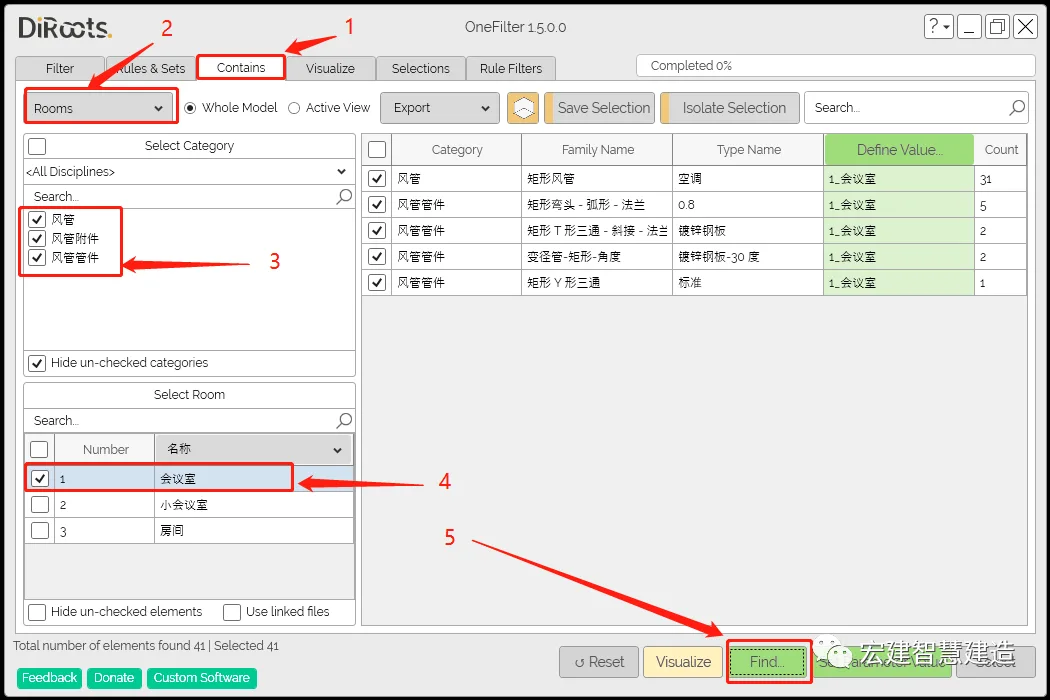
- Open the includes page.
- Select the room option.
- Check the air duct accessory fittings.
- Choose to display the conference room area separately.
- Search and display the room objects.
OneFilters Visualization
This refers to the coloring function. Note: Visualized color files are for personal computer use only. When sharing externally, color settings must be configured in the view template first.
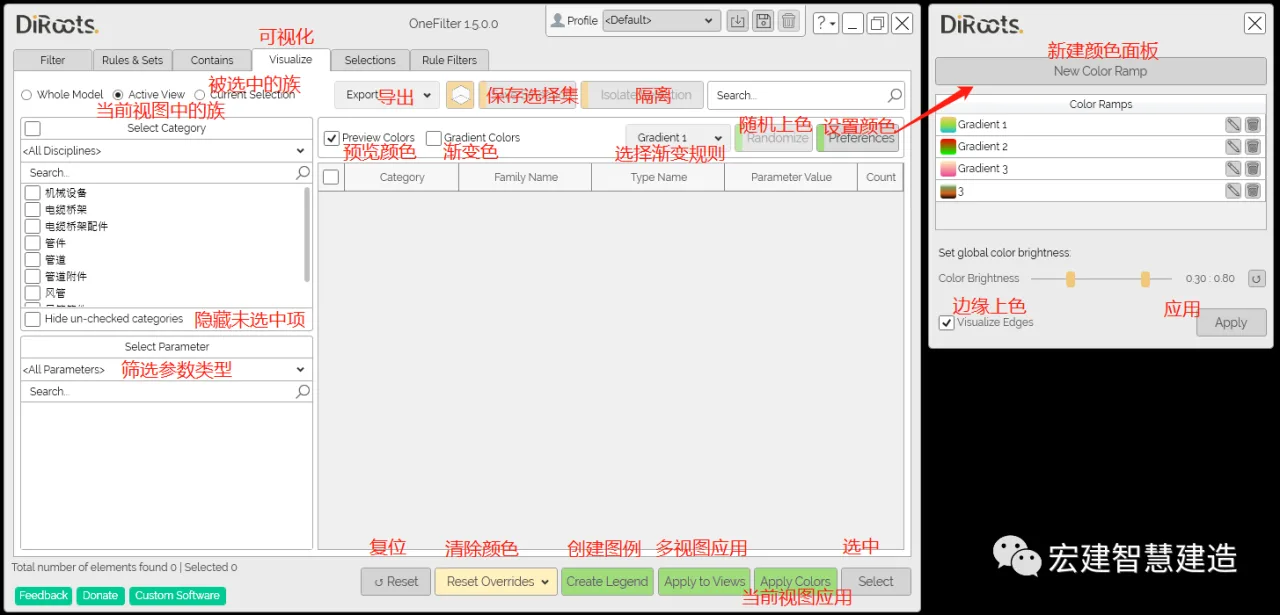
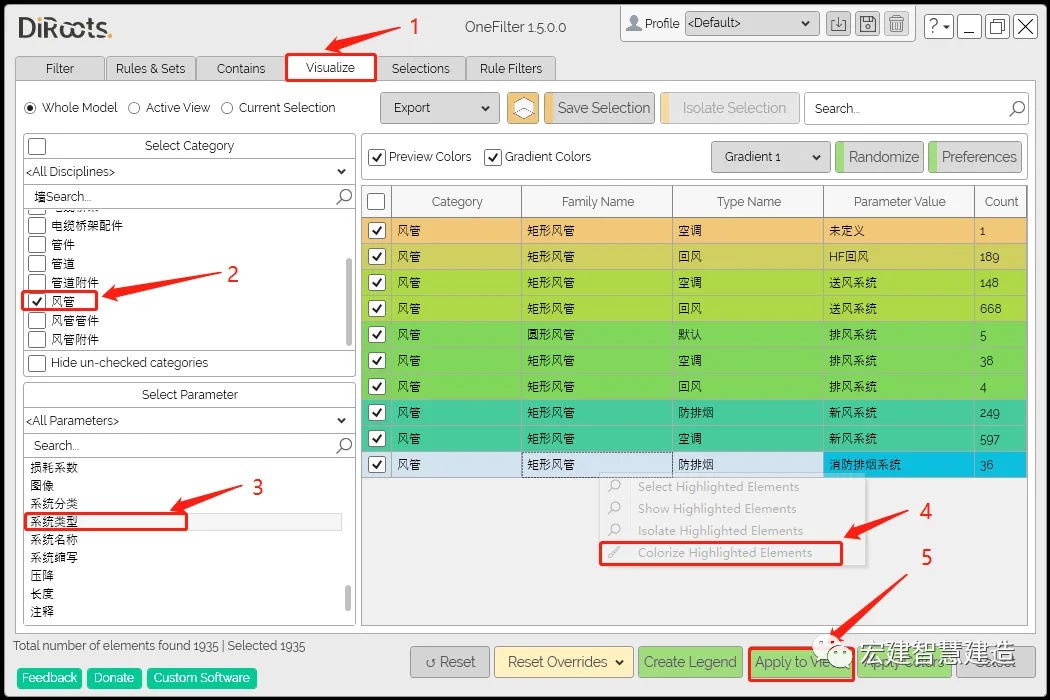
- Go to the visualization page.
- Check the air ducts.
- Select the type of hook system.
- Right-click and choose the last option to color the highlighted element and change the system color.
- Use the multi-view application.
OneFilters Selection Set
The selection set is linked to saved sets from other pages for seamless integration.
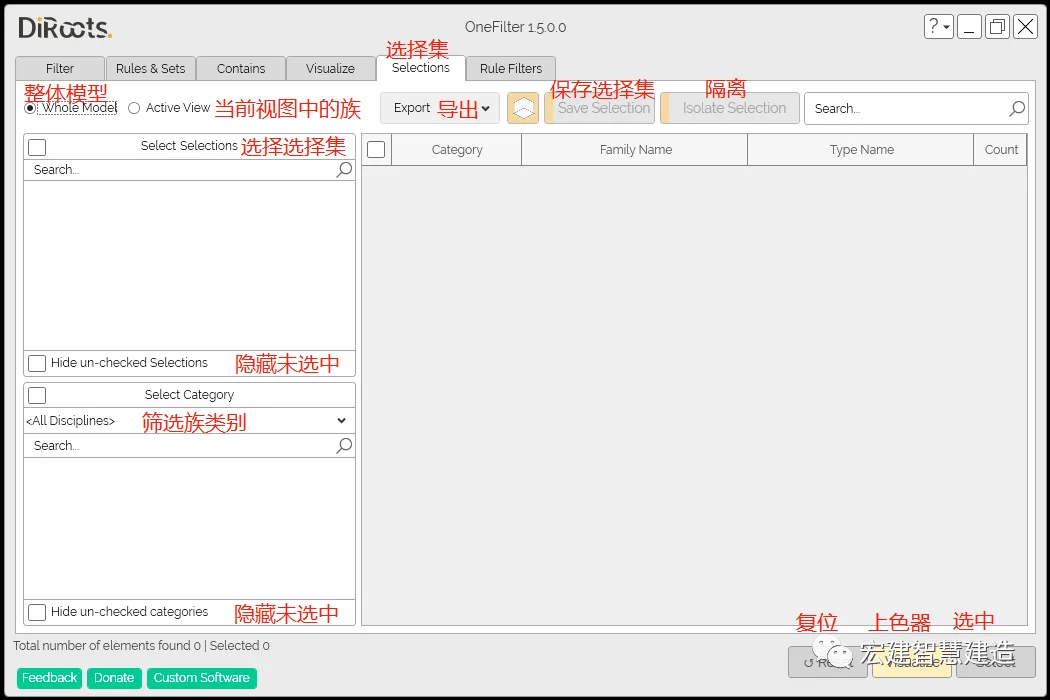
OneFilters Filters Overview
This filter displays the edited system types within Revit files, making it easier to search and manage systems.
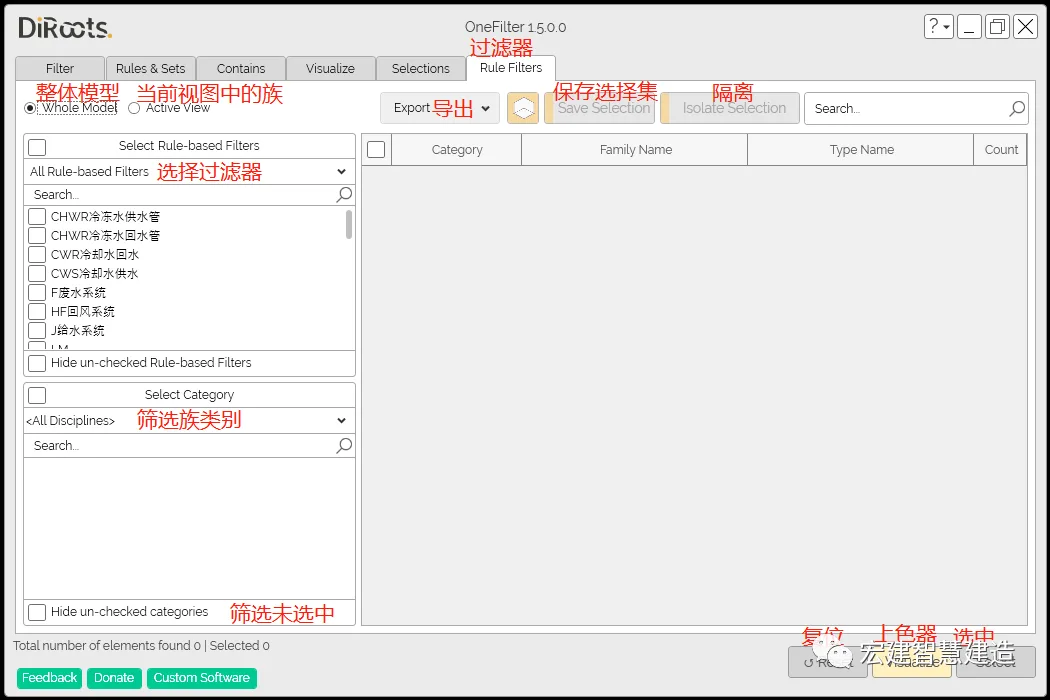
The OneFilters plugin streamlines many steps in Revit, allowing you to discover additional usage rules during modeling. It’s a valuable tool to boost efficiency and save time.
Source: BIM Consulting Department (Chen Junfa)
Layout: Engineering Information Department
Editor-in-Chief: Stone Sponge Double
Reviewer: Cao Liansha
















Must log in before commenting!
Sign Up