
Tianzheng Architecture T20v6.0 is fully compatible with AutoCAD versions 2010 through 2020, offering a range of new editing and design features to simplify your drawing process. Users interested in enhancing their workflow should download and try this Tianzheng Architecture software today!
T20 Tianzheng Construction Software is a brand-new product developed by Tianzheng Company to meet industry demands by carrying and expanding the effective information requirements throughout the design process. After 20 years of dedicated research and incorporating extensive user feedback, this software was created.
T20 Tianzheng Building Software delivers a truly effective BIM application model through integrated interfaces, data, and standards. It ensures seamless connectivity both within the Tianzheng software series and with external programs like Revit. The software features embedded data, information carrying, and information expansion capabilities.
The commands most frequently used by designers during the drawing process are categorized and presented as palettes in 2D sketch and annotation modes. Users can activate commands with a simple click on palette buttons, eliminating the need to navigate through multi-level menus, making engineering drawing tasks more convenient and efficient.
Installation Instructions:
Step 1: Double-click the installation program.
Step 2: Click “I Accept” and then “Next.”
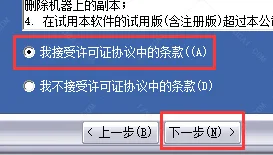
Step 3: Click “Next.”
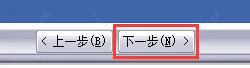
Step 4: Click “Next.”
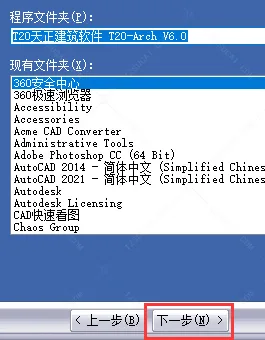
Step 5: Click to complete the installation.
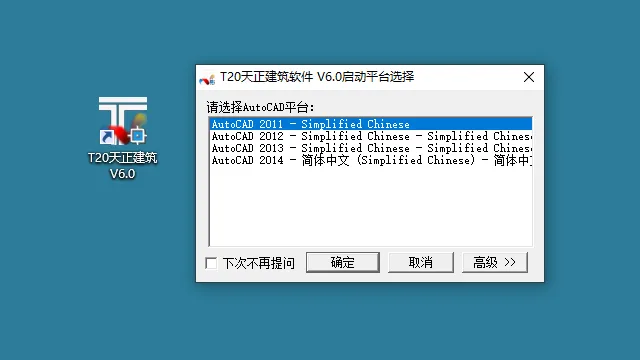
Step 6: Double-click the desktop icon to launch. Note: CAD software must be installed on your computer to start the Tianzheng plugin.
Features of Tianzheng Building T20V6.0
- Compatibility: Supports AutoCAD 2010 through AutoCAD 2020 platforms.
- Annotation System:
- Improved the “Grid Annotation” command to automatically avoid overlapping axis numbers during annotation.
- Changed “Add Axis” command from command-line to dialog box operation for easier use.
- “Add Axis Number” command also switched to dialog box mode, reducing steps.
- Enhanced “Text Style” command by adjusting font dropdown width; missing fonts appear in red.
- Added background masking option to single line text feature tables.
- Dimension boundary lines serve as effective trim and extend boundaries.
- Modified size association display range for dimension annotations.
- Improved “Wall Thickness Annotation” to include wall skin and axis dimensions, reposition annotations, and add insulation line details.
- “Inner Door Annotation” now uses dialog box mode with axis line + stack width positioning.
- Enhanced “Connect Size” command to connect modified dimensions with adjacent ones.
- Full-screen table editing now supports copying and cutting columns.
- “Table Column Editing” command improved with column copy functionality.
- Method annotation supports drag-and-drop resizing of dialog boxes.
- Index symbol split into two commands: pointing index and slicing index, with new index range identification forms and advanced options.
- Added image name annotations with font height and text style settings.
- Dynamic previews available when drawing rectangles and circular cloud lines, plus version symbol preview on click.
- Other Enhancements:
- Automatic calculation of distance from the farthest point in a room to the evacuation door.
- Fire evacuation radius drawing for various stair configurations (double parallel, triangular, intersecting).
- “Single Line to Wall” command now includes column selection axis for wall addition.
- Added “Number Flip” command to flip door and window numbers.
- Room names and area annotations support customizable text styles and sizes.
- Added “Roof Drainage” command to generate water distribution lines and slope annotations.
- Horizontal and vertical spacing commands switched to dialog box modes, supporting four spacing definition types each.
- Bug fixes and other improvements.
Tianzheng Construction T20V6.0 (Includes Registration Machine and Crack Patch)
Highlights and Advantages of Tianzheng Architecture T20v6.0
- Object Selection: Choose a reference graphic, then select other graphics that meet its filtering criteria to create a selection set.
- Change Scale: Modify the drawing scale of specific areas or viewports, adjusting text annotation font heights accordingly.
- Insert Frame: Insert frames in model or paper space, with preview functionality.
- Define Viewport: Select shapes within a window in model space to define their drawing positions.
- Object Editing: Automatically open parameter dialog boxes tailored to each custom object’s properties for editing.
- Partial Hide: Temporarily hide sub-objects to facilitate observation and editing of other elements.
- Arrange Partitions: Select inserted sanitary ware via lines to arrange bathroom partitions.
- Arrange Sanitary Ware: Organize kitchen utensils or bathroom sanitary ware.
- Universal Library: Create, open, and edit a gallery of blocks for insertion.
- Elevation Mark: Use the elevation annotation command for vertical sections, plans, and overall plans.
- Fold and Break Wires: Draw break lines and block object areas by selecting any side.
- Export Annotation: Annotate multiple points with the same content using leader lines.
- Elevator: Insert elevator doors into shafts and generate schematic elevator diagrams.
- Double-Flight Staircase: Enter parameters in a dialog box to directly draw a two-run staircase.
Overview
T20 Tianzheng Architecture V6.0 is a powerful architectural design software tailored specifically for construction drawings. It features a specialized annotation system utilizing custom objects for the most convenient operation of axis numbers, dimension annotations, symbol annotations, and text in architectural drawings. Users are encouraged to try it out for themselves.
Tianzheng Architecture T20 offers a robust online platform for engineering and architectural design, providing users with the simplest design methods. It includes a rich toolbar, enabling one-click design operations.
Perfectly compatible with AutoCAD 2010 and later versions, Tianzheng Architecture T20 allows users to import various CAD files and perform one-click modifications, streamlining your drawing editing process.
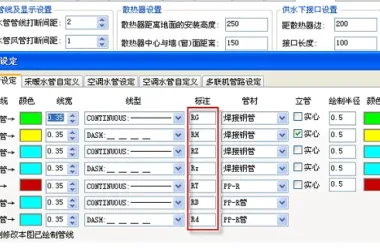











Why did the command box disappear