
Article from the official account: BIM Love Building
Have you ever wondered how backup files are created? What do the numbers like 0001, 0002, etc., after the project file name actually mean?
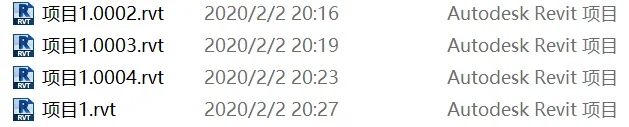
Why do you see so many similar files with suffixes such as 0001, 0002, and so on, after completing your project?
In fact, this depends on the maximum number of backup files you set, which must be an integer between 1 and 999.
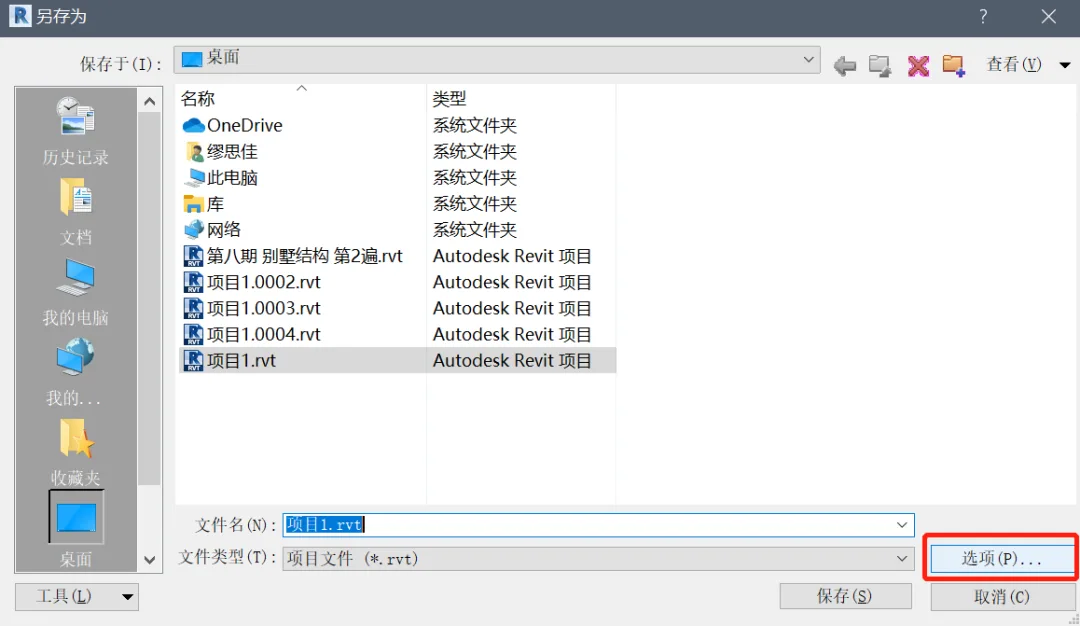
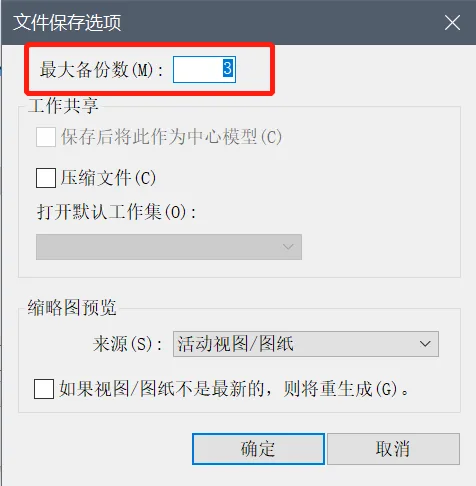
When this setting is enabled, the original model file for your project is saved each time you modify and save it. Every time you save changes, a backup of the model as it was before saving is created. Once the number of backup files exceeds your set limit, the system automatically keeps the most recent backups and deletes the oldest ones.
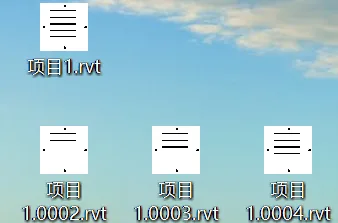
For example, if you set the maximum number of backup files to 3, after saving three times, you will see the following files generated:
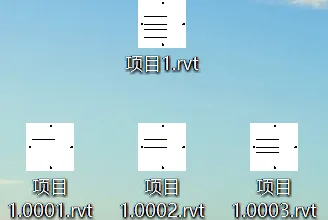
However, when you save for the fourth time, the oldest backup file (e.g., project_1.0001.rvt) will be deleted automatically.
If you don’t require many backup files, setting the limit between 3 and 5 is usually sufficient and won’t consume excessive memory.
Note: If you are taking a certification exam, remember to delete all backup files after completing your work to avoid any issues.
















Must log in before commenting!
Sign Up