
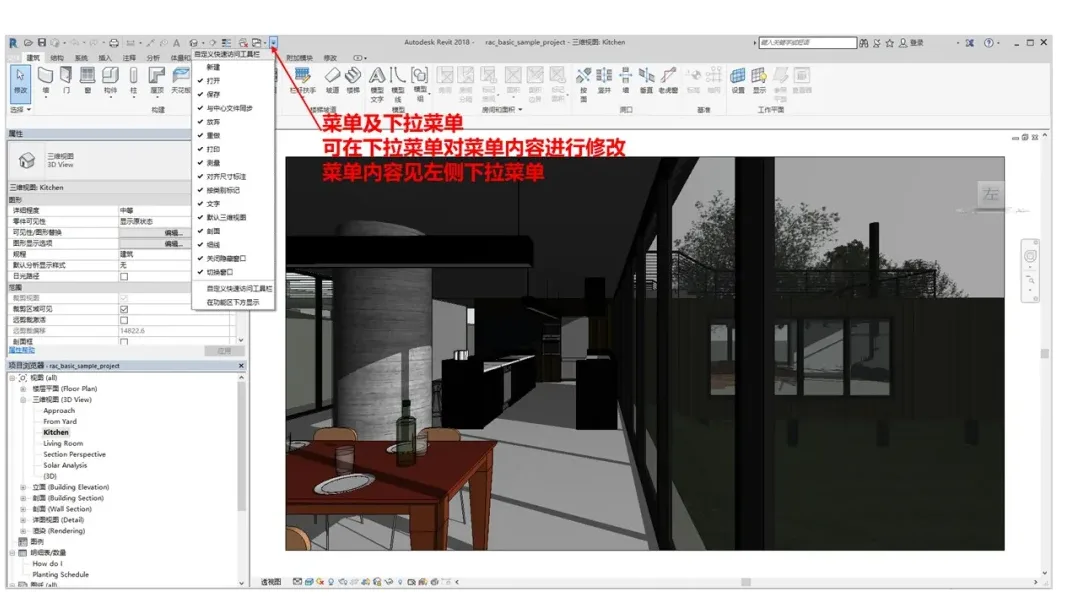
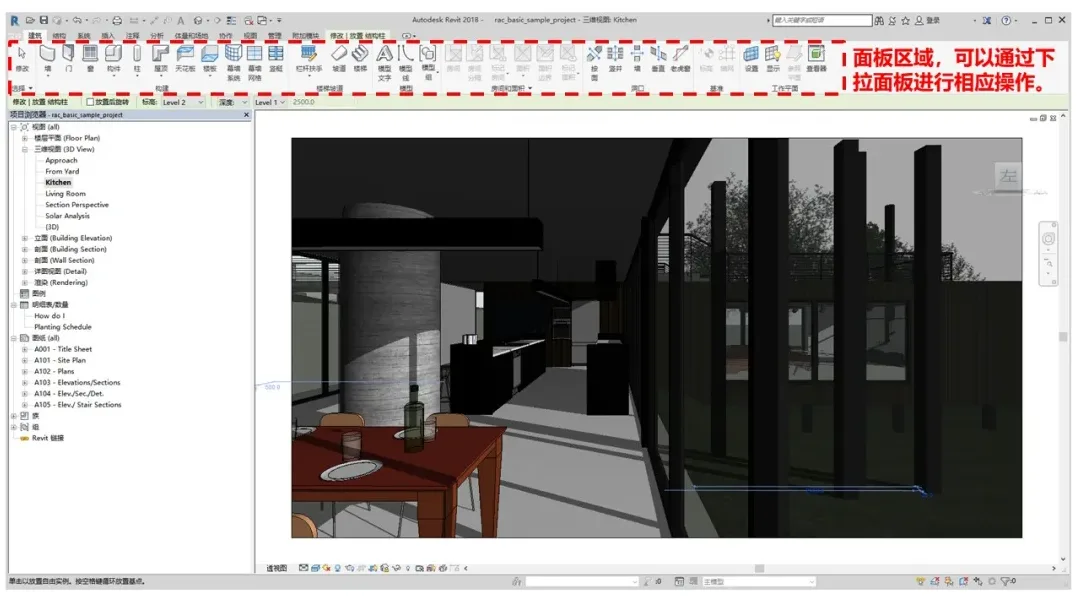
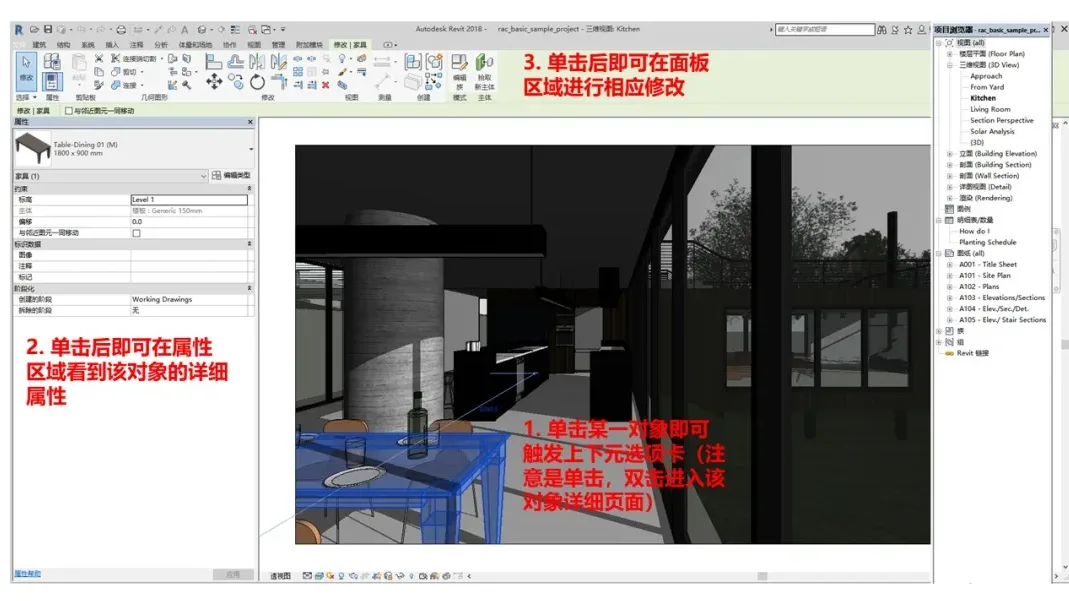
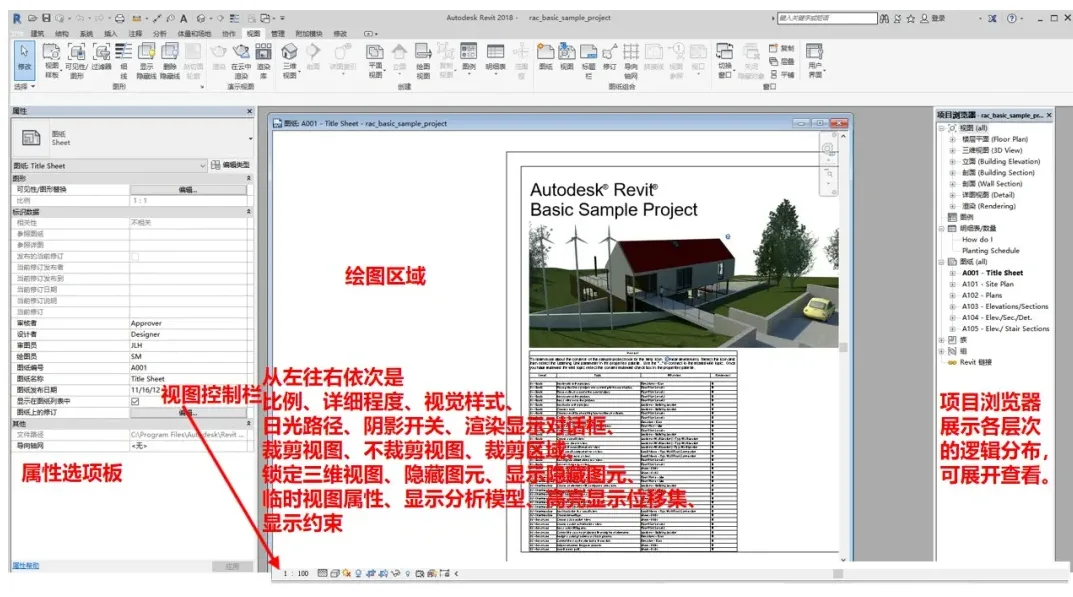
This article provides a brief introduction to the Revit user interface, combining insights from the BIM Technology Foundation – Revit 2019 Architecture course and the Revit 2018 UI. It aims to give you a basic understanding of the main interface components. The Revit 2018 interface primarily includes menus, panels, drawing areas, palettes, control bars, and other key sections.
1. Basic Interface
2. View Control Bar
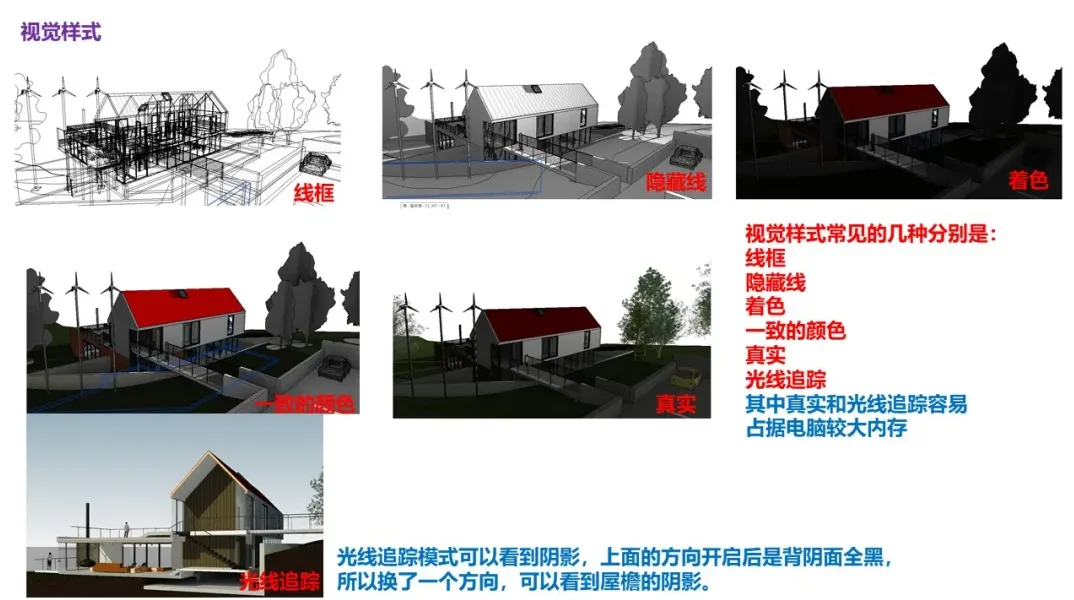
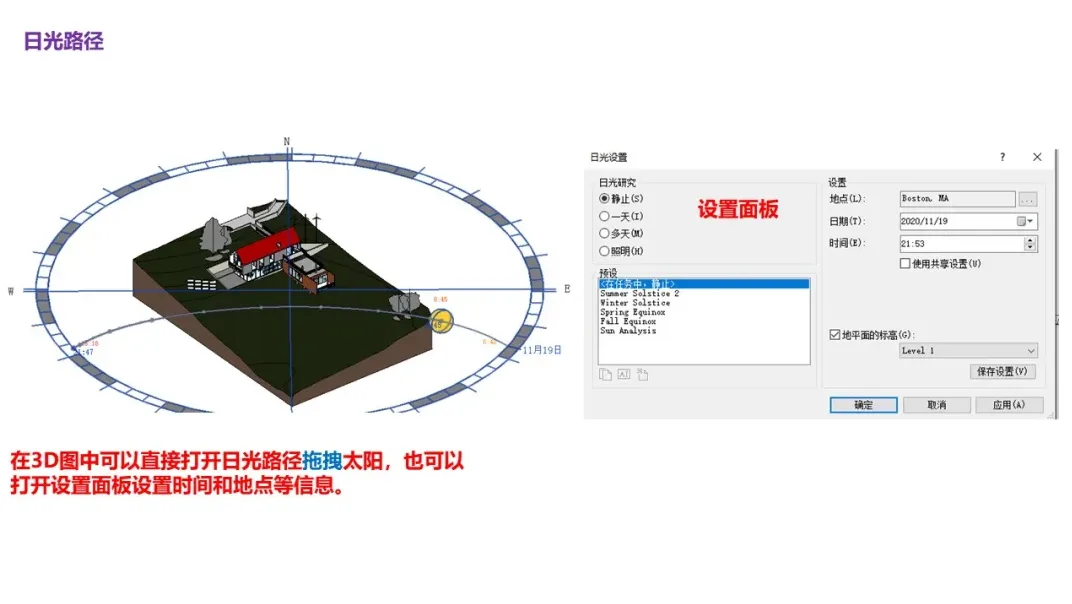
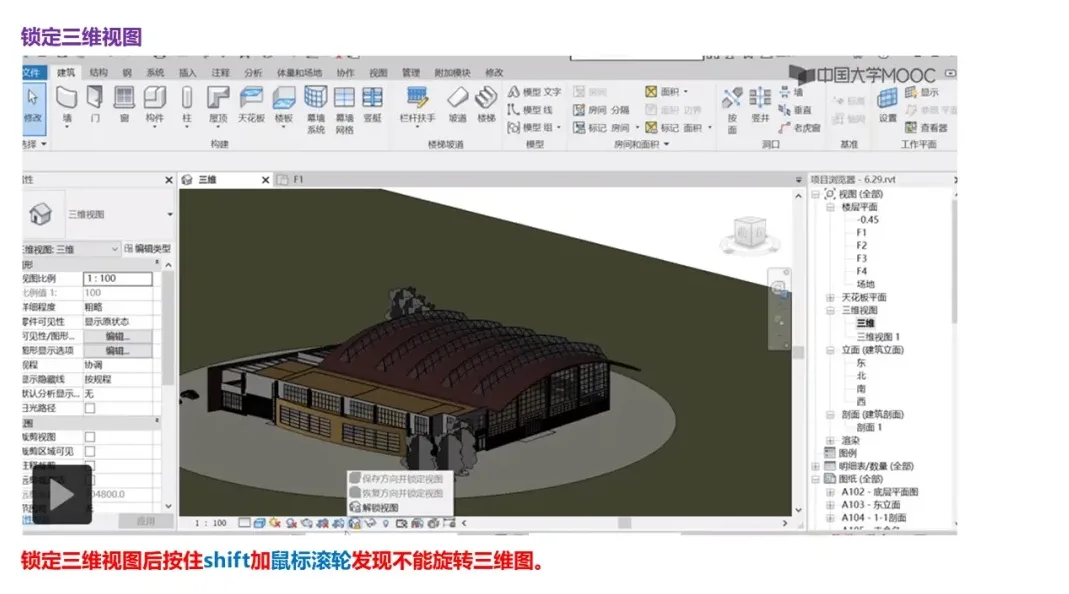
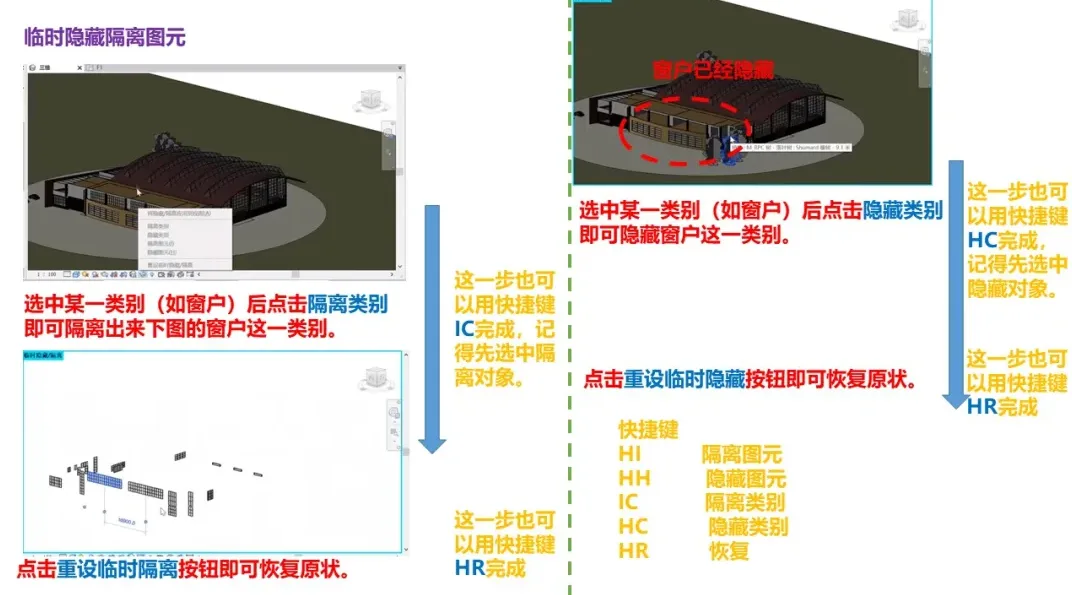
The View Control Bar includes several important buttons such as Visual Style, Sun Path, Lock 3D View, and Temporary Hide/Isolate Elements. Below is a brief overview of these controls.
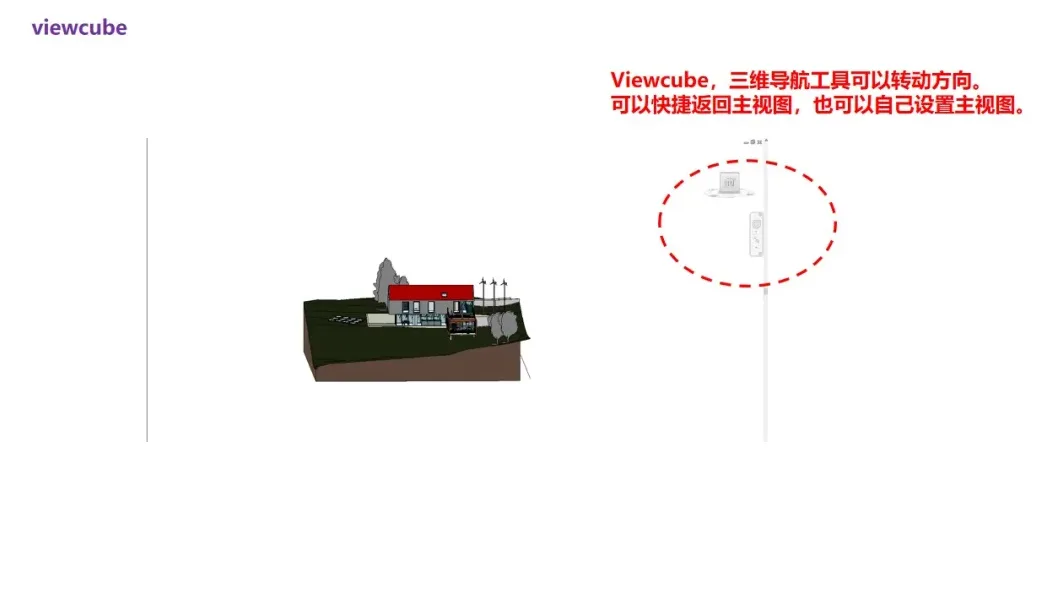
3. ViewCube
When working in 3D mode, the ViewCube located in the upper right corner allows you to adjust or change the orientation of the 3D view quickly and easily.
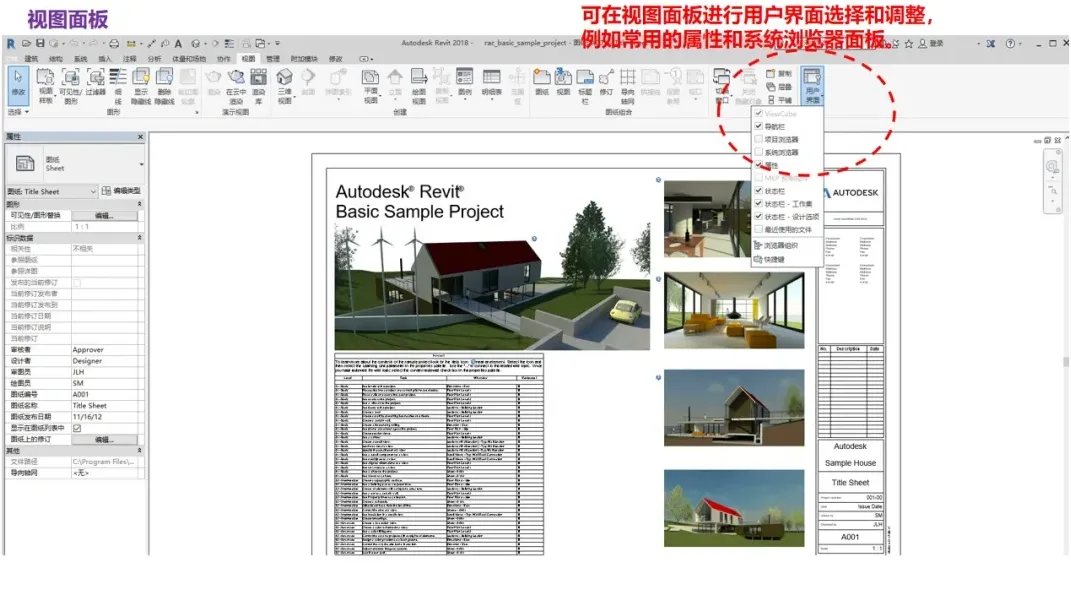
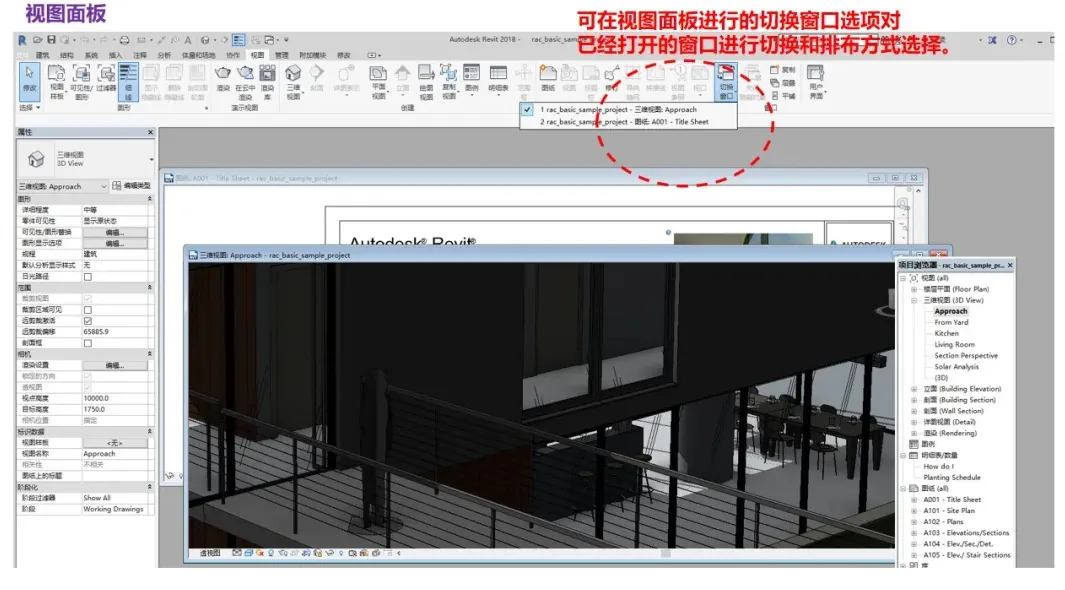
4. View Panel
The View Panel offers additional tools and options to manage how views are displayed within your Revit project.
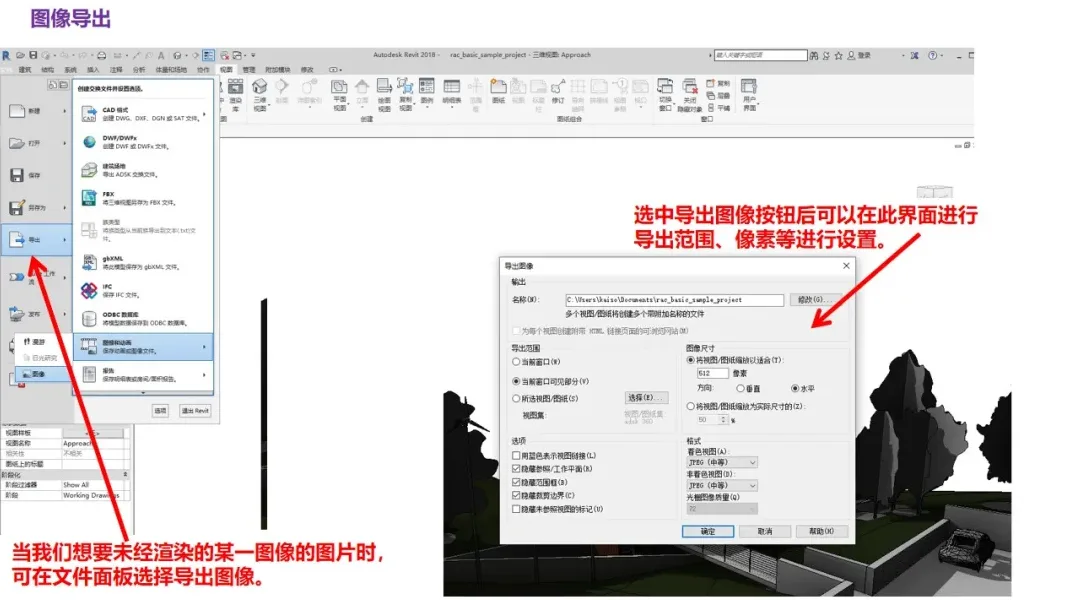
5. Exporting Images
If you want to export an image without rendering, you can save an existing view as an image file. Simply go to File > Export > Export Image, then select the destination folder and name your file to export the image.
















Must log in before commenting!
Sign Up